Developing an iPhone app can cost anywhere from $25,000 for a basic application to well over $250,000 for a complex, feature-rich platform. However, the exact price tag depends heavily on a multitude of factors, including the app’s complexity, desired features, design sophistication, and the development team’s hourly rates.
This article focuses on the financial investment required to develop an application for the iPhone platform, not the production cost of the hardware itself. It details the key factors that drive these costs, the typical stages of development, and strategies to manage or reduce your budget.
How Much Does It Cost to Develop an iPhone App?
Developing an iPhone app can cost anywhere from $25,000 for a basic application to well over $250,000 for a complex, feature-rich platform. The exact price tag depends heavily on a multitude of factors, including the app’s complexity, the features you want to include, the design’s sophistication, and the hourly rates of your development team, which often vary significantly by location and expertise.
Many people search for the cost of an iPhone app, but a common confusion with the cost of manufacturing an actual iPhone device has been noticed. This article focuses primarily on the financial investment required to develop an application for the iPhone platform, not the production cost of the hardware itself. However, the device manufacturing cost will be addressed briefly later to clarify that distinction.

Understanding the Key Factors That Drive iPhone App Development Costs
When you start an iPhone app project, you’re not just paying for code; you’re investing in a comprehensive process. Breaking down the cost drivers helps clarify where your budget will go. Here are the primary factors:

App Complexity and Features
This is arguably the most significant cost determinant for how much it costs to develop an iPhone app. A simple app with minimal features will naturally cost far less than a complex one integrating advanced technologies. Think of it this way: a basic calculator app is a world apart from a social media platform with real-time chat, video calls, and augmented reality filters.
- Simple Apps ($25,000 – $75,000): These typically include basic functionality, standard UI elements, and minimal backend integration. For example, examples might be a static content app, a basic utility tool, or a simple calculator. They usually involve 300–600 hours of development.
- Medium Complexity Apps ($75,000 – $150,000): These apps often feature custom UI/UX design, integration with external APIs (like payment gateways or social media), user accounts, and a more solid backend. Think of a simple e-commerce app, a booking app, or a content management system with user profiles. Development hours often range from 600-1200.
- Complex Apps ($150,000 – $250,000+): These are feature-rich applications requiring extensive custom development, advanced integrations (AI/ML, IoT, real-time data processing), complex backend infrastructure, and often sophisticated security measures. For example, examples include ride-sharing apps, advanced social networks, or enterprise-level solutions. These can easily exceed 1200 development hours and go much higher.
User Interface (UI) and User Experience (UX) Design
A beautiful, intuitive app isn’t just a luxury; it’s a necessity for user adoption and retention. The more custom, intricate, and polished your design needs to be, the higher the cost. Standard templates are cheaper, but a unique, branded experience requires significant design hours.
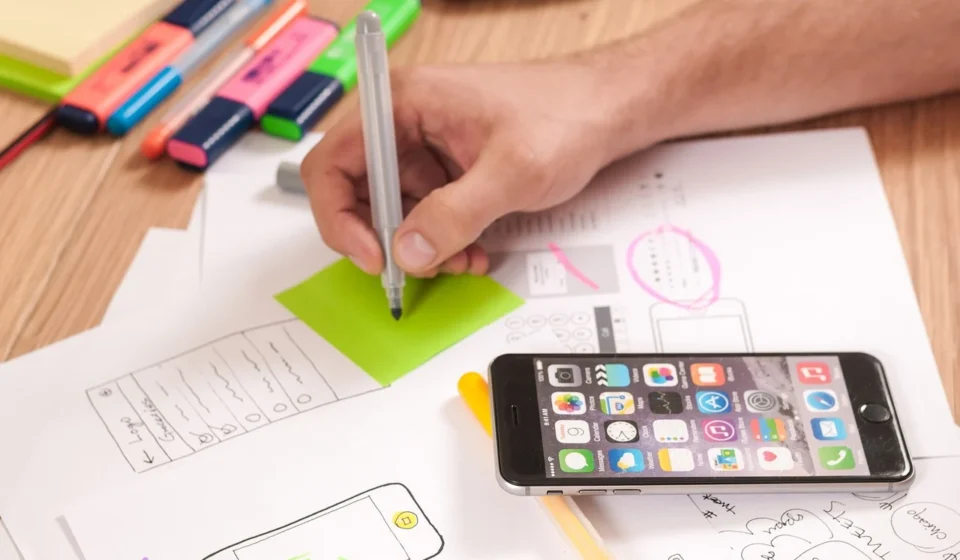
- Wireframing and Prototyping: Essential for mapping out the app’s flow and functionality before coding begins.
- UI Design: Creating the visual elements—screens, icons, buttons, typography, color schemes.
- UX Design: Focusing on the user’s journey, ensuring the app is easy to use, efficient, and enjoyable. This involves user research, usability testing, and iterative improvements.
We always advise clients not to skimp on UI/UX. As a result, a poorly designed app, no matter how functional, will struggle to gain traction.
Development Team Location and Hourly Rates
Where your development team is based significantly impacts the hourly rates. This is one of the most variable cost factors.
- North America (USA, Canada): Rates typically range from $100 – $250+ per hour. This reflects higher living costs and often extensive experience.
- Western Europe (UK, Germany, Netherlands): Rates are usually between $75 – $175 per hour. Similar quality to North America but sometimes slightly more competitive.
- Eastern Europe (Poland, Ukraine): A popular choice for high-quality development at more competitive rates, often $40 – $100 per hour.
- Asia (India, Philippines): The most budget-friendly option, with rates from $20 – $50 per hour, though caution is advised to carefully vet quality and communication.
When you’re evaluating options, we recommend balancing cost with communication, cultural fit, and proven expertise. Cheaper isn’t always better if it leads to delays or a lower-quality product.
Backend Development and API Integrations
Most modern apps aren’t standalone; they need a server-side component (the backend) to store data, manage user accounts, and perform complex logic. This also includes integrating with third-party services like payment gateways (Stripe, PayPal), social media APIs, or analytics tools.
- Database Design and Management: Setting up and maintaining the data storage.
- Server-Side Logic: The brain of your app, handling requests and responses.
- API Development: Building the interfaces that allow your app to communicate with the backend and other services.
- Third-Party Integrations: Connecting to external tools, which can range from simple analytics to complex CRM systems.
Quality Assurance (QA) and Testing
Thorough testing is non-negotiable. It ensures your app is stable, secure, and performs as expected across various iPhone models and iOS versions. For example, this phase includes functional testing, usability testing, performance testing, security testing, and regression testing.
Clients are often seen trying to reduce costs by cutting corners here, but that is a mistake. Releasing a buggy app can severely damage a reputation and lead to poor user reviews.
Deployment and Maintenance
Getting your app onto the App Store involves more than just uploading a file. There’s an approval process, and you’ll need an Apple Developer Program membership ($99/year). Once launched, an app needs ongoing maintenance, including bug fixes, performance monitoring, security updates, and adapting to new iOS versions.
The Typical Stages of iPhone App Development and Their Cost Implications
Understanding the phased approach to app development helps in budgeting and managing expectations. Each stage contributes significantly to the overall cost.

1.
This initial phase involves gathering requirements, defining the app’s scope, target audience, and core functionalities. It includes market research, competitor analysis, creating detailed functional specifications, and sometimes a Proof of Concept (POC). This stage is critical for laying a solid foundation and avoiding costly rework later.
2.
As mentioned, this involves wireframing, creating mockups, designing the visual elements, and ensuring a smooth user experience. This phase delivers the app’s look and feel, guiding the development team.
3.
This is where the bulk of the coding happens. It’s typically broken down into:
- Frontend Development: Building the user-facing part of the app using Swift or Objective-C, ensuring it runs smoothly on iOS devices.
- Backend Development: Creating the server-side infrastructure, databases, and APIs that power the app’s functionality.
4.
Rigorous testing across various devices and scenarios to identify and fix bugs, ensure performance, and validate all features against the original requirements.
5.
Preparing the app for submission to the Apple App Store, handling the submission process, and managing any review feedback from Apple.
6. Post-Launch Support and Maintenance (Ongoing)
Updates, bug fixes, security patches, performance monitoring, and adapting to new iOS versions or device models. We always stress that an app is never truly ‘finished’ after launch; however, it evolves.
How to Manage and Potentially Reduce iPhone App Development Costs
While developing a quality app requires investment, there are strategies we recommend to manage and potentially optimize your budget for how much it costs to develop an iPhone app without compromising too much on quality.

Start with a Minimum Viable Product (MVP)
Instead of building every feature imaginable from day one, focus on core functionalities that solve a primary user problem. An MVP allows you to launch faster, gather real user feedback, and iterate based on actual market needs. This reduces initial development costs and risks, impacting how much it costs to develop an iPhone app.
We often advise clients to think about the absolute essential features for their app to be useful. Launch with that, learn, and then expand. This lean approach saves a lot of money and ensures you’re building something users actually want.
Prioritize Features Ruthlessly
Categorize features into ‘must-have,’ ‘should-have,’ and ‘nice-to-have.’ Focus on the ‘must-haves’ for your MVP. Features like complex animations, niche integrations, or advanced reporting can always be added in later phases.
Choose Your Development Team Wisely
Evaluate agencies, freelancers, and in-house teams. Freelancers can be cost-effective for smaller projects but might lack comprehensive resources of an agency. Agencies offer full-service development but come at a higher price. In-house teams provide maximum control but require significant overhead, impacting how much it costs to develop an iPhone app.
Opt for Cross-Platform Development (with caution)
While this article focuses on iPhone (native iOS) apps, cross-platform frameworks like React Native or Flutter allow development teams to write code once and deploy it on both iOS and Android. However, caution is advised that native apps often offer superior performance, access to device-specific features, and a more polished user experience. It’s a trade-off that needs to be weighed carefully.
Clear Communication and Detailed Specifications
Ambiguity is a cost multiplier. However, the clearer your vision and specifications are from the outset, the less time the development team will spend on assumptions, revisions, and rework, which impacts how much it costs to develop an iPhone app. So, invest time in detailed documentation and maintain open communication channels.
The Cost to Make an iPhone (Device), Not an App
As noted earlier, many related searches ask about the cost to make an iPhone device, not develop an app. It’s crucial to understand this distinction.

Apple’s iPhone manufacturing costs are proprietary and not public. However, industry analysts and research firms estimate component and assembly costs. For new models like the iPhone 16 or iPhone 17 Pro Max, estimates suggest raw materials and assembly cost $400 to $600 per device. This figure, much like how much does it cost to develop an iPhone app, varies based on the model, storage, and new technologies.
It’s important to remember that this component cost is just one part of the equation. Also, Apple’s retail price includes significant additional factors:
- Research and Development (Ramp;D): The enormous investment in designing the phone, its chips, and software.
- Marketing and Advertising: Global campaigns to promote the product.
- Software Development: The iOS operating system and bundled apps.
- Supply Chain and Logistics: Transporting components and finished products worldwide.
- Intellectual Property and Patents: Licensing fees and proprietary technologies.
- Profit Margins: Apple’s profit on each device sold.
Therefore, while the estimated cost of physical components might seem low compared to the retail price, it doesn’t reflect the true cost of bringing an iPhone to market, or how much does it cost to develop an iPhone app, or the value created by Apple’s ecosystem.
Sources: iPhone (1st generation)
Frequently asked questions
How long does it take to develop an iPhone app?
The timeline for iPhone app development varies significantly based on complexity. A simple app might take 2–4 months, a medium-complexity app 4–8 months, and a complex, feature-rich app often requires 8-12 months or more from conception to launch.
What are the ongoing costs after an iPhone app is launched?
Is it cheaper to build an Android app or an iPhone app?
Generally, the cost difference between building a native Android app and a native iPhone (iOS) app is negligible when they have comparable features and complexity. Development tools and processes are similar, so how much does it cost to develop an iPhone app is more driven by feature set and team rates than by the platform itself.