Typography news highlights major developments in font design, licensing, and AI tools, helping designers and businesses optimize brand visual identity, control font licensing budgets, and improve digital accessibility and site speed. Therefore, staying updated on these developments is essential for creative teams, web developers, and business executives who balance visual expression, technical performance, and budgetary control.
New industry partnerships, such as Monotype’s integration with Typogram, widen designer access to commercial font catalogs. Variable fonts and open-source platforms democratize digital type design, offering flexibility while reducing technical overhead and licensing costs. Additionally, artificial intelligence tools transform type selection and creation workflows.
This article explores the latest typography trends, key platform partnerships, and how variable fonts and open-source options are altering type design. It also covers how digital products prioritize accessibility and font performance, and the impact of font licensing models on design budgets.
Latest typography news: trends & developments for 2026
The field of type design continuously evolves. It reflects updates in digital display technology, software platforms, and aesthetic standards. Key typography trends for 2026 emphasize functional versatility and digital performance. They also focus on innovative design approaches. Modern type design primarily centers on how font files perform across diverse hardware environments and operating systems. This ranges from high-density mobile screens to large digital displays.
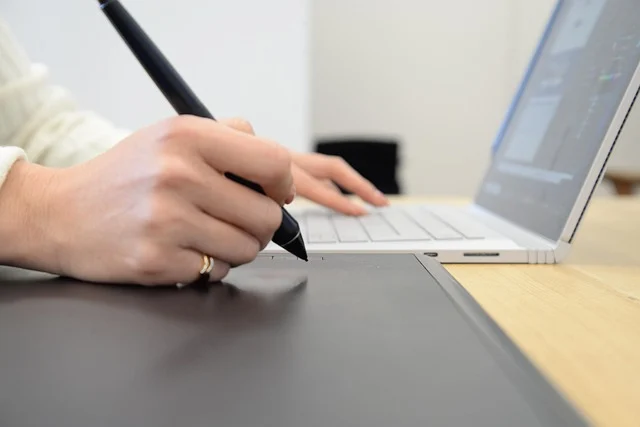
Designers face the challenge of selecting typefaces. They must look compelling and scale cleanly. This applies across various screen sizes and pixel densities. To address these performance requirements, type foundries now design letterforms. They optimize them specifically for screen rendering. They incorporate optical sizing adjustments, open counters, distinguished x-heights, and clear aperture definitions. Adaptable letterforms ensure a smooth user experience. This applies across every digital touchpoint.
Key Modern Typography Trends for 2026:
- Variable Fonts: Widespread adoption for efficiency and creative control.
- AI-Driven Design: Tools for font pairing, character generation, and workflow automation.
- Platform Partnerships: Integrations simplifying access to extensive font libraries.
- Accessibility Focus: Strict adherence to WCAG standards for digital products.
- Historical Revivals: Modern reinterpretations of classic serif forms and vintage display styles.
- Strategic Licensing: Greater emphasis on managing font budgets with open-source and subscription models.
Which font releases and platform partnerships matter most right now?
The commercial font marketplace continues to expand. Key foundries build software integrations. These simplify how designers access premium type libraries. A major development in recent typography news is the Monotype and Typogram collaboration. They announced this partnership in July 2026. This integration embeds over 7,000 premium font styles directly into Typogram’s web-based design interface. As a result, an extensive array of professional typefaces reaches a broader audience of creators.

Integrations like this end font procurement friction. They help independent designers, startups, and small agencies. Teams can build polished visual identities. They do this without massive upfront catalog fees. Creators prototype and publish directly. They use cloud-synced type assets. This also helps with typography news. It avoids managing local installation files across multiple workstations.
In addition to software platform integrations, type foundries are actively releasing fonts engineered specifically for contemporary visual culture. As covered in industry reporting across typography news, modern type design emphasizes functional versatility alongside strong stylistic character. This curated accessibility enables emerging brands to compete visually with established enterprise corporations.
How are variable fonts and open-source options altering type design?
Open-source typography platforms have become a primary resource. Web developers and product teams use them. They seek high-performance letterforms without direct licensing costs. For example, open-source repositories like Google Fonts host hundreds of professionally engineered typefaces. Leading design studios craft these fonts. Furthermore, these fonts are freely available for commercial deployment. This enables startups and enterprise organizations to deliver clean, accessible text across global web properties.
Open-source availability and variable font tech are practical innovations. This is in digital type design. Unlike static font files, a single variable font file contains a whole font family. Static font files need separate HTTP requests. This is for each font weight and style. These include regular, bold, italic, and bold italic. Variable fonts, a hot topic in typography news, function along continuous design axes. These include:
- Weight (
wght): Allows smooth transitions between ultra-light and extra-bold weights. - Width (
wdth): Enables fluid adjustments from condensed to expanded letterforms. - Slant (
slnt) and Italic (ital): Controls angle variations without requiring separate font files. - Optical Size (
opsz): It automatically adjusts letter proportions. It also changes stroke contrast based on font display size.
Design teams significantly reduce payload sizes. They replace many static web fonts. A single variable OpenType file does this. This file size reduction speeds up page loads. It also improves Core Web Vitals. Designers gain endless creative control. This applies to typography across responsive breakpoints. These files are ideal for modern logo trends. They also suit tech startup typography news. These trends prioritize flexibility and performance.
How do digital products handle accessibility and font performance?
Typography is critical for user accessibility. It also impacts system performance. This matters for organizations engineering digital tools, web platforms, and mobile apps. Selecting typefaces for digital products needs strict adherence to international accessibility standards. These include WCAG. Meeting these criteria ensures clear visual content. This helps users with low vision, color blindness, or cognitive processing differences. For more typography news, consider these guidelines.

To ensure WCAG compliance, product design teams evaluate several specific typographic factors during typeface selection:
- Color Contrast Ratios: Text must maintain minimum contrast against its background. This must be at least 4.5:1 for standard body copy. It must be 3:1 for large text headings.
- Letterform Distinction: Typefaces must feature easily distinguishable shapes. This applies to commonly confused characters. For example, these include capital ‘I’, lowercase ‘l’, and number ‘1’.
- Text Resizing and Fluid Reflow: Interfaces must allow users to scale font sizes up to 200%. They must do this without breaking page layouts. Also, they must prevent horizontal scrolling or clipping text containers.
- Line Height and Tracking: Body text blocks require adequate line spacing. This is typically 1.5 times the font size. Also, they need appropriate letter spacing. This prevents lines from crowding together visually.
Engineering teams must manage front-end load performance. Large font files slow page load speeds. This causes Flash of Unstyled Text (FOUT) or Flash of Invisible Text (FOIT). To prevent degradation, developers implement modern delivery practices. For example, they use font subsetting. This removes unused language glyph sets and special symbols. They also configure modern font-display: swap CSS rules. This ensures immediate rendering for typography news.
How do font licensing models impact design budgets?
Understanding modern font licensing is a crucial step. It avoids legal issues. Also, it keeps design budgets intact. Font software licensing varies. For example, it depends on deployment, size, and usage. Failing to secure the correct license tier can lead to copyright infringements. This applies to web, mobile, or software products. As a result, you may face costly retroactive licensing fees. This is important typography news.

Commercial font licensing models generally fall into several distinct categories:
- Desktop Licenses: Based on the number of individual computer seats installed within an agency or internal design department.
- Webfont Licenses: Tied to monthly domain pageviews or dynamic web server instances hosting the font files.
- Mobile App and Embedded Licenses: You grant these per individual application build. They also apply to embedded operating systems or software distribution files.
- Subscription Services: Subscriptions like Adobe Fonts or Monotype Fonts provide access to expansive libraries. This is for a recurring monthly fee. However, access ends if the subscription lapses.
- Open-Source Licenses: Terms like the SIL Open Font License (OFL) or Apache License govern these. They allow free commercial use. Also, you can self-host and modify them.
When brand identity projects demand absolute exclusivity, organizations can commission custom typeface design. While bespoke fonts grant full control over brand character, custom type design requires significant investment. For example, bespoke multi-weight font families typically range from several thousand to tens of thousands of dollars. This depends on design complexity and glyph coverage.
How is AI transforming font pairing and type design workflows?
AI changes how graphic designers, UX specialists, and software developers select typography. It also changes how they implement it. Modern AI-powered design platforms analyze brand guidelines, visual mood boards, and layout structures. They generate contextual font pairing recommendations. For typography news, these tools evaluate structural characteristics. These include x-height, stroke contrast, and geometric proportions. They suggest body and header font combinations. These maintain legibility and visual hierarchy.
Advanced generative AI models assist type designers. They go beyond font selection. For example, AI helps with vector curve editing and character set expansion. Algorithms analyze primary character forms like ‘a’, ‘e’, and ‘o’. Also, they predict and generate consistent stroke weights. This applies across extended glyph sets, accents, and punctuation. As a result, this semi-automated approach accelerates font development. Typographers spend more time refining artistic nuances. This is good typography news for the industry.
Recent typography news highlights integrations like the Monotype MyFonts App for ChatGPT. These show how conversational AI assists design discovery. Team members can describe target audience demographics, project themes, or desired emotional tones. They use plain text for this. They then receive immediate font recommendations and live preview renders. These appear directly inside their project management and design workflows.
Why are historical typefaces and vintage styles returning to popularity?
A notable trend in typography news is restoring historical typefaces. Design teams also creatively reinterpret them. They revisit classic serif forms. Vintage display styles and Art Nouveau letterforms are common. Teams refine stroke proportions. This ensures clean rendering on high-resolution displays. Revived designs give brands heritage. They provide visual personality in digital markets. Uniform sans-serif designs often dominate these markets.
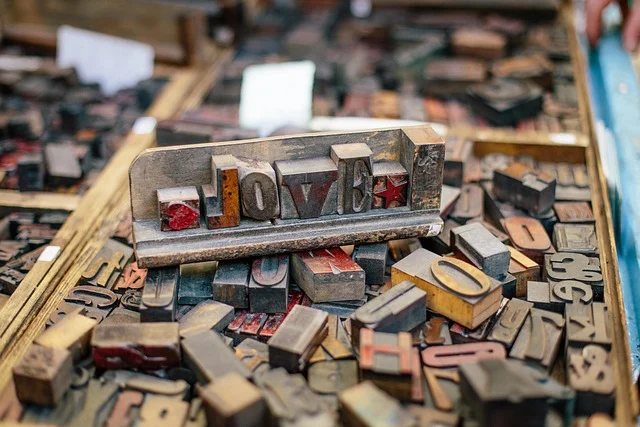
Interest in typographic history covers digital font revivals and academic preservation. For example, a June 2026 report shared some typography news. It described a Brigham Young University professor. He meticulously replicated the 1776 Declaration of Independence typeface digitally. Researchers studied historical printing artifacts and lead-type imperfections. They restored original letterforms. This helps modern historical research and design application.
Designers balance decorative charm with functional readability. They incorporate historical and vintage type styles. Also, they use them in contemporary visual projects. Restored serif headings often pair with minimalist sans-serif body typefaces. These sans-serifs offer high legibility. So, this preserves visual personality. You do not sacrifice reading comfort on screen.
How should you choose and license the right typeface for your project?
Selecting the optimal typeface requires a structured framework. This applies to a web application, brand design, or software project. The framework balances aesthetics, performance, and legal compliance. Evaluating choices systematically ensures your final font stack serves user needs. It also ensures it fits financial parameters.
- Define Technical and Channel Scope: Determine your font deployment. Will it be across web domains, desktop apps, mobile software, or print materials? Also, note potential pageview or installation scales.
- Establish Legibility Standards: Verify that target body fonts remain crisp across mobile devices, low-contrast display environments, and small font sizes.
- Evaluate Licensing Terms: First, check your options. Do open-source options, subscription services, or individual commercial licenses match long-term usage expectations? Ensure they do not introduce recurring financial penalties.
- Test Performance Load Metrics: Conduct page speed tests with font files integrated. Check overall file size. Verify that variable fonts or subsetting rules prevent site slowdowns.
Comparison Table: Font Acquisition Strategies
| Strategy | Typical Cost (Annual/Perpetual) | Flexibility | Uniqueness | Best For |
|---|---|---|---|---|
| Open-Source Fonts | Free | High (often modifiable) | Low to Medium | Startups, personal projects, web development |
| Subscription Services (e.g., Adobe Fonts) | Moderate (e.g., $20-$60/month) | High (vast libraries) | Medium | Agencies, active designers, diverse projects |
| Individual Commercial Licenses | Varies (e.g., $20-$500+ per font style) | Medium (specific usage) | Medium to High | Specific brand needs, print media |
| Custom Typeface Design | High (e.g., $5,000-$50,000+) | Highest (tailored to needs) | Highest (exclusive) | Large brands, unique identity projects |
What are the main mistakes in typography and how can you avoid them?
Typography errors can hinder user experience. They also compromise accessibility and weaken brand recognition. In addition, they expose businesses to legal liabilities. Recognizing common typography pitfalls helps teams prevent costly rework.

- Prioritizing Style Over Legibility: Choosing decorative display fonts for long-form body text makes reading difficult. This also increases bounce rates on web pages.
- Ignoring Font License Restrictions: Deploying desktop font files on commercial web servers is a violation. Also, the same applies to embedding them in mobile apps without app-specific licenses. These actions violate software terms.
- Using Too Many Font Families: Combining more than two or three distinct typefaces in a single project creates visual clutter. It also breaks visual hierarchy.
- Neglecting Font Performance Optimization: Loading entire font families with multiple static weights without subsetting slows page load times. This also harms SEO rankings.
Pros of strategic font selection
- Enhanced Brand Identity: Consistent, distinctive typefaces strengthen visual recognition across digital platforms.
- Improved Readability: Accessible font choices make long-form copy easier to read, boosting reader retention and engagement.
- Better User Experience: Clear visual hierarchies allow users to navigate interfaces effortlessly.
- Cost Efficiency: Conducting font licensing reviews prevents unnecessary recurring subscription expenses.
- Future-Proofing: Implementing variable font technologies ensures visual adaptability across changing screen sizes.
Cons of poor typography choices
- Diminished Brand Perception: Inconsistent or poorly rendered fonts make organizations appear unprofessional.
- Reduced Legibility: Hard-to-read text causes user frustration. It also reduces content conversion rates.
- Legal Complications: Unauthorized font deployment can trigger severe financial penalties from foundries.
- Performance Issues: Bloated font files slow down application loading times. They also hurt search engine rankings.
- Accessibility Barriers: Inaccessible font choices alienate users with visual impairments and create regulatory non-compliance risks.
How can a font audit reduce software and design costs?
Conducting a comprehensive font audit allows organizations to catalog active font licenses. It also helps eliminate redundant subscriptions. Moreover, it identifies opportunities to transition commercial web fonts to open-source or variable font alternatives. Unmanaged corporate font libraries frequently accumulate overlapping licenses. These are across disparate departments. As a result, this generates unnecessary software expenditure.

To execute an effective internal font audit, design and IT operations teams should follow these practical steps:
- Catalog Active License Files: Inventory all desktop, web, app, and server font licenses across workstations, repositories, and cloud services.
- Identify Redundant Subscriptions: Pinpoint active commercial subscriptions that overlap with existing foundry licenses or open-source equivalents.
- Consolidate Web Font Delivery: Replace fragmented static web font files. These are across digital products. Use unified variable font files or self-hosted open-source stacks instead.
- Establish Font Governance Policies: Implement clear guidelines for font purchases and software deployment to prevent unlicensed usage across future projects.
Related reading
Frequently asked questions
What are the biggest typography trends in 2026?
Key typography trends include the widespread adoption of variable fonts. These improve screen performance. Also, expanding platform partnerships make commercial foundries more accessible. AI-driven font pairing tools are another trend. Distinctive display fonts and modern revivals of historical serifs are also heavily featured across modern brand identities.
How does AI impact font selection for businesses?
AI assists businesses by analyzing project requirements. It recommends harmonious font pairings. It also generates preliminary character extensions. Furthermore, it integrates discovery tools directly into conversational workflows. This speeds up identity design. It also helps maintain visual consistency across marketing channels.
Are open-source fonts suitable for professional projects?
Yes, top typographers design modern open-source fonts. Platforms like Google Fonts host them. These fonts also meet rigorous technical standards. They offer extensive weight variants and comprehensive language support. Furthermore, they have open licensing terms. These terms suit enterprise web properties and commercial products.
What should I consider when licensing fonts?
Always review the End User License Agreement (EULA). This is for specific deployment environments. These include desktop workstations, dynamic web domains, mobile apps, or cloud servers. Ensure pageview limits, seat counts, and dynamic hosting terms match your project’s current volume. Also, ensure they match future expansion plans.
How do variable fonts improve site performance?
Variable fonts pack multiple font weights, widths, and styles. They put them into a single OpenType file. This reduces total HTTP requests. It also cuts file payload sizes. As a result, it speeds up page load times. This also gives developers fluid control over typographic styling. They can use it across responsive design breakpoints.