UX design blueprints web design. It maps user journeys. It defines structural logic. This happens before any visual application. UX makes layouts intuitive. It guides visitor navigation. Users complete conversions easily. How Does UX Design Affect Your Web Design? Without structured UX, a striking layout often fails. This leads to high bounce rates and lost revenue.
UX design provides the research-backed architecture that defines why website elements exist and where they belong, focusing on how a site functions for the person using it. This approach ensures visual choices serve concrete user goals and support operational performance.
This article explores how UX design shapes site structure, navigation, and page layout, influences responsive and accessible web design, and drives business outcomes and search rankings. It also details how to integrate UX into the web design process step by step.
How Does UX Design Affect Your Web Design?
Next, it creates a functional blueprint. It maps user journeys. UX defines structural logic early. This happens before visual application. How Does UX Design Affect Your Web Design? It makes layouts intuitive. It guides visitor navigation. Users complete conversions easily. They perceive your brand’s value.
Web design addresses aesthetic appeal. This includes colors, graphics, font selection, and technical page construction. However, UX design focuses on site function for the user. A visually striking layout often fails without structured UX principles. Visitors struggle to find destinations. This leads to high bounce rates, confused navigation, and lost revenue. How Does UX Design Affect Your Web Design is crucial for success.
How does UX design affect your web design: structural differences
Web design and UX design are distinct yet tightly coupled disciplines. Web design delivers the visual presentation and client-side code, shaping how elements look on screen. UX design provides the research-backed architecture that defines why those elements exist and where they belong.

A website without UX planning resembles a building without an architectural blueprint. The visual skin may look modern. However, doorways lead to dead ends. Room layouts also lack practical logic. Because of this, basic utility is compromised. Integrating UX Design into the web build ensures visual choices serve concrete user goals. They also support operational performance. How Does UX Affect Your Web Design in practice?
How does UX design shape site structure and navigation?
UX design directly dictates information organization. It affects how content is categorized, ordered, and accessed. UX researchers map out information architecture first. They do this before web designers touch stylesheets. They also do this before using visual layout tools. This process converts raw content into logical hierarchies. These hierarchies align with user search patterns. This is how UX Design Affects Your Web Design.
Information architecture shapes technical web development by defining:
- Sitemaps: These hierarchical diagrams establish URL paths. They also define parent-child page relationships and main navigation structures.
- Taxonomy and labeling: Clear vocabulary is essential for navigation headers. You also need it for category names and search filters. This eliminates guesswork.
- Click depth: Rules that keep essential information accessible within two or three clicks from any entry page.
- Breadcrumb systems: Secondary navigational aids that show visitors their exact location within complex site structures.
Web designers build menus based on user journey maps. They do not use arbitrary choices. As a result, navigation becomes effortless. For large ecommerce sites with thousands of stock keeping units (SKUs), UX-driven categorizations prevent user frustration. They group products logically rather than by internal corporate departments.
How does UX design influence page layout and visual hierarchy?
UX principles dictate element arrangement on web pages. This guides visitor attention naturally. Eye-tracking research shows that web users consistently scan digital screens. They use predictable patterns. For example, the F-shape pattern is for text-heavy pages. The Z-shape pattern is for landing pages.
UX design applies these behavioral patterns to direct decisions on placement, sizing, and whitespace:
Managing cognitive load through layout structure
Cognitive load refers to the mental effort required to process information on a webpage. When a layout presents too many competing visual elements, user decision-making stalls. UX design mitigates this by enforcing visual hierarchy:
- Primary actions: High-contrast buttons placed prominently along the primary visual scanning path.
- Secondary choices: Subtle text links or outline buttons positioned away from primary converting actions.
- Whitespace allocation: Use adequate padding around text blocks. Also, pad image groupings to prevent visual clutter and reduce eye fatigue.
Micro-interactions and feedback loops
UX design specifies component reactions. They react to clicks, taps, or hovers. Micro-interactions reassure users of site responses. A button shifts color when pressed. You might see a subtle progress indicator. An animated checkmark confirms cart additions. Web designers and front-end developers write CSS and JavaScript. This satisfies UX requirements for How Does Your Web Design Affect UX Design.
In what ways does UX dictate responsive and accessible web design?
A website must perform consistently. This applies across diverse screen dimensions, input methods, and user capabilities. UX design establishes operational constraints. As a result, web layouts become responsive and universally accessible.
Mobile-first responsiveness
Most online visitors primarily use mobile internet. Therefore, modern web design must cater to small screens first. UX research identifies how users interact with mobile displays. Users primarily use single-thumb interactions within restricted touch zones.
This reality forces web designers to prioritize mobile touch targets. They set interactive elements to minimum recommended touch areas. These are 48 by 48 pixels. Also, they ensure sufficient spacing to prevent accidental taps. Collapsible menus, sticky headers, and responsive image scaling derive directly from mobile UX requirements.
Web accessibility standards
Accessibility is a core component of UX design. Implementing Web Content Accessibility Guidelines (WCAG 2.1 and 2.2) ensures effective interaction. As a result, people with visual, auditory, motor, or cognitive impairments can interact with the website effectively.
UX accessibility guidelines determine key web design specifications, including:
- Color contrast ratios: Maintain a minimum contrast ratio of 4.5:1 for body text against backgrounds. This ensures text remains readable under various lighting conditions.
- Keyboard navigation: Designing visible focus states so visitors who cannot use a mouse can tab through forms and links cleanly.
- Semantic HTML markup: Structure content with native element tags. These include header, nav, main, article, and footer. As a result, screen readers interpret page hierarchy accurately.
- Form labels and error handling: Link clear text labels to input fields. Highlight errors with descriptive text. Do not rely solely on color indicators.
How does UX design drive business outcomes and search rankings?
UX design bridges user satisfaction and core business objectives. By eliminating conversion friction, UX-driven web design directly affects commercial success and organic search performance.
Conversion rate optimization
A web page designed for looks might put form fields in multi-step popups. It could hide pricing with complex animations. UX design streamlines these steps. It analyzes user drop-off points. Simplifying checkout fields helps. Offering guest checkout options helps. Placing trust badges near payment triggers reduces cart abandonment. This boosts overall sales conversions. This shows how UX Design Affects Your Web Design.
Search engine performance
Search engines prioritize pages with positive user signals. Core Web Vitals, page speed metrics, and low bounce rates influence rankings. High session durations also play a role. When UX design affects your web design in planning lightweight asset loading, search engine crawlers easily index content. This improves overall visibility. It also ensures intuitive site structure and fast page response times.
How do you integrate UX into the web design process step by step?
To produce an effective website, UX methodology must precede and accompany front-end development. The following structured process shows how UX integrates across every project phase:

- Discovery and user research: You can gather qualitative and quantitative data. For example, use user interviews, competitor analysis, and existing site metrics. This defines audience needs and pain points.
- Persona and journey mapping: Create detailed representations of key target users. Then, map their step-by-step pathways. This shows how they reach specific goals on the site.
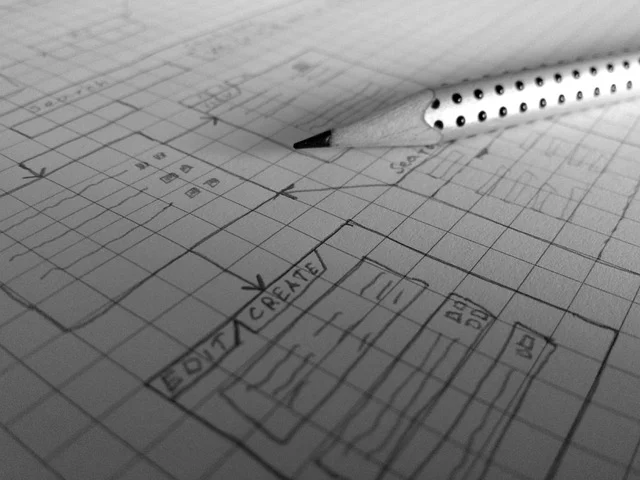
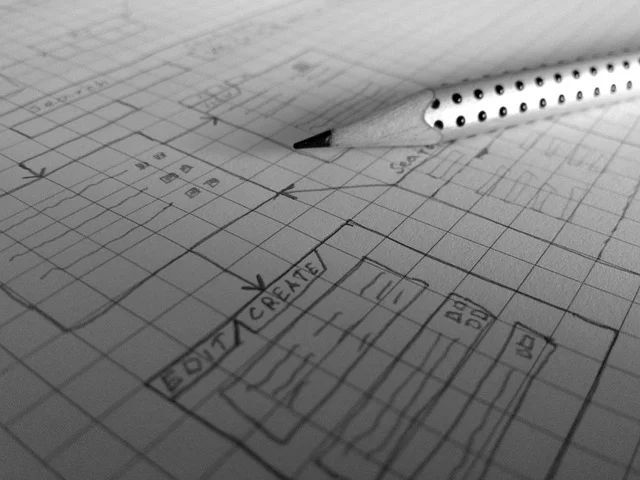
- Information architecture and wireframing: Build sitemaps and low-fidelity wireframes. These detail structural layouts and content priorities. They also show navigation routes without visual styling.
- Usability testing on low-fidelity prototypes: Test interactive wireframes with real users. Identify navigation bottlenecks and structural confusion early. Do this before you write any code.
- Visual design application: Apply visual design choices to validated wireframe layouts. These choices include brand color palettes and high-resolution media. Also consider layout spacing and typography.
- Front-end development and accessibility validation: Code visual designs using clean, semantic markup. Test responsive breakpoints and screen reader compatibility. Do this across multiple devices.
- Post-launch monitoring and optimization: You should track real-world visitor interactions. Use session tools and Google Analytics. This uncovers drop-offs. Also, it refines user paths continuously.
How does traditional web design compare with UX-driven web design?
Comparing traditional visual-first web design with a comprehensive UX-driven approach highlights why process dictates outcome. Building web interfaces without preliminary UX research often leads to expensive rework after launch.

| Feature | Traditional Web Design Approach | UX-Driven Web Design Approach |
|---|---|---|
| Primary Focus | Aesthetics, brand guidelines, and quick visual assembly | User goals, research data, accessibility, and business outcomes |
| Process Flow | Visual Design → Front-End Development → Site Launch | Research → Wireframing → Testing → Visual Design → Development → Iteration |
| Key Deliverables | Visual mockups and static coded HTML/CSS templates | Personas, sitemaps, wireframes, interactive prototypes, usability reports |
| Decision Making | Subjective opinions of internal stakeholders or designers | Empirical user data, usability testing results, and interaction standards |
| Post-Launch Result | Visually striking site that may suffer high bounce rates and low conversions | Efficient, accessible site optimized for smooth user pathways and high conversions |
What are the trade-offs and when is extensive UX unnecessary?
UX design delivers clear advantages. However, it requires trade-offs in resources, budget, and project schedules. You must weigh these carefully.

Resource and timeline trade-offs
- Higher upfront costs: Conducting user interviews, usability testing sessions, and wireframing requires dedicated research resources, increasing initial project expenses.
- Extended timelines: Adding research, prototyping, and user validation phases adds weeks to pre-development schedules compared to rapid visual coding.
- Ongoing maintenance: UX methodology involves ongoing monitoring, continuous A/B testing, and iterative refinements rather than a single sign-off.
When is a full UX process not required?
A comprehensive multi-week UX research process is not necessary for every web project. For example, full-scale UX research may be impractical or unnecessary for:
- Single-page landing pages: Basic campaign pages do not require complex information architecture mapping. They have a single message and a single action call. For conversion-focused layouts, see What Does a VPN Do? A Simple Explanation for Beginners. This provides structural best practices.
- Early-stage proof-of-concept MVPs: Bootstrapped startups validate a basic concept. They do this before securing funding. Therefore, they may benefit from fast template deployment. This is better than lengthy research cycles.
- Simple informational brochure sites: Small businesses may need only essential contact details. They might also need operating hours and service lists. They can rely on established standard templates. Therefore, they do not need to conduct deep custom user studies.
What common UX mistakes ruin web design projects?
Even well-funded web builds can fail if common design missteps compromise user interaction. Identifying these errors early prevents friction and abandonment.
Prioritizing visual flair over usability
Overloading web layouts creates friction. Heavy parallax scrolling causes this. Slow auto-playing video backgrounds also create friction. Unconventional navigation patterns do this too. For instance, core navigation might be hidden. Ambiguous hamburger icons on desktop displays cause this. Users struggle to find basic content, which affects your Web Design in How a UX Design.
Ignoring form design and validation states
Long forms with unnecessary required fields invite high drop-off rates. Also, leaving forms without real-time validation leaves visitors unsure. They may not know if their input was accepted. Furthermore, they may not know why a submission failed. This leads to user abandonment.
Deceptive design patterns
Using dark patterns damages brand reputation and trust. These include hidden opt-out checkboxes. They also include pre-selected recurring payment options. Misleading button labels are another example. Web design must remain transparent. It also must be user-focused. This cultivates long-term audience loyalty.
You can implement targeted solutions. This eliminates navigation clutter. It also optimizes loading times. Finally, it clarifies calls to action. This ensures that web layouts support effortless interaction.

Sources: User experience design
Frequently asked questions
What is the primary difference between UX and web design?
Web design focuses on visual elements and front-end coding. This includes visual aesthetics, color palettes, and technical structure. UX design focuses on overall interface functionality. It also covers user pathways and site usability. Therefore, it serves as the strategic foundation for all visual design choices.
How does UX design improve website conversion rates?
UX design boosts conversions. It removes user path friction. It clarifies call-to-action choices. In addition, it streamlines checkout or form submissions. It also organizes content logically. This guided structure allows visitors to complete intended actions with minimal mental effort.
Can a website have high visual appeal but poor UX design?
Yes. A website can look visually attractive. For example, it might have high-resolution imagery and sophisticated graphic elements. However, it could still be confusing, slow to load, or hard to navigate. Without UX planning, attractive design choices can hinder user tasks. How Does UX Design Affect Your Web Design? Poor design drives visitors to competitors.
What role does responsive design play in UX?
Responsive design is a core operational requirement of UX, ensuring that layouts adapt fluidly across desktops, tablets, and smartphones. It guarantees that touch targets, text sizes, and menu structures remain fully functional across all device screen sizes.
What is the financial return on investment for UX design?
Investing in UX design delivers measurable financial returns. You will see increased conversion rates and reduced cart drop-off. Also, customer support volume will be lower. This diminishes the need for post-launch code revisions. Addressing usability issues during early wireframing is far less costly. It is much cheaper than rewriting production code later.