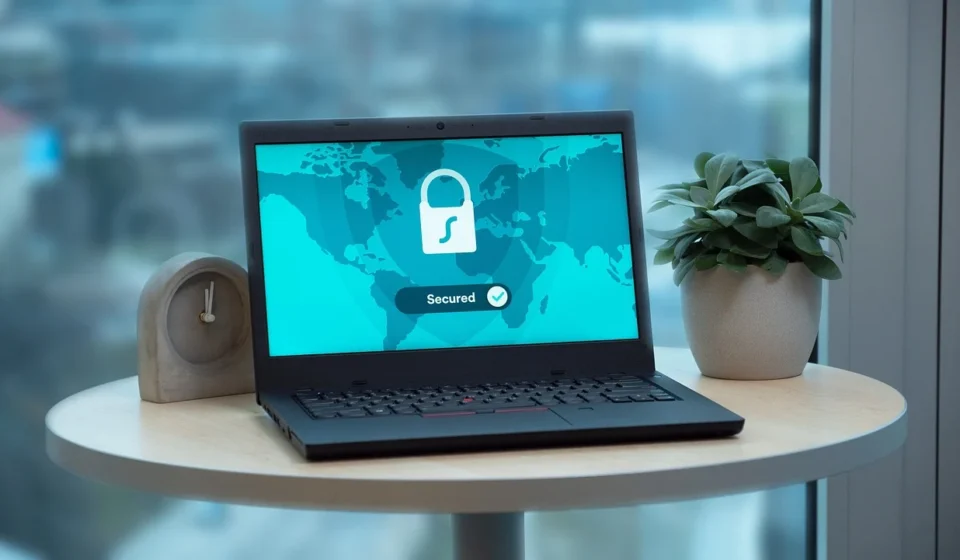
A Virtual Private Network (VPN) creates a private digital tunnel for your internet data, turning your readable web activity into scrambled code and keeping your IP address hidden. This encryption secures sensitive information like passwords and banking details, preventing anyone on a network from seeing what you are doing. It also ensures your Internet Service Provider (ISP) cannot see which websites you visit.
This article details how a VPN works, compares it to a standard internet connection, and outlines key benefits such as securing public Wi-Fi and maintaining browsing privacy. It also clarifies what a VPN does not do, who it may not suit, and provides guidance on choosing a secure provider.
How a virtual private network works
To understand what a VPN does, it helps to look at the process in three simple steps. First, when you turn on a VPN application, it establishes an encrypted connection between your device and a server run by the VPN provider. This server can be located in your city or thousands of miles away in another country. Second, all the data leaving your device goes through this encrypted tunnel. Even if a bad actor on your network intercepts your data, they will only see unreadable gibberish. This is crucial for keeping passwords, banking details, and private messages secure. Third, the VPN server forwards your web request to the destination website. Because the request comes from the VPN server and not your device, the website only sees the IP address of the VPN server. Your actual IP address, which reveals your physical location and internet provider, remains completely hidden.
Worked example: Standard connection vs. VPN connection
To see how this works in practice, compare how a web request moves across the network in both scenarios:
| Connection Stage | Standard Internet Connection | VPN Encrypted Connection |
|---|---|---|
| Data Format at Device | Plaintext or standard HTTPS requests visible to the local router. | Encrypted payload encapsulated inside a VPN protocol packet. |
| Local Router / ISP View | Sees your real IP, destination domain names, and exact traffic timing. | Sees only an encrypted stream moving between your IP and the VPN server IP. |
| Destination Website View | Sees your real public IP address and physical location region. | Sees the VPN server’s assigned IP address and server region. |
The primary benefits of using a VPN
While the underlying technology is complex, the practical reasons to use a VPN are straightforward. I find that most people set up a VPN for one of three main purposes.

Securing your connection on public Wi-Fi
Public Wi-Fi networks in coffee shops, airports, and hotels are incredibly convenient. However, they are also notoriously insecure. Hackers can easily set up fake networks. They can also monitor unsecured traffic on public routers to steal personal information. Using a VPN on public networks ensures your sensitive data remains fully encrypted and out of reach. This happens even if someone intercepts your connection.
Keeping your browsing private from your ISP
Your internet service provider has a front-row seat to your online life. In many countries, ISPs are legally allowed to track your browsing history and sell that data to advertising companies. When you use a VPN, your ISP can only see that you are connected to a secure server. They cannot see which websites you visit, what you search for, or what you download.
Testing websites from different global locations
For developers, web designers, and digital marketers, a VPN is an essential testing tool. By routing your connection through a server in another country, you can see how your website loads for users in that region, check if localized pricing displays correctly, or verify that your global content delivery network is functioning as intended.
Concrete steps to set up and use a VPN
Setting up a VPN on a computer or mobile device requires only a few straightforward steps:

- Choose a reputable provider: Select a paid VPN provider that enforces a verified no-logs policy and uses secure connection standards.
- Download the official application: Install the native app directly from the provider’s official website or official device app store to avoid tampered software.
- Enable essential security settings: Open the app settings. Then switch on the automatic kill switch feature. This feature blocks internet access if the VPN connection unexpectedly drops.
- Select a server location: Choose a local server for maximum connection speed. Alternatively, pick a remote country server if you need to test geo-targeted web elements.
- Connect and verify: Click the connect button, then check your public IP address using an online IP lookup tool to confirm that your real IP and location are hidden.
What a VPN does not do
While a VPN is a powerful tool for privacy, there are many misconceptions about what it actually protects. It is not a complete security solution, and believing it solves every privacy issue can leave you vulnerable.

It does not protect you from malware or phishing
A VPN secures the pipeline through which your data travels, but it does not scan the files you download. If you download a malicious file or click a link in a phishing email that asks you to type in your bank password, a VPN will not stop you from being compromised. You still need active antivirus software and cautious browsing habits to stay safe.
It does not make you completely anonymous
Hiding your IP address is not the same as being invisible. If you connect to a VPN and then log into your personal Google, Amazon, or Facebook account, those companies still know exactly who you are. They will track your actions within their platforms. Similarly, websites can use advanced tracking techniques like browser fingerprinting. This identifies your device based on your browser settings and installed fonts rather than your IP address.
It does not speed up your internet connection
Because a VPN adds an extra step to your connection path and encrypts all your data, it will usually slow down your internet speed slightly. Modern VPN protocols have minimized this lag, but you should expect a small drop in download speeds, especially if you connect to a server on the other side of the world.
Who a VPN may not suit
While VPNs offer strong privacy advantages, they are not necessary or appropriate for every user in every context:

- Competitive online gamers: In fast-paced multiplayer games, routing traffic through an extra encryption server adds latency (ping). This can cause noticeable lag during gameplay.
- Users accessing local home network devices: When connected to a VPN, your device may be unable to discover local wireless printers, smart TVs, or network storage drives on your local Wi-Fi.
- Strict workplace or educational networks: Some corporate or school networks actively block encrypted VPN tunnels to enforce internal security policies and web filtering.
Common VPN problems and how to fix them
If you run into issues while using a VPN, these common troubleshooting steps can resolve most performance and connectivity problems:

Slow connection speeds
If your internet slows down significantly, switch to a server located closer to your physical location. Additionally, open your app settings and switch the connection protocol to a faster modern standard such as WireGuard.
Websites blocking access or requiring CAPTCHAs
Some websites block shared VPN server IP addresses to prevent automated traffic. Disconnect from your current server and select a different server location or IP address from the provider’s server list.
Unexpected connection drops
If your VPN drops frequently, ensure your background app permissions allow the software to run continuously. Your operating system’s battery optimization settings should not close it.
How to choose a secure VPN
Not all VPNs are created equal. Since you are trusting a VPN provider with all of your internet traffic, I recommend keeping a few critical criteria in mind when choosing a service.
- A strict no-logs policy: Ensure the provider does not keep records of your browsing history or IP addresses. Look for services that have undergone independent, third-party audits to prove their claims.
- Modern connection protocols: Look for VPNs that offer modern protocols like WireGuard or OpenVPN. These protocols provide the best balance of fast speeds and strong encryption standards.
- Avoid untrustworthy free services: Running a network of servers is expensive. If a VPN service is free, they are likely making money by logging your browsing habits and selling that data to advertisers. In my opinion, you should always pay a small monthly fee for a reputable, paid service. Do not risk your privacy with a free provider.
Frequently asked questions
Does a VPN hide my browsing from my ISP?
Yes. A VPN encrypts all network traffic from your device. Your Internet Service Provider can see that you are connected to an IP address belonging to a VPN server. However, they cannot read the encrypted contents or see the individual websites you visit.
Is using a VPN legal?
Using a VPN is completely legal in the vast majority of countries. However, using a VPN to carry out illegal online activities remains unlawful regardless of whether a VPN is enabled.
What is a VPN kill switch?
A kill switch is a software safety feature in a VPN app that immediately cuts off your internet connection if the secure VPN server link accidentally drops. This prevents unencrypted data from leaking onto your regular internet connection.
Can I leave my VPN turned on all the time?
Yes, you can leave a VPN on continuously to maintain continuous encryption on trusted and untrusted networks alike. Just keep in mind that maintaining a constant connection may slightly increase mobile battery usage.