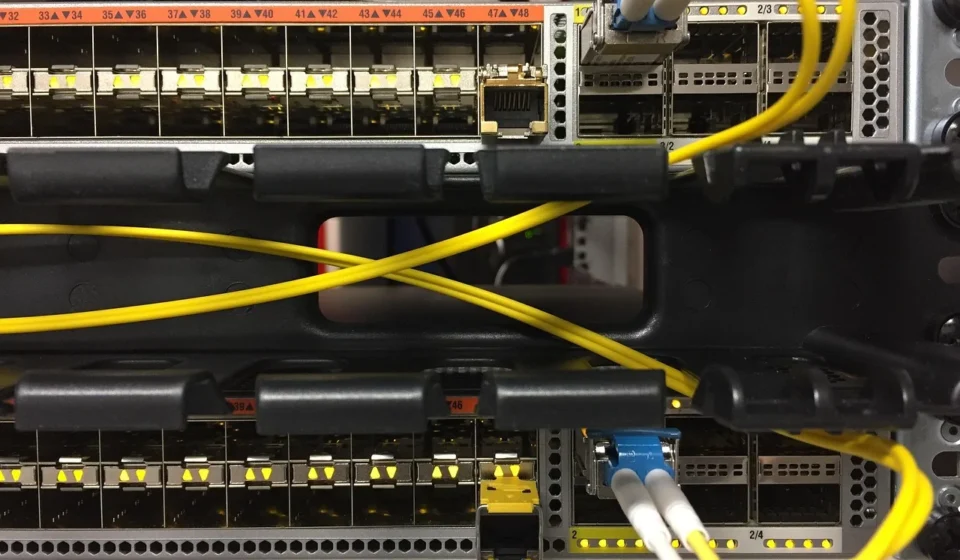
A node in networking is any device or point that connects to a network. It can send, receive, or forward information. These active devices are fundamental components that enable communication, data sharing, and resource management within a network. Understanding what nodes are and how they function is crucial for anyone working with or managing digital infrastructure, from small home networks to large enterprise systems.
When considering a network, a web of interconnected points comes to mind, and each of those points is essentially a node. It’s the basic building block that allows data to move from one place to another. Without nodes, there’s simply no network.
What Are Computer Network Nodes?
Computer network nodes are active devices. They create, receive, store, or transmit data over a communication channel. Each node is identified by a unique address. For example, an IP address or MAC address distinguishes it from other devices on the network. These identifiers are essential for directing data packets to their correct destination.
Nodes encompass a vast range of hardware, from your personal computer and smartphone to complex network infrastructure like routers and switches. Their primary purpose is to facilitate the flow of information, ensuring that data reaches its intended recipient efficiently and securely. According to Google’s current facts, nodes are fundamental components that enable communication, data sharing, and resource management within a network.

It is helpful to think of a node as any device that plays an active role in network communication. If a device can interact with the network by sending or receiving data, it’s a node. This definition helps clarify its broad application across various technologies.
Examples of Nodes in Networking
Nodes come in various forms, each serving a specific purpose within a network architecture. Understanding these different types helps clarify their roles and how they contribute to overall network functionality.
- End Nodes (or Data Terminal Equipment – DTE): These are devices users directly interact with to send or receive data. Examples include desktop computers, laptops, smartphones, tablets, smart TVs, and network printers. They originate and are the final destinations of most data traffic.
- Intermediate Nodes (or Data Communication Equipment – DCE): These devices facilitate data transmission between end nodes. However, they typically do not originate or terminate the data themselves. Routers, switches, hubs, and modems are classic examples. They manage traffic flow, direct packets, and ensure connectivity. For instance, a router connects different networks and forwards data packets between them. A switch, however, connects devices within the same local network.
- Server Nodes: These are powerful computers that provide services, resources, or data to other nodes on the network. Common examples include web servers, file servers, database servers, and print servers. They store and manage information that client nodes request.
- IoT Nodes: With the rise of the Internet of Things, a new category of nodes has emerged. These include sensors, smart cameras, smart home devices, and industrial control systems. They often have limited processing power. They are designed to collect and transmit specific data, typically to a central server or cloud platform.
- Wireless Access Points (WAPs): While often considered intermediate nodes, WAPs specifically facilitate wireless connectivity for other devices, acting as a bridge between wireless clients and the wired network.
Each type of node contributes uniquely to the network’s operation, forming a cohesive system that allows for smooth communication and resource sharing.
Key Functions of Network Nodes
The functionality of network nodes extends beyond just being connection points. They perform several critical tasks that ensure the smooth and secure operation of a network.
- Data Transmission and Reception: This is the most fundamental function. Nodes send data packets to other nodes and receive packets intended for them.
- Data Forwarding: Intermediate nodes like routers and switches specialize in forwarding data. They analyze the destination address of incoming packets. Then, they send them along the most efficient path to reach their target.
- Resource Sharing: Nodes enable the sharing of resources such as printers, files, and internet access across the network. A server node, for example, might host shared files that multiple client nodes can access.
- Communication Management: Nodes manage communication protocols. They ensure that all participating devices format and understand the data correctly.
- Data Flow Control: Some nodes help regulate the speed and volume of data traffic to prevent network congestion and ensure fair access for all devices.
- Network Integrity and Security: Nodes can enforce security measures, including firewalls, access controls, and encryption, to protect network data from unauthorized access or breaches. According to Google’s current facts, nodes also play roles in managing communication, data flow, network integrity, and enforcing security measures.
These functions collectively ensure that a network is not just connected, but also efficient, reliable, and secure.
How Do You Identify Nodes on a Network?
Identifying nodes on a network is a common task for network administrators and users alike, whether for troubleshooting, security auditing, or simply understanding the network’s layout. A good starting point often involves these basic approaches:
- Check Connected Devices on Your Router: Most home and small business routers have a web interface where you can log in and view a list of all currently connected devices. This list typically shows the device name, IP address, and MAC address.
- Use Command-Line Tools:
ipconfig(Windows) /ifconfig(Linux/macOS): These commands show your device’s own network configuration, including its IP address.arp -a(Address Resolution Protocol): This command displays the ARP cache, which maps IP addresses to MAC addresses for devices your computer has recently communicated with on the local network.ping: You can ping an IP address to see if a device is active on the network. While it doesn’t list all nodes, it confirms the presence of a specific one.
- Network Scanning Tools: For a more comprehensive view, dedicated network scanning tools like Nmap, Angry IP Scanner, or advanced features in some antivirus software can discover all active devices on a subnet. They can identify IP addresses, open ports, and sometimes even the operating system of discovered nodes.
- Network Monitoring Software: In larger enterprise environments, Network Monitoring Systems (NMS) continuously track all nodes. They monitor their status, traffic, and performance.
Identifying nodes by address
Each node, as mentioned, has a unique IP address and MAC address. The MAC (Media Access Control) address is a hardware identifier, typically assigned by the manufacturer, while the IP (Internet Protocol) address is a logical address assigned when the device connects to a network. These addresses are key to finding and distinguishing individual nodes.

For instance, in a DeviceNet network, a specific industrial communication protocol, a single segment supports exactly 64 nodes (addresses 0-63), with address 64 reserved for new, unconfigured devices, according to May 2026 data. This highlights how specific network technologies can have precise rules for node identification and limits.
What Are L1, L2, L3, and L4 in Networking?
When you discuss nodes, you must understand the OSI (Open Systems Interconnection) model. This model categorizes network functions into seven distinct layers. L1, L2, L3, and L4 refer to the first four layers of this model. Different types of nodes primarily operate at one or more of these layers.
- L1: Physical Layer (Layer 1): This layer deals with the physical transmission of raw bit streams over a physical medium. It defines electrical and mechanical specifications, such as voltage levels, cable types (Ethernet, fiber optics), and connectors. Nodes operating at L1 include hubs, repeaters, and network cables themselves. Their primary function is to transmit signals without interpreting data content.
- L2: Data Link Layer (Layer 2): This layer provides reliable data transfer across the physical link. It handles error detection and correction, and defines how data is formatted into frames for transmission. MAC addresses are used at this layer. Switches are the primary nodes operating at L2, forwarding frames based on MAC addresses within a local network. Network Interface Cards (NICs) also operate at this layer.
- L3: Network Layer (Layer 3): This layer is responsible for logical addressing (IP addresses) and routing data packets across different networks. It determines the best path for data to travel from source to destination. Routers are the quintessential L3 nodes, using IP addresses to forward packets between networks.
- L4: Transport Layer (Layer 4): This layer provides end-to-end communication services for applications. It handles segmenting data, flow control, and error recovery between host applications. Protocols like TCP (Transmission Control Protocol) and UDP (User Datagram Protocol) operate here. While dedicated hardware nodes don’t typically operate solely at L4, firewalls and load balancers can inspect and manage traffic based on L4 information (port numbers), and end nodes like computers process L4 data for applications.
Understanding osi layer functions
Understanding these layers helps in diagnosing network issues and designing solid network architectures. For instance, if you have a problem with devices on the same local network communicating, you might look at L2 devices (switches); if devices across different networks can’t communicate, L3 devices (routers) are often the focus.

What Are the 7 Types of Network Topology?
Network topology refers to the physical or logical arrangement of nodes and connections within a network. It dictates how data flows and how resilient the network is to failures. While there are more than seven recognized topologies, the following are the most commonly discussed and implemented types:
- Bus Topology: All nodes are connected to a single central cable (the ‘bus’). Data travels along the bus, and each node checks if the data is for it. It’s simple but has a single point of failure (the bus cable).
- Ring Topology: Nodes are connected in a closed loop, forming a ring. Data travels in one direction around the ring. It passes through each node until it reaches its destination. Failure of one node can disrupt the entire network unless you use a dual ring.
- Star Topology: All nodes connect to a central hub, switch, or router. This is one of the most common topologies today. If a node fails, only that node is affected, but if the central device fails, the entire network goes down.
- Mesh Topology: Each node is connected to every other node, or at least to multiple other nodes. This provides high redundancy and fault tolerance, as there are multiple paths for data. Full mesh is expensive to implement; partial mesh is more common.
- Tree Topology (or Hierarchical Topology): A combination of bus and star topologies. Multiple star networks are connected to a central bus cable. It allows for network expansion and also easy management.
- Hybrid Topology: Any combination of two or more different topologies. For example, a star-bus hybrid uses multiple star networks connected via a bus backbone. This is very common in large organizations, allowing for flexibility and scalability.
- Point-to-Point Topology: A simple connection between two nodes. This is the most basic form of topology, often used for dedicated links between specific devices or networks.
Network topology considerations
The choice of topology significantly impacts network performance, reliability, and cost. For instance, we recommend a star topology for most small to medium-sized businesses due to its balance of performance, ease of management, and fault tolerance compared to older bus or ring setups.

Nodes in Modern Networking: Trends and Implications
The concept of a node remains constant, but its implementation and management are continuously evolving with technological advancements. Several key trends are shaping how we interact with and manage network nodes today and in the near future.
AI-Driven Network Operations: According to June 2026 insights, AI-driven network operations are revolutionizing enterprise network management. This means AI is increasingly being used to automatically detect faults. It also predicts maintenance needs and optimizes network performance. For nodes, this translates to more intelligent self-management and less manual intervention, which improves efficiency and reliability.
Wi-Fi 7 Adoption: Wi-Fi 7 will become the standard wireless networking technology for enterprises in 2026. It offers higher speeds, lower latency, and improved reliability, according to January and June 2026 reports. This will impact wireless nodes like smartphones, laptops, and IoT devices. It enables them to communicate more rapidly and handle more data simultaneously.
Naas and software defined networking
Network-as-a-Service (NaaS): NaaS is transitioning from a ‘nice to have’ to an essential component for enterprise connectivity, with 90% of network providers recognizing its strategic importance as of January 2026. NaaS shifts the management of network infrastructure, including many of its nodes, to a service provider. This allows organizations to consume network capabilities on demand, reducing the burden of managing physical nodes themselves.
Software-Defined Everything (SDx): Software-Defined Networking (SDN), SD-WAN, and Secure Access Service Edge (SASE) are becoming the default approach to network design in 2026 due to increasing network complexity. This means that many traditional hardware-centric node functions are being virtualized and controlled by software. This offers greater flexibility, scalability, and centralized control over network resources, making it easier to configure and manage a vast array of nodes from a single platform.
These trends collectively point towards a future where network nodes are smarter, more integrated, and managed with greater automation, allowing for more dynamic and responsive network environments. While the fundamental definition of a node remains, how we interact with and optimize them is undergoing a significant transformation.
Sources: Node.js
Frequently asked questions
What is the difference between a host and a node?
A host is a type of node that requires a network address to communicate and typically runs applications or services. While all hosts are nodes, not all nodes are hosts; for example, a network switch is a node but typically not considered a host because it doesn’t run end-user applications or require an IP address for its core forwarding function.
Can a node be virtual?
Yes, a node can absolutely be virtual. In virtualized environments, a virtual machine (VM) can act as a node, and virtual network devices like virtual routers or switches also function as nodes within a virtual network, performing the same roles as their physical counterparts.
What is a node in software development?
In software development, particularly in data structures, a node refers to a basic unit that contains data and often links or pointers to other nodes. This is distinct from a networking node but shares the conceptual idea of an interconnected point holding information.