
The best safe 123Movies alternatives are legitimate, free ad-supported streaming platforms like Tubi, Pluto TV, Plex, and The Roku Channel, alongside open-source software such as Stremio and Jellyfin. These options deliver high-quality movies and TV shows legally, without exposing your device to malware, malicious pop-ups, or aggressive browser redirects.
While unofficial clone sites offer content without subscription fees, they carry severe security threats, including malvertising, cryptojacking, malicious browser extensions, and poor playback stability, making them unreliable and dangerous choices for streaming films and television series.
What are the best free and legal 123Movies alternatives?
For years, users turned to index sites to stream films and television series without subscription fees. However, the ecosystem of unofficial streaming clones has become increasingly hostile. Finding a reliable alternative requires looking at platforms that provide legitimate, free content or self-hosted tools that give you complete ownership over your media library.
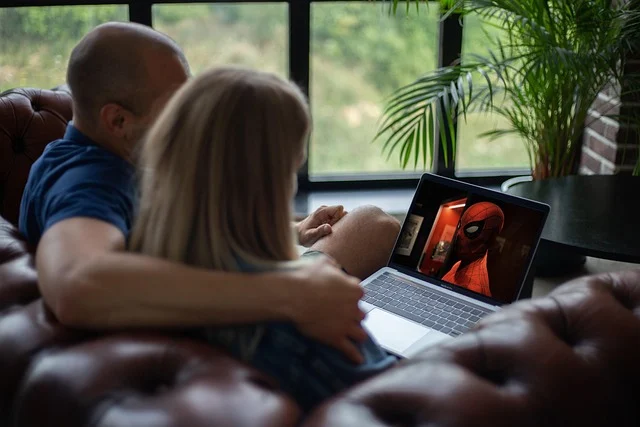
If you want a plug-and-play experience without security risks, several legitimate, ad-supported streaming television (FAST) platforms have licensed massive libraries of popular content. They offer high-definition playback, stable applications across all devices, and zero security vulnerabilities. These services are ideal for most users seeking a straightforward, safe, and free way to watch movies and TV shows online.
How to choose the right legal streaming alternative for you
When selecting a legal 123Movies alternative, consider your viewing habits and technical comfort level. If you prefer a traditional TV experience with scheduled programming, Pluto TV might be your best bet. For a vast on-demand library of films and series, Tubi or Amazon Freevee are excellent choices. If you want to integrate your own media with free content, Plex offers a hybrid solution. The Roku Channel is great for high-profile studio content, especially if you’re in North America.
For those comfortable with more technical setups, modular players like Stremio offer flexibility, while self-hosting with Jellyfin or Plex provides ultimate control and privacy for your personal media collection.
| Platform | Best For | Supported Devices | Video Quality | Primary Trade-off |
|---|---|---|---|---|
Tubi TV
Tubi has established itself as the premier free streaming service. Owned by Fox Corporation, the platform hosts tens of thousands of licensed titles, ranging from independent cinema to major Hollywood productions.
- Who it suits: Viewers looking for a comprehensive, on-demand catalog that rivals paid subscription services in library size. It’s especially strong for horror, cult classics, and independent films.
- The trade-offs: You must watch unskippable commercial breaks, and content availability varies outside of the United States due to regional licensing restrictions. A VPN can sometimes bypass these, but performance may vary.
Pluto TV
Operated by Paramount, Pluto TV takes a unique approach by mimicking traditional linear television. It organizes its content into hundreds of virtual channels that run on a scheduled loop, alongside a solid on-demand section.
- Who it suits: Users who enjoy the passive experience of channel surfing or want a familiar cable-like guide interface. It’s great for discovering new content without actively searching.
- The trade-offs: The on-demand catalog is less organized than Tubi’s, and commercial breaks are structured exactly like traditional television broadcasts, which can feel less flexible than on-demand services.
Plex
Plex is best known as software for streaming personal media, but it also provides an extensive, free, ad-supported library of movies, television shows, and live channels accessible directly through the Plex app.
- Who it suits: Tech-conscious users who want to access both commercial free streams and their own local media collections inside a single interface. It’s perfect for consolidating all your entertainment in one place.
- The trade-offs: The free library leans heavily on older classics and niche genre films, meaning newer blockbusters are rarely available. Its primary strength remains personal media management.
The Roku Channel
You do not need a Roku streaming stick or television to use this service. The Roku Channel is fully accessible through any standard web browser, offering a clean, user-friendly interface with studio-backed films and live television options.
- Who it suits: Viewers looking for high-quality, recognizable movies and select original series without setting up complex software. It often features content from major studios.
- The trade-offs: The platform is heavily geo-blocked outside of North America and has basic playback controls compared to dedicated applications. Content rotation can also be frequent.
Amazon Freevee
Amazon Freevee is a free ad-supported video streaming service that delivers a curated selection of movies, television series, and Freevee originals. It integrates into the existing Amazon Prime Video interface or operates via a standalone application.
- Who it suits: Streamers who want access to studio releases and exclusive television series without paying for a monthly subscription. It’s a strong option for network TV shows and some newer film releases.
- The trade-offs: You must create a free Amazon account to log in, and advertisement breaks occur at fixed intervals throughout playback, similar to traditional TV.
Why should you avoid unofficial 123Movies clone sites?
The original 123Movies platform went offline years ago after legal enforcement, leaving behind a vacuum filled by hundreds of clones, mirrors, and copycat platforms using top-level domain variations like .to, .is, .la, or .ru. While these mirror sites may appear convenient, they are inherently unstable. They frequently change their domains to evade law enforcement, which means the URL you bookmark today is highly likely to redirect to an unowned domain or a malicious parking page tomorrow.

From a technical standpoint, the primary issue with unofficial sites is their monetization model. Because these platforms cannot use legitimate ad exchanges, they rely on aggressive, high-risk advertising networks. Visiting these sites exposes your system to malicious redirects, forced browser extensions, and drive-by downloads. As Cloudwards details the risks of unofficial streaming sites, these portals use aggressive scripts that directly impact both device performance and security. Chasing mirror sites is a losing battle that continually exposes your personal data to bad actors.
The technical threats commonly encountered on clone sites include:
- Malvertising redirects: The moment you click play, background scripts execute pop-under redirects that load malicious domains. These pages often impersonate critical system alerts, attempting to trick you into downloading malware or giving away login credentials.
- Cryptojacking: Some unmoderated streaming sites embed JavaScript-based cryptocurrency miners. When you leave a streaming tab open, these scripts use your computer’s CPU resources to mine digital assets, leading to severe thermal throttling and device degradation.
- Malicious browser extensions: Many mirror sites claim that you need a custom video player extension or a fake security patch to play a stream. These files are almost always adware designed to hijack your browser search settings and track your internet activity.
- Poor video stream stability: Third-party video hosts continuously throttle bandwidth or pull files down due to copyright complaints, causing constant mid-movie buffering and dead links.
How to protect your browser if you visit streaming aggregator sites
If you decide to access unofficial platforms, treat every visit as a potential security risk. Keeping your system protected requires proactive security measures rather than relying on default browser configurations. For more detailed breakdowns of free and premium streaming setups, PrivacySavvy lists various free and paid streaming methods to help you narrow down your choices based on your specific security threshold.
To harden your system against malvertising and aggressive scripts, implement these specific controls:
- Use an open-source ad blocker: Install uBlock Origin on Firefox, Brave, or Chrome. It blocks connection requests to aggressive ad servers, popup triggers, and known malicious domains before they render in your browser. This is your first line of defense against many common threats.
- Configure network-level DNS filtering: Change your router or device DNS settings to protective providers like Quad9 (9.9.9.9) or AdGuard DNS. These services drop connection requests to domains flagged for malware or phishing, protecting all devices on your network.
- Run sessions in an isolated environment: Use tools like Windows Sandbox or containerized browser profiles (e.g., Brave’s private window with Tor, Firefox containers). If a site attempts an unauthorized script execution, closing the sandbox instantly wipes all session data without touching your primary operating system.
- Disable automatic download permissions: Set your browser settings to explicitly ask for download confirmation every time a file is requested, preventing stealthy background downloads that could install malware without your knowledge.
- Keep your browser and OS updated: Ensure your web browser and operating system (Windows, macOS, Android, iOS) are always running the latest versions. Updates often include critical security patches that protect against newly discovered vulnerabilities.
Advanced setups: Modular aggregators and self-hosting
For those who find ad-supported catalogs too restrictive, or who want to avoid commercial interruptions entirely, technical 123Movies alternatives exist that put you in full control of your streaming environment. These options require a bit more technical know-how but offer unparalleled flexibility and privacy.

Stremio and modular media players
Stremio is a modular media player designed to aggregate content from multiple sources. Unlike traditional streaming sites that parse links through a web browser, Stremio runs as a local application on your computer, mobile device, or smart TV. By shifting stream-handling from a web browser to a dedicated application, you isolate your system from the browser-based exploits common to free streaming mirrors.
Stremio relies on community-developed add-ons to source streams. Here is how to configure a modular media player safely:
- Download the official client: Install the official Stremio application from the developer’s website for Windows, macOS, Android, or Fire OS. Avoid third-party app stores that repackage the software, as these can contain modified, malicious versions.
- Set up an account: Create a user account to keep your watch list, progress, and installed add-ons synchronized across all your devices. This also allows for personalized recommendations.
- Select official or community add-ons: Open the add-on catalog inside the app. Install official add-ons for public domain movies and YouTube, or add community plugins that pull metadata and streams from open indexers. Research add-ons before installing to ensure they are reputable.
- Optionally attach a Debrid service: Link a premium debrid service via API within your add-on settings to cache streams on high-speed servers, eliminating peer-to-peer buffering and hiding your direct connection IP address. This significantly improves reliability and security for many community add-ons.
Stremio is not ideal for users who prefer an immediate click-and-play experience without managing software updates or add-on settings. It requires a proactive approach to setup and maintenance.
Setting up a personal media server with Jellyfin or Plex
If you want a streaming platform with zero ads, zero tracking, and no corporate licensing changes removing titles, building your own media server is the top long-term strategy. Utilizing free, open-source software like Jellyfin, or commercial alternatives like Plex, allows you to host your digital video files on a local machine.
You can run a server on a spare home PC, a dedicated mini-computer, or a network-attached storage (NAS) device. Follow these core steps to get started:
- Prepare your server hardware: Choose a desktop computer or NAS with a modern CPU that supports hardware video transcoding (Intel QuickSync is popular for efficient stream decoding). Ensure it has sufficient storage for your media library.
- Install media server software: Download Jellyfin or Plex Media Server onto your host machine and point the software directory to your media storage folders. These applications will scan your files and organize them.
- Organize file naming: Format your film and TV files cleanly (such as Movie Title (Year).mp4 or TV Show Name/Season 01/TV Show Name – S01E01 – Episode Title.mp4) so the server software can automatically pull posters, summaries, and actor metadata from online databases.
- Configure remote access (optional but recommended): Set up port forwarding on your router or use Plex’s Relay service to access your media library from outside your home network. Ensure strong security practices like robust passwords and two-factor authentication.
- Connect client apps: Install the corresponding client application on your target devices (smart TVs, phones, tablets, streaming sticks). When deciding on the hardware client for your streaming setup, choosing between an iOS or Android device is often the first step; see iPhone vs. Android: Choosing Your Next Smartphone to evaluate the mobile ecosystems.
Self-hosting is not suitable for users who do not own media files or lack the disk space and home network hardware necessary to keep a server running continuously. It requires an initial investment of time and resources for setup and ongoing maintenance.
How to fix common free streaming video issues
Even on reliable legal alternatives, technical hiccups like buffering, low resolution, or missing subtitles can disrupt your viewing. Here is how to address the most frequent issues:

Fixing constant video buffering and stuttering
Buffering usually stems from hardware decoding strain or network congestion. Disable hardware acceleration in your browser settings if your CPU usage spikes during playback, or toggle it on if your discrete graphics card is idle. On streaming devices like the Firestick, clearing the cache of the streaming app frees up RAM and stops stuttering. Ensure your internet connection is stable and sufficient for HD streaming (typically 5-8 Mbps for 1080p, 25 Mbps for 4K).
Overcoming geo-restriction playback errors
Legal FAST services restrict certain titles based on regional licensing contracts. If an app reports that content is unavailable in your location, check whether your internet provider is routing your IP address through a secondary region. Using legitimate accounts on platforms like Tubi or Pluto TV ensures access to local broadcast channels and licensed catalogs. While some users attempt to use VPNs to bypass geo-restrictions, streaming services are increasingly adept at detecting and blocking VPN traffic, and it may violate their terms of service.
Correcting desynced subtitles or missing audio
If audio lags behind video on browser-based streams, try disabling surround sound passthrough settings on your output device and setting the audio output format to stereo PCM. For local media applications like Plex or Jellyfin, select alternate subtitle tracks or enable automatic subtitle fetching through built-in OpenSubtitles integration. Sometimes, simply refreshing the page or restarting the app can resolve minor synchronization glitches.
Frequently asked questions
Are legal 123Movies alternatives truly completely free?
Yes, legitimate FAST services like Tubi, Pluto TV, Plex, and The Roku Channel are entirely free to use. They support their operations by showing short commercial breaks during streams, so you never need to enter credit card details or sign up for a trial. Your only “payment” is watching advertisements.
Why do video streams on unofficial 123Movies sites constantly freeze?
Unofficial clone sites host their video files on overloaded, low-cost third-party file hosts that limit bandwidth. When thousands of users attempt to access the same video file simultaneously, the servers run out of capacity, causing frequent buffering, dropping resolution, or breaking streams entirely. These sites prioritize cost-cutting over user experience and stability.
Can opening a streaming site infect your computer without downloading anything?
Yes, visiting compromised websites can trigger drive-by downloads or execute browser-based scripts like cryptojacking miners and malicious redirects without any explicit action from you. Using an updated browser alongside a dedicated content blocker like uBlock Origin significantly reduces this risk by blocking malicious network requests before they execute.
Do I need an account to use free legal streaming alternatives?
Most free ad-supported streaming services, such as Tubi, Pluto TV, and The Roku Channel, do not require you to create an account to start watching. However, creating a free account can offer benefits like personalized recommendations, watchlists, and syncing your progress across multiple devices. Amazon Freevee is an exception, requiring a free Amazon account for access.
Are there any legal 123Movies alternatives for new blockbuster movies?
Legitimate free streaming alternatives typically do not offer brand-new blockbuster movies immediately after their theatrical or premium digital release. New blockbusters are usually exclusive to paid streaming services or premium video-on-demand platforms for a period. Free services acquire titles later as part of their licensing agreements, often after they have completed their paid release windows.