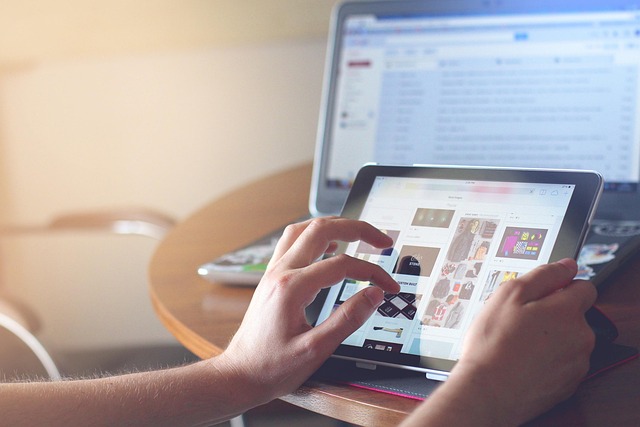
A large screen tablet features a display measuring 12 to 15 inches, bridging the gap between standard mobile tablets and traditional laptops. These standalone devices provide expansive touch workspaces for digital art, side-by-side multitasking, desktop document editing, and immersive media without requiring an external host computer.
Choosing a large screen tablet transforms how you work on the go. While a standard 10-inch screen serves well for passive browsing, a display measuring 12.9, 13.8, or 14.6 inches offers the physical canvas needed to replace paper notebooks, portable monitors, and bulky workstation laptops. The added display real estate changes how applications fit on screen, allowing two full-sized apps to sit side by side without forcing cramped text or truncated toolbars.
Why choose a large screen tablet instead of a laptop or standard tablet?
The primary advantage of a large format tablet lies in screen real estate and input flexibility. Moving up to a 14.6-inch panel gives you nearly double the workspace of a conventional entry-level tablet, allowing you to run complex software suites without losing menu controls or hiding layers.
For creative professionals and technical workers, touch-first and stylus-native interactions change the creative process. A laptop requires a separate drawing digitizer or trackpad input, whereas a large tablet lets you draw, write, annotate, and scrub video timelines directly on screen. Architects reviewing floor plans, illustrators rendering high-resolution canvases, and analysts reviewing complex spreadsheets gain direct precision without sacrifices in viewing scale.
A large tablet also redefines physical portability. While a 14.6-inch slate is larger than a traditional handheld reader, it remains significantly thinner than a standard clamshell laptop. When detached from its keyboard case, it becomes an ultra-thin digital clipboard that sits flat on a desk, rests on a music stand, or mounts to an adjustable studio arm.
Who a large tablet suits
- Digital artists and designers: Artists who need room for floating tool palettes, brush settings, and high-resolution canvases in software like Procreate or Clip Studio Paint.
- Mobile professionals and executives: Users who frequently review multi-page PDFs, track spreadsheets, and host video conferences simultaneously on a single mobile screen.
- Students and academic researchers: Students who keep lecture slides open on one half of the display while taking handwritten notes with a stylus on the other.
- Field technicians and engineers: Engineers who mark up CAD files, schematics, or blueprints directly on site without carrying paper rolls or heavy laptops.
Who a large tablet does not suit
- One-handed readers: Anyone looking for a lightweight device to hold with one hand while reading e-books or news feeds during a commute.
- Budget-conscious buyers: Buyers seeking basic media playback, as large high-resolution panels, powerful processors, and matching keyboard accessories push prices higher than standard tablets.
- Legacy desktop power users: Users who rely strictly on specialized x86 desktop utilities that lack touch-optimized interfaces or native tablet OS ports.
How do display size, panel technology, and refresh rate compare?
Evaluating display quality requires looking beyond physical diagonal measurements. Resolution, panel architecture, peak brightness, and refresh rate directly dictate how comfortably you can work across long work sessions.
Display size tiers
Tablet screens generally fall into three size brackets above 12 inches:
- 12.0 to 12.9 inches: The balance point for handheld handling and mobile productivity. Devices in this size class fit easily on airplane tray tables while offering enough room for split-screen apps.
- 13.0 to 14.0 inches: The standard laptop replacement scale. This format mirrors traditional ultrabook displays, offering full-scale touch keyboards and comfortable side-by-side app positioning.
- 14.1 to 15.0+ inches: Specialized digital canvases. These massive panels maximize drawing and editing workflows but work best when supported by a kickstand, desk mount, or tabletop setup.
OLED vs Mini-LED vs IPS LCD
Premium large screen tablets rely primarily on OLED or Mini-LED display technologies, both of which outperform traditional IPS LCD panels in contrast and brightness control.
OLED panels control light at the individual pixel level. This produces perfect blacks, infinite contrast, and crisp text rendered against dark backgrounds. OLED displays excel in color accuracy for video colorists and digital painters, though display controllers must manage peak brightness to prevent image retention during prolonged static use.
Mini-LED backlighting uses thousands of microscopic LEDs grouped into full-array local dimming zones. This panel architecture delivers extreme sustained peak brightness, making mini-LED tablets ideal for outdoor visibility and viewing high-dynamic-range (HDR) video content. The visual trade-off is minor blooming—a soft halo effect around high-contrast elements like white text on a black background.
Resolution and refresh rates
To keep text sharp across a wide panel, high pixel density is mandatory. Look for display panels that maintain at least 240 to 280 pixels per inch (PPI). At this density, fine lines in illustrations remain smooth and individual pixels become invisible at normal working distances.
Refresh rate is equally crucial for touch and pen input. Standard 60Hz displays exhibit subtle visual drag when drawing or fast-scrolling through documents. High refresh rate screens—operating at 120Hz—dramatically reduce pen latency by redrawing the visual stroke faster under the stylus tip. This creates an immediate, natural sensation akin to ink flowing onto paper.
Which operating system fits your workstation workflow?
The operating system governs how your tablet handles files, external monitors, desktop accessories, and background software processes. Choosing between iPadOS, Android, and Windows determines the overall capability of your device.
iPadOS
Apple builds iPadOS on a touch-first foundation optimized for power efficiency and creative application performance. High-end iPad Pro models use Apple M-series silicon, providing computing speed capable of editing multi-track 4K video streams or rendering complex 3D scenes.
Features like Stage Manager allow you to group, resize, and overlay multiple windows on the display, or extend your workspace to an external monitor at native resolutions. Paired with an Apple Pencil and Magic Keyboard, an iPad functions as a focused workstation. However, file system access remains more structured than traditional desktop OS environments, and multi-user profile switching is not supported.
Android
Android on large screen tablets—exemplified by devices like the Samsung Galaxy Tab Ultra line—focuses on open file structures, customizability, and flexible multitasking. Android allows you to position up to three primary applications on screen simultaneously alongside floating pop-up windows.
For desktop tasks, Samsung includes Samsung DeX, an integrated desktop interface that switches the tablet interface into a windowed environment complete with a taskbar, start menu, and free-form window positioning. Android tablets also feature open file system management, simplified USB storage access, and wide support for wireless mice and game controllers.
Windows 11
Windows-based tablets, such as the Microsoft Surface Pro, run full desktop operating systems. This offers complete compatibility with legacy x86 and native ARM64 PC software, including specialized enterprise management tools, accounting packages, and full desktop creative suites.
Windows 11 automatically adjusts its interface between touch control and precise desktop navigation when you connect or remove a keyboard cover. While touch gestures are secondary to cursor navigation compared to iPadOS or Android, a Windows tablet is a complete PC contained within a slate shell.
| Platform | Multitasking Architecture | App Ecosystem Strength | Stylus Technology | Best Workflow Fit |
|---|---|---|---|---|
| iPadOS | Stage Manager, Split View, Slide Over | Exceptional touch and creative software selection | Apple Pencil (low latency, tilt & pressure) | Digital art, video editing, mobile productivity |
| Android (DeX) | Split-screen grid, pop-up view, DeX desktop mode | Flexible productivity, broad open-source tools | S Pen (included, electromagnetic resonance) | Multi-window office work, open file transfers |
| Windows 11 | Full desktop windowing, snap layouts, virtual desktops | Complete legacy PC software compatibility | Surface Slim Pen (haptic feedback, eraser top) | Enterprise software, full desktop office suites |
What essential accessories transform a tablet into a workstation?
A large screen tablet relies on a supported setup of input tools and peripherals to function as a complete desk setup.
Active styluses
An active stylus is essential for drawing, markup, and precise retouching. Modern styluses use active digitizers or electromagnetic resonance (EMR) to register thousands of pressure sensitivity levels, tilt angles, and hover positions. High-end pens include haptic motors that vibrate subtly against the glass, simulating the physical friction of pencil on paper.
Keyboard cases and stands
Selecting the right keyboard case depends on where you intend to work:
- Cantilever floating hinges: Hold the tablet elevated above the keyboard keys, bringing the screen closer to eye level while offering an integrated glass trackpad. These work best on flat desks.
- Kickstand covers with detachable keyboards: Use a fold-out rear support leg built into the tablet protection sleeve. They provide wide tilt angle adjustments, ideal for drawing at low incline angles.
- Ergonomic desk stands and floating arms: Lift heavy 13-inch to 15-inch slates off the desk surface entirely, aligning them with secondary desktop monitors to prevent neck strain.
USB-C docks and connectivity
Because thin tablet chassis limit built-in ports to one or two USB-C connectors, a hub expands your peripheral options. Look for powered USB-C hubs that support USB Power Delivery (PD) pass-through charging at 65W or higher. This allows you to connect external 4K monitors, memory card readers, wired local area network (LAN) cables, and external solid-state drives (SSDs) through a single cable connection.
What workflows benefit most from extra screen real estate?
The extra screen real estate changes productivity across professional disciplines, letting you execute complex workflows without desktop hardware.
Digital illustration and visual design
Large displays remove interface trade-offs for digital artists. In programs like Clip Studio Paint or Photoshop, user interface panels for layers, color wheels, brush libraries, and navigator windows consume substantial space. On an 11-inch screen, these panels cover the artwork. On a 14.6-inch canvas, tools remain visible while leaving a massive central drawing area.
Document review and dual-app research
For legal, academic, and business analysis, large screens allow two full-size portrait documents to sit side-by-side. You can read a reference paper or contract draft on the left window while writing notes, building presentation slides, or filling out a database on the right window. Text remains legible without scaling down font sizes.
Audio timeline scrubbing and video production
Video editing apps like LumaFusion, Final Cut Pro, and DaVinci Resolve profit directly from horizontal display width. A wide panel stretches out video timelines, displaying micro-frame cuts, audio waveform tracks, and color grading panels simultaneously. This eliminates constant horizontal scrolling when editing long video projects.
What ergonomic and hardware trade-offs should you expect?
While large screen tablets offer clear software and visual benefits, their physical dimensions introduce hardware realities you must plan for.

Handheld fatigue: A 14.6-inch tablet weighs roughly 1.5 pounds (700 grams) as a bare slate. Adding a protective keyboard cover increases total carry weight to nearly 3 pounds. Holding a slate of this size with one hand during a long reading session causes rapid wrist fatigue. These devices are designed primarily to sit on a desk, rest on your lap, or mount to a stand.
Power consumption: Illuminating an expansive high-resolution OLED or Mini-LED panel requires significant energy. Driving display brightness near maximum during outdoors work or running heavy 3D rendering tasks accelerates battery discharge. Always pair large slates with high-capacity fast chargers rated for 45W to 65W output.
Desk footprint: When opened with a kickstand keyboard attached, a 13-inch or 14-inch tablet can require more depth on a narrow desk than a slim laptop, as the kickstand extends behind the screen panel.
How to avoid common mistakes when buying a large tablet
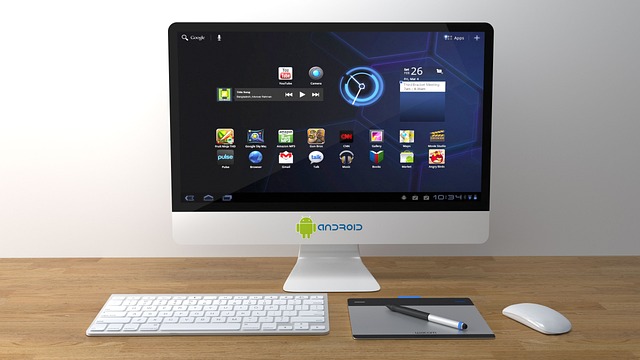
A frequent error is confusing a standalone large screen tablet with a portable USB-C monitor. Portable monitors (and specialized large displays like the KTC 25-inch Android Display) function primarily as external secondary screens requiring a host computer or device connection. A true large screen tablet contains its own system-on-a-chip processor, battery, storage, and self-contained touch operating system.
Another issue arises when users underestimate the total cost of ownership. A high-end large slate often excludes key accessories from the base price. Factoring in an active stylus, floating keyboard case, and protective sleeve can add several hundred dollars to your hardware investment.
Avoid buying hardware without confirming that your essential software applications exist in touch-optimized formats. If your daily workflow relies heavily on niche enterprise Windows executables, buying an iPad or Android tablet—regardless of screen size—will require complex remote desktop workarounds. If you plan to fully replace your primary computer, ensure the tablet OS handles your required file management, browser extensions, and peripheral drivers natively.
Finally, take time to configure automated operating system options. Setting up custom touch gestures and system shortcuts dramatically reduces tap sequences when toggling split-screen modes, launching app pairs, or transferring media clips into creative projects.
Frequently asked questions
What display size qualifies as a large screen tablet?
Tablets with screen diagonals measuring 12 inches and larger fall into the large format category. Common flagship sizes include 12.9-inch, 13.8-inch, and 14.6-inch panels, which offer significantly more workspace than standard 10-inch or 11-inch tablets.
Can a large screen tablet completely replace a laptop?
A large screen tablet can fully replace a laptop if your work centers on web applications, document review, digital art, video editing, or mobile communication. However, users who rely on deep file directory structures, legacy x86 software, or specialized desktop programming environments may still require a traditional PC or a Windows-based Surface Pro.
What is the difference between a large screen tablet and a portable monitor?
A large screen tablet is an independent computer featuring its own CPU, battery, storage, and operating system. A portable monitor is strictly a display panel that must be plugged into an external host device, such as a laptop or smartphone, to display video output.
How do I protect battery health on a 13-inch or 14-inch tablet?
Additionally, avoid running high-performance graphics tasks while the device is sitting under direct sunlight.