An MPC sample is a short piece of audio—such as a drum hit, vinyl loop, or vocal snippet—recorded, sliced, and assigned to velocity-sensitive pads on an Akai MPC sampler. Producers use these sampled sounds to sequence custom rhythms, arrange tracks standalone, and perform electronic music without relying on a computer screen.
Whether you are working with legacy units or modern standalone hardware like the compact $399 Akai MPC Sample, understanding how to record, edit, tune, and sequence audio is the foundation of hardware beatmaking. This guide details how MPC sampling works, step-by-step techniques for chopping audio, advanced sound design strategies, practical studio integration, and how the MPC sample environment compares to competing portable devices.
What makes the MPC sample workflow unique?
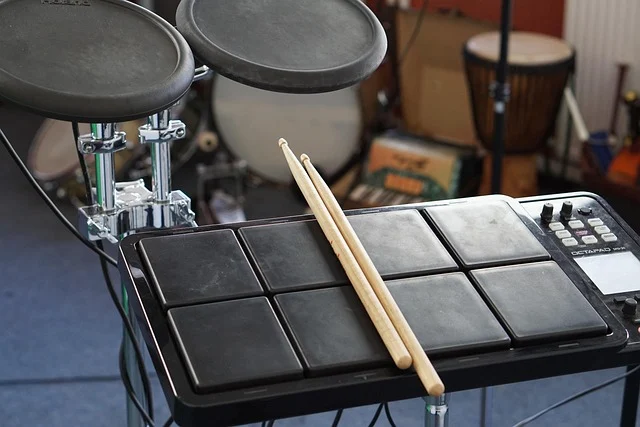
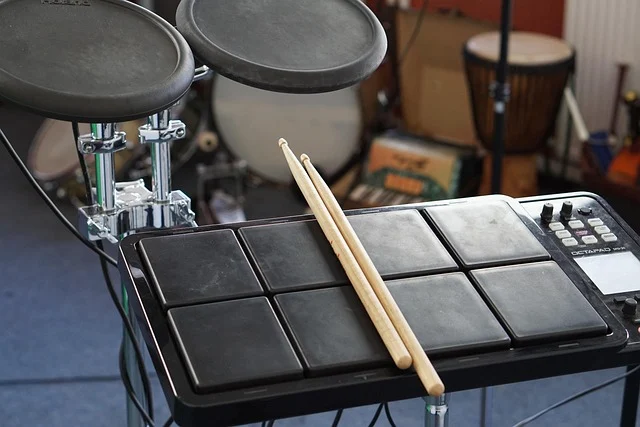
The core appeal of using an MPC sample lies in its tactile, hardware-driven structure. Unlike software Digital Audio Workstations (DAWs) that rely on horizontal timelines, mouse clicks, and visual waveforms, an MPC centers sound creation on 16 physical, velocity-sensitive pads organized into multiple pad banks (Bank A through Bank H).
When you record or import an MPC sample, audio is stored in memory and assigned to specific pads within two primary program types:
- Drum Programs: Map individual audio chops, drum hits, or sound effects across the 16 pads. Each pad plays back a specific sample when struck, allowing for intricate finger drumming and custom drum kit creation.
- Keygroup Programs: Take a single audio sample—such as a synth note, bass hit, or vocal pitch—and automatically pitch-shift it chromatically across pads or an external keyboard. This enables you to play melodies, basslines, and chord progressions from a single audio recording.
Because audio playback is tightly bound to physical pads and pattern-based grid sequencing, beatmakers can build grooves by jamming in real time rather than drawing MIDI notes with a mouse. Non-destructive sample editing allows you to adjust start points, end points, pitch, and filtering without permanently altering the original audio file on your storage drive. You can learn more about configuring hybrid setups in Hardware Acceleration: Boosting Performance for Modern Workloads.
Supported audio formats and sample memory specifications
Understanding technical file compatibility prevents importing issues and audio playback distortion when loading samples into your hardware unit:
- File formats: Modern MPC units natively read uncompressed WAV and AIFF audio files. MP3 files are generally converted upon import or must be converted to WAV beforehand.
- Bit depth and sample rate: Standard 16-bit and 24-bit audio files recorded at 44.1 kHz or 48 kHz offer optimal audio fidelity and low-latency performance. Importing 32-bit float or ultra-high sample rate files (such as 96 kHz or 192 kHz) can unnecessarily inflate RAM usage and cause playback processing bottlenecks.
- Mono vs. stereo samples: Stereo samples double memory consumption and halve available hardware polyphony voice channels compared to mono samples. Converting single drum hits (such as kicks, snares, and hi-hats) or sub-bass notes to mono saves project RAM and keeps hardware processing fast.
How to capture and record an MPC sample step by step
Capturing high-quality audio directly into sample memory requires clean gain staging and accurate sample trimming. Follow these operational steps to sample external audio sources cleanly:

- Connect your audio source: Plug your turntable, synth, smartphone, or microphone into the stereo line inputs. Ensure input selector switches match your signal source (line level vs. instrument or phono preamp).
- Set your input recording levels: Open the Sampler interface screen. Play your audio source at its loudest peak while adjusting the physical hardware gain knob. Aim for audio levels peaking between -6 dB and -3 dB on the digital VU meter to maintain dynamic headroom and avoid digital clipping distortion.
- Configure threshold recording: Set the record trigger mode to “Threshold” and set the input sensitivity level around -24 dB. The hardware sampler will remain idle until incoming audio passes this volume threshold, ensuring you do not record blank pre-roll noise at the start of your sample.
- Record the sample phrase: Press Arm, then start playback on your external audio source. Press Stop once the phrase, drum loop, or hit finishes ringing out.
- Trim start and end points: Open the Sample Edit screen. Zoom into the audio waveform display and move the sample start marker precisely to the initial transient hit. Adjust the sample end marker to where the natural decay or room tone drops to silence.
- Normalize and name: Select the Normalize edit command to optimize peak signal amplitude, then rename the sample clearly before assigning it to a pad bank.
Methods for chopping and slicing audio on the MPC
Chopping audio loops into individual hits or melodic fragments is a defining technique in hardware hip-hop, electronic, and lo-fi production. The MPC sample menu offers four distinct chop modes:
Threshold chopping
Threshold mode automatically detects transient spikes in audio waveform amplitude. This is the fastest method for slicing percussive drum breaks, as the hardware identifies kick, snare, and hi-hat hits based on volume spikes. You can adjust the sensitivity threshold slider to add or remove slice markers based on break complexity.
Region chopping
Region mode divides an audio sample into equal geometric sections (such as 4, 8, 16, or 32 equal regions) regardless of transients or beat divisions. This mode works exceptionally well for pad chords, ambient soundscapes, or vocal passages where equal audio slices spread logically across pad banks.
Time-division chopping
Time-division mode slices audio based on musical measure values tied to tempo (such as 1/4, 1/8, or 1/16 note intervals). If your loop is correctly tempo-synced, time division produces perfectly timed rhythmic slices ideal for rearranging music loops over an established tempo grid.
Manual chopping
Manual mode allows you to audition audio playback and tap pad controls to insert slice markers on the fly while the sample plays. You can manually zoom in on each chop marker to snap start points to zero-crossings—the exact point where an audio wave crosses the 0 dB center line—preventing audible clicks or pops when slices are triggered.
Once chopping is complete, selecting “Convert to Drum Program” creates a new program containing all slices mapped across pads, ready for instant finger drumming and pattern sequencing.
Essential sample editing: tuning, envelope shaping, and mute groups
Once audio is mapped to pads, fine-tuning parameter controls shapes how samples interact within your mix.
Pitch shifting and tuning
Each MPC sample can be tuned up or down by semitones (coarse tune) and cents (fine tune). Pitching a sample down by 2 to 4 semitones gives drum hits a darker, heavier weight commonly found in classic hip-hop. Pitching up audio brightens vocal snippets or acoustic instrument samples.
Amp envelope shaping
Adjusting the Attack, Decay, Sustain, and Release (ADSR) envelope changes sample dynamics:
- Attack: Softens the initial transient strike of a hit, useful for making harsh percussive sounds set back slightly in the mix.
- Decay: Controls how quickly the volume drops after the initial hit, useful for shortening long drum tails or tightening loose kick drums.
- Release: Determines how long audio rings out after releasing a pad when set to Poly or Note Off mode.
Mute groups and choke settings
Mute groups (also known as choke groups) ensure that triggering one sample immediately cuts off playback of another sample assigned to the same group number. This feature is essential for realistic drum programming:
- Assigning open hi-hat and closed hi-hat samples to Mute Group 1 ensures hitting the closed hi-hat chokes the ringing open hi-hat instantly.
- Assigning melodic chop slices to Mute Group 2 prevents overlapping sliced vocal or guitar chords from blurring together during fast pad drumming.
Advanced creative techniques with MPC samples
Moving beyond basic beatmaking allows you to turn static audio into complex, evolving sounds.
Layering samples and Pad Link
Modern hardware allows you to stack up to four separate audio samples on a single pad. You can velocity-switch layers (playing a soft snare at low pad pressure and a sharp snare at high pressure) or blend layers together, such as layering a sub-bass sine wave beneath a sampled acoustic kick drum.
Using the Pad Link feature, hitting one master pad can simultaneously trigger up to four other slave pads across different banks, creating massive, multi-timbered synth stacks and stacked percussive hits.
Resampling
Resampling is the technique of recording the internal master audio output or sub-mix back into a new sample slot while applying internal insert effects, pitch alterations, or filter sweeps. Resampling saves processing horsepower by freezing dynamic CPU-heavy effect chains into flat audio files. It also allows you to chop and mangle fully processed loops into entirely new phrases.
Granular synthesis and texture creation
By setting extremely short loop points on an audio sample, enabling ping-pong looping, and modulating playback start points with onboard LFOs or touch-pad controls, you can convert any short audio chop into continuous sustained ambient pads, granular soundscapes, or atmospheric drone textures.
Live performance setups
For live set preparation, producers assign sequences to individual pads, utilizing real-time Q-Link knobs or screen controllers for filter sweeps, stutter effects, and volume fades. Integrating live audio triggers with an expressive performance layout gives hardware setups an energetic edge over passive laptop playback. According to Akai Professional’s product documentation, flexible MIDI and audio routing allow these compact units to act as central controllers for external gear networks.
Comparing the Akai MPC Sample with alternative hardware
When choosing a compact standalone sampler, evaluating workflow differences helps clarify which tool fits your studio setup. The table below compares the Akai MPC Sample against prominent standalone alternatives:
| Feature | Akai MPC Sample | Roland SP-404MK2 | TE EP-133 KO II |
|---|---|---|---|
| Price (approx.) | $399 | $499 | $299 |
| Workflow focus | Structured grid sequencing, deep chopping, pad mapping | Resampling, live effects mangling, quick phrase triggering | Immediate pattern sequencing, fast pocket sampling |
| Pads | 16 velocity-sensitive pads | 16 RGB velocity-sensitive pads | 12 pressure-sensitive pads |
| Primary effects | Filters, granulator, reverb, delay, pitch algorithms | Over 30 studio & performance effects | Punch-in performance effects, master compressor |
| Sampling capabilities | Deep chop, auto-transient detection, keygroup pitching | Fast auto-chop, pad resampling, long stereo audio playback | Basic transient chopping, keygroup modes, 99 sample slots |
| External device link | Akai Professional’s product documentation outlines full USB/MIDI control | Roland SP-404MK2 supports USB-C audio/MIDI & app sync | Teenage Engineering EP-133 KO II offers MIDI I/O & clock sync |
While the Roland SP-404MK2 excels at continuous resampling and live effect manipulation, and the Teenage Engineering EP-133 KO II offers a fast pocket-sized design, the Akai MPC Sample provides superior structured sequencing, flexible pad mapping, and comprehensive song arrangement options. For details on organizing studio cables and MIDI setups, see Why Your Multi-Channel Retail Needs More Than Just a PIM System.
Who is the MPC sampling workflow NOT designed for?
While the MPC sample environment is powerful, it does not suit every music creator:
- Linear multitrack recording artists: If you record full bands, multi-take live vocals, or acoustic drum kits with dozens of simultaneous audio tracks running continuously, a standard DAW is far more efficient than hardware pattern sequencing.
- Mouse-focused sound designers: Creators who prefer working with massive computer screens, complex soft-synth plugins, and deep mouse automation may find hardware screen navigation and physical pad limits restricting.
- Plug-and-play non-technical users: Hardware samplers require file management, manual sample organization on SD storage, gain staging, and understanding basic audio terminology. Those seeking instant preset playback without sample prep may prefer pre-built software instruments.
Common mistakes when working with MPC samples and how to fix them
Avoiding standard user errors keeps your audio clean and prevents software or hardware headaches during sessions.
Audio clicks and popping noises
Clicks occur when sample playback starts or ends abruptly away from a zero-crossing point in the audio wave.
Fix: Open Sample Edit, zoom into start/end points, and enable zero-crossing snapping. Alternatively, set a 2 to 5 millisecond Attack and Decay time on the sample pad envelope to smooth out audio transitions.
Missing sample errors when loading projects
Opening a project only to receive missing file warnings happens when samples were recorded to dynamic project RAM without saving them to permanent storage drives.
Fix: Create a dedicated project folder structure on your SD card (such as /Projects, /Programs, and /Samples). Always use the “Save Current Project with Samples” command to archive all audio files directly inside your project folder.
Voice stealing and polyphony cut-offs
If audio notes cut out unexpectedly during busy sequence sections, you have exceeded total hardware polyphony limits.
Fix: Convert unnecessary stereo samples to mono (such as single kick hits or bass notes), shorten sample decay times, and purge unused sample files from project RAM inside the sample memory menu.
Muddy low-end in drum mixes
Layering multiple kick chops or vinyl bass samples without frequency management leads to low-end phase cancellation and muddy mixes.
Fix: Assign high-pass filters to high-frequency drum hits and vocal chops to filter out sub-100 Hz rumble, leaving sub frequencies free for dedicated kick and bass samples.
Frequently asked questions
What is the Akai MPC Sample used for?
The Akai MPC Sample is primarily used for portable music production, enabling users to sample, slice, sequence, and create full beats without needing a computer. It is popular for hip-hop, lo-fi, and electronic music due to its intuitive, hands-on workflow and classic MPC feel.
Is the MPC Sample good for beginners in 2026?
Yes, the MPC Sample is an excellent choice for beginners seeking a standalone hardware workflow. Its tactile pad interface eliminates DAW distraction, allowing new producers to learn core rhythm, sampling, and sequencing concepts directly on hardware.
Can I connect the MPC Sample to my computer?
Yes, you can connect the MPC Sample to a computer via USB for file transfer, sample loading, and SD card file management. It also supports USB and standard MIDI sync, allowing it to control virtual instruments or sync tempo with your DAW.
What is the battery life of the Akai MPC Sample?
The internal rechargeable battery delivers several hours of continuous standalone operation on a single charge. Battery runtime varies based on display brightness, connected USB devices, and headphone output volume.
Does the MPC Sample have built-in speakers?
No, the MPC Sample does not feature internal speakers. Monitoring requires connecting studio headphones or external powered speakers to its audio output jacks.
What kind of storage does the MPC Sample use?
It utilizes an SD card slot as its primary expansion storage for sample libraries, user programs, and project files. Fast SD cards formatted to supported file systems ensure smooth sample loading and project retrieval.