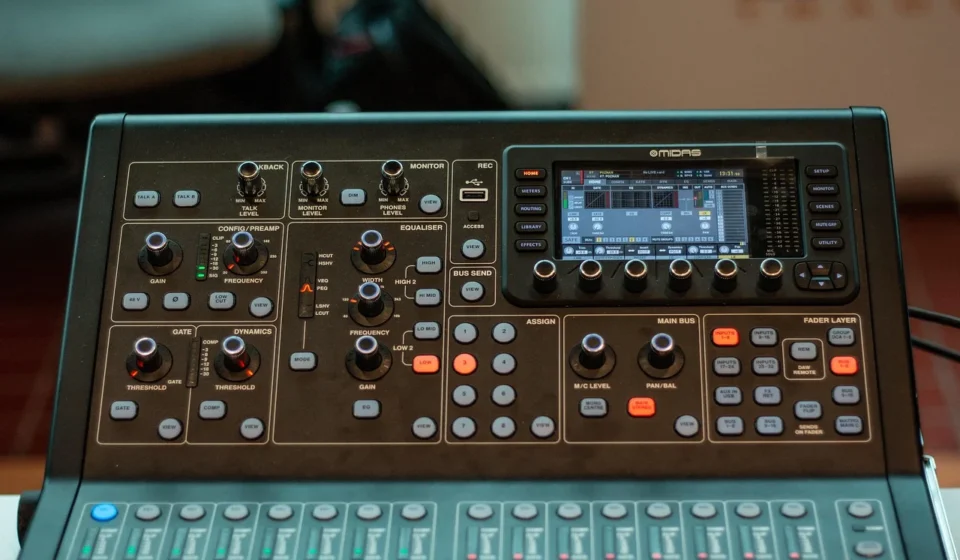
A quad equalizer is an audio signal processor. It divides the audible sound spectrum into four distinct frequency bands to balance tone and eliminate distortion. By adjusting gain across low, low-mid, high-mid, and high ranges, a quad equalizer allows you to enhance vocal clarity, reduce muddiness, and optimize sound for live audio, stereos, or recording setups.
Unlike basic two-band bass and treble tone controls found on consumer audio gear, a quad EQ provides targeted control over four separate frequency zones. This four-band architecture offers enough flexibility to clean up complex audio without complicating the control interface with dozens of individual sliders. Whether implemented as physical hardware units with rotary knobs and faders or as software plugins within a digital audio workstation, a quad equalizer acts as an essential sound-shaping bridge between raw audio signals and clean acoustic output.
Audio signals contain a complex blend of acoustic energy. This ranges from deep sub-bass rumbles at 20 Hz to shimmering high frequencies up to 20,000 Hz. When audio travels through microphones, room acoustic spaces, and speaker drivers, certain frequencies naturally become overemphasized while others get suppressed. Using a dedicated quad equalizer allows audio engineers and listeners to compensate for equipment shortcomings, eliminate unnatural room resonances, and ensure that every vocal or musical element retains its distinct spatial position.
Understanding the four frequency bands
To adjust a four-band system effectively, you must understand how human hearing perceives the four primary zones of the audible spectrum. While exact crossover points vary depending on whether the hardware utilizes fixed or sweepable center frequencies, standard quad equalizers break the audio spectrum into four logical bands.
1. Low frequencies (20 Hz to 200 Hz): bass and sub-bass
The lowest frequency band controls the physical weight, depth, and foundation of sound. Frequencies between 20 Hz and 60 Hz represent sub-bass, which is felt as mechanical vibration rather than heard as distinct musical pitch. Frequencies between 60 Hz and 200 Hz govern the fundamental notes of bass guitars, kick drums, tubas, and lower synthesizer lines.
Boosting this band introduces warmth, chest-thumping power, and cinematic impact. However, excessive boosts in the 100 Hz to 160 Hz range quickly cause boominess, masking higher frequencies and overworking power amplifiers. Cutting low frequencies is often necessary to reduce microphone handling noise, air conditioning rumble, or room boundary accumulation.
2. Low-mid frequencies (200 Hz to 1,000 Hz): body, warmth, and mud
The low-mid band houses the fundamental pitch and resonance for human speech, acoustic guitars, snare drum bodies, and piano lower keys. Frequencies around 250 Hz to 400 Hz give instruments their body and warmth. If an audio mix feels thin or hollow, a subtle boost in this range restores richness.
Conversely, the 200 Hz to 600 Hz zone is notorious for accumulation in multi-track audio. When multiple instruments contain heavy low-mid energy, the sound becomes “muddy” or “boxy.” Reducing energy between 250 Hz and 500 Hz creates immediate separation between instruments, allowing vocals and solo instruments to sound natural rather than muffled.
3. High-mid frequencies (1,000 Hz to 5,000 Hz): presence and speech clarity
The high-mid spectrum is the most sensitive region of human hearing. Frequencies from 1 kHz to 3 kHz control speech intelligibility, consonant projection, and vocal presence. The upper portion of this band (3 kHz to 5 kHz) adds attack to drum stick hits, guitar pick snaps, and brass bite.
Boosting high-mids allows dialogue or lead instruments to cut through heavy backing tracks without increasing overall volume. However, because human ears are naturally attuned to this zone, boosts above 3 dB can introduce severe acoustic fatigue, harshness, and piercing glare. Precise cuts here can smooth out cheap condenser microphones or aggressive horn speakers.
4. High frequencies (5,000 Hz to 20,000 Hz): treble, air, and sibilance
The highest band governs treble brightness, cymbal shimmer, vocal breathiness, and spatial air. Frequencies from 5 kHz to 8 kHz dictate the sibilance of spoken speech—the “s,” “t,” and “z” sounds. Frequencies above 10 kHz add air and open atmosphere to acoustic recordings.
A gentle high-frequency boost brings life to dull recordings and adds polish to master outputs. However, over-boosting this band amplifies tape hiss, preamplifier noise floors, and harsh sibilant spikes that fatigue the listener. Cutting high frequencies helps tame overly bright listening rooms or harsh digital audio tracks.
Graphic vs. parametric quad equalizers: how do they differ?
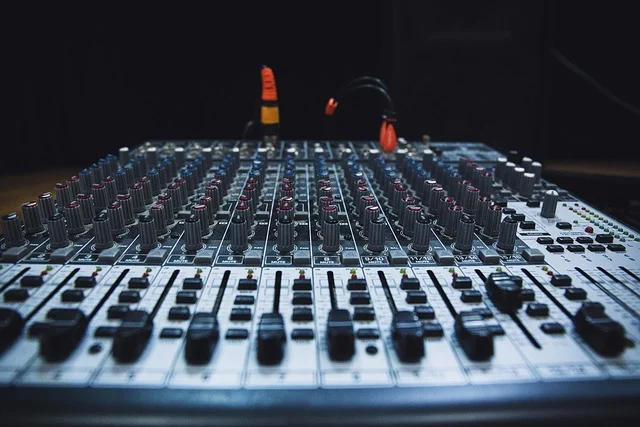
When selecting a quad equalizer, you must choose between graphic and parametric design configurations. Both format types split sound into four zones, but they offer distinct control mechanisms and operational workflows.
Graphic quad equalizers
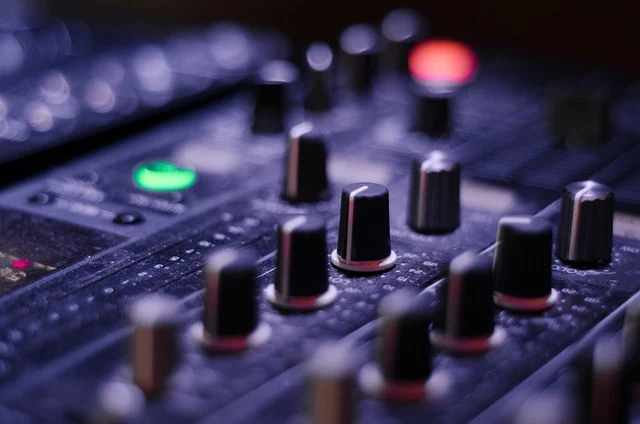
A graphic quad equalizer features four hardware sliders or fixed rotary controls corresponding to fixed central frequencies (such as 80 Hz, 300 Hz, 2.5 kHz, and 12 kHz). Moving a slider physically creates a visual graph of the frequency response curve, making it highly intuitive for quick operation.
Graphic equalizers utilize fixed bandwidths (Q factor). This means each slider affects a pre-determined range around its central frequency. Analog units like the classic Mackie Quad EQ offered multi-channel four-band processing. This was ideal for fast live venue tuning, monitor mixes, or basic home stereo calibration where visual feedback is critical.
Parametric quad equalizers
A parametric quad equalizer provides full continuous control over three distinct parameters for each of its four bands: center frequency, gain (boost/cut level), and Q factor (bandwidth control).
The Q factor defines how narrow or wide the filter bell curve is. A high Q setting targets a narrow frequency notch, making parametric EQs suitable for surgical problem solving, such as notch-filtering out a specific 1.8 kHz room resonance or a 60 Hz ground hum. A low Q setting creates a broad, smooth slope across octave bands, perfect for gentle tonal balancing in studio mastering. Parametric EQs require a higher level of technical skill but provide unmatched control precision.
| Feature | Graphic Quad EQ | Parametric Quad EQ |
|---|---|---|
| Control parameters | Fixed frequency, variable gain | Sweepable frequency, variable gain, adjustable Q factor |
| User interface | Visual faders or fixed rotary knobs | Multi-knob controls or parametric software curves |
| Precision level | Broad tone shaping across fixed bands | Surgical precision and wide tonal contouring |
| Primary applications | Live sound reinforcement, home audio, quick stage tweaks | Studio mixing, audio mastering, precise feedback suppression |
| Learning curve | Gentle and immediate | Moderate to steep |
How a quad equalizer shapes your sound
At its core, a quad equalizer operates by attenuating (cutting) or amplifying (boosting) signal amplitude across specific band frequencies. Every change to an EQ setting modifies the voltage or digital bit depth of the target frequency relative to the surrounding audio signal.
The philosophy of cutting versus boosting
A primary rule in professional sound engineering is to prioritize subtle cutting over excessive boosting. When you boost an EQ band by 6 dB, you double the signal voltage in that band. This consumes valuable system headroom and risks amplifier clipping or digital distortion. Boosting can also induce phase shifts near the filter corner frequencies. This introduces smearing or hollow comb-filtering effects.
In contrast, cutting unwanted frequencies achieves tonal balance naturally while preserving system headroom. For example, if a vocal sound lacks clarity, cutting muddy frequencies at 300 Hz usually yields a cleaner, more transparent result than aggressively boosting 3 kHz high-mids. Cuts remove clutter, whereas boosts risk introducing electronic artifacting.
Setting up your quad equalizer step by step
Properly setting up a quad equalizer requires systematic signal routing and structured listening tests. Follow these sequential steps to integrate and calibrate your unit for optimal acoustic performance.
- Establish correct signal connections: Insert the quad equalizer into your audio signal chain between your sound source (or mixer insert point) and power amplifier or active monitor speakers. Use balanced XLR or TRS cables for professional gear to minimize signal interference, or high-shielded RCA cables for consumer home stereos.
- Zero out controls to a flat baseline: Set all four frequency gain controls to 0 dB (unity gain). In a parametric unit, choose starting center frequencies (for example, 80 Hz, 400 Hz, 2.5 kHz, and 10 kHz) and set Q factors to a medium value (around 1.0 to 1.4).
- Play high-quality reference audio: Audition uncompressed, well-engineered reference recordings that you know thoroughly across various sound systems. Avoid low-bitrate compressed MP3 files, as compression artifacts will mislead your tonal judgment.
- Perform critical sweep tests: If using a parametric quad EQ, turn up a narrow band boost (high Q) slightly and sweep the frequency knob slowly across the band. Listen for harsh resonances, ringing frequencies, or excessive boominess. Once identified, pull the gain control down to apply a gentle cut (1 dB to 3 dB).
- Make conservative, incremental adjustments: Make adjustments in small steps. A 1.5 dB attenuation or boost is often sufficient to transform balance without altering natural instrument timbre. Always bypass (A/B test) the EQ unit frequently to confirm your adjustments improve sound quality rather than merely making it louder.
- Evaluate acoustic room interactions: Listen to your adjusted mix from multiple positions in the room. Room standing waves can cause bass build-up in corners, leading you to cut too much low end at the listening desk. Account for room acoustic boundaries before finalizing settings.
- Verify mono compatibility: If processing stereo tracks or multi-bus groups, switch the master output to mono mode. Ensure that high-frequency phase shifts caused by aggressive EQ curves do not cancel out crucial vocal details or instrumental presence when summed to a single channel. For details on signal routing and balance, see What is Single Table Inheritance?.
Tuning quad EQ settings for specific use cases
Because different audio formats serve distinct purposes, your quad equalizer settings must adapt to the intended listening environment and source content.
Tuning for music listening and audiophile audio
For general music playback on home Hi-Fi systems, goal number one is balanced full-range response. If your speakers sit near room corners, apply a 2 dB cut around 120 Hz to combat boundary bass reinforcement. If acoustic tracks sound dull, add a soft 1 dB to 2 dB high-frequency shelf boost above 10 kHz to restore open atmospheric sparkle without inducing harshness.
Tuning for speech, podcasting, and broadcast
Intelligibility is the critical priority for podcasting and vocal broadcasts. Human voice contains zero meaningful acoustic data below 80 Hz. Applying a steep low-frequency cut below 100 Hz removes handling noise, plosive air bursts, and desk thumps.
A gentle 1.5 dB cut between 300 Hz and 400 Hz clears vocal boxiness. Boosting between 2 kHz and 4 kHz enhances clarity. According to speech intelligibility research highlighted by the American Speech-Language-Hearing Association, the 2 kHz to 4 kHz spectrum contains vital consonant cues essential for word comprehension in noisy environments.
Tuning for competitive and cinematic gaming
In competitive multiplayer gaming, acoustic positioning determines survival. Explosions and heavy low-end rumble obscure essential enemy footstep cues and reload sounds. Cut the low frequency band (below 150 Hz) by 3 dB to 4 dB, cut low-mids (300 Hz to 500 Hz) by 2 dB, and boost high-mids (2.5 kHz to 4.5 kHz) by 3 dB. This accentuates subtle footfall transients and spatial positioning cues.
For immersive single-player cinematic gaming, reverse this approach: restore a flat low-end curve with a slight 2 dB boost at 80 Hz to emphasize environmental effects while leaving the vocal 2 kHz region flat for clear dialogue delivery.
Tuning for live sound reinforcement
In live sound, room reflection and stage monitor feedback present constant challenges. Use low-frequency band cuts to stop sub-bass acoustic coupling between stage subwoofers and stage microphones. Use high-mid cuts to quickly suppress feedback squeals caused by stage monitors ringing between 2 kHz and 4 kHz before they escalate into dangerous sound system oscillation.
Common quad EQ mistakes and how to fix them
Even experienced sound operators can misuse equalizers. Avoiding standard operational mistakes ensures your audio remains clean and clear.
- The mid-scoop trap (“smiley face” EQ): Boosting low bass and high treble while deeply cutting mid-range frequencies creates an initial impression of big bass and crisp highs. However, this strips away the fundamental mid-range core where vocals, guitars, and speech reside, producing a hollow, distant mix that fails to translate well across different sound systems.
- Over-equalization and extreme gain boosts: Applying 8 dB to 12 dB boosts to force small speakers to produce deep sub-bass stresses amplifier circuits and causes speaker cone clipping. If an audio track requires extreme EQ boosts, inspect your microphone selection, room treatment, or source file quality first.
- Ignoring room modes and untreated acoustics: Trying to fix severe room resonance peaks using a quad equalizer is ineffective. Untreated acoustic room modes create localized standing wave cancellations; pushing massive EQ boosts into acoustic nulls wastes amplifier power without fixing the phase cancellation. Always combine sound equalization with basic room treatment.
- Equalizing without loudness compensation: Human hearing naturally perceives louder sound as having better bass and treble (Fletcher-Munson equal-loudness contours). When adjusting EQ, level-match the bypassed signal so you evaluate actual tonal changes rather than simple volume increases.
- Attempting to rescue distorted source recordings: Equalizers alter frequency balance but cannot eliminate harmonic distortion, clipping, or heavy digital noise. Applying EQ to corrupted recordings often accentuates background hiss and artifacts.
When is a quad equalizer not enough?
While a four-band equalizer provides an efficient balance between control and simplicity, complex acoustic challenges require more advanced tools.
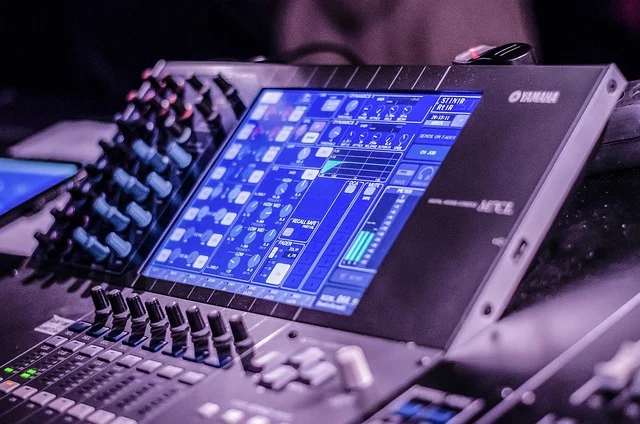
In multi-mic studio tracking, master audio buss mixing, or large-scale venue management, four control bands cannot address narrow acoustic feedback spikes or intricate instrument overlapping. A severe acoustic standing wave might require a razor-thin notch filter at 142 Hz without affecting adjacent body at 200 Hz—a precision cut impossible on a standard graphic quad unit.
When four bands prove inadequate, consider these advanced processing solutions:
- 7-band to 31-band graphic equalizers: 1/3-octave 31-band graphic equalizers offer fixed fader control every third of an octave, enabling live sound engineers to isolate acoustic room ringing across precise frequencies.
- Multi-band DAW parametric plugins: Modern digital audio workstations feature parametric EQ plugins with 8 to 16 sweepable bands, interactive visual spectrum analyzers, dynamic threshold options, and linear-phase processing modes. For deeper exploration of complex mixing techniques, examine our guide on advanced EQ techniques.
- Digital room correction DSP: Automated hardware processors and software programs (such as Dirac Live or Sonarworks Reference) measure room impulse response via calibrated measurement microphones, applying thousands of finite impulse response (FIR) filtering points to correct speaker timing and room modes far beyond manual EQ capabilities. Learn more about acoustic measurement in Filtering AI Updates to Improve Your Workflow.
Who should (and should not) use a quad equalizer?
Understanding whether a quad equalizer fits your audio workflow saves time and equipment expenditure.
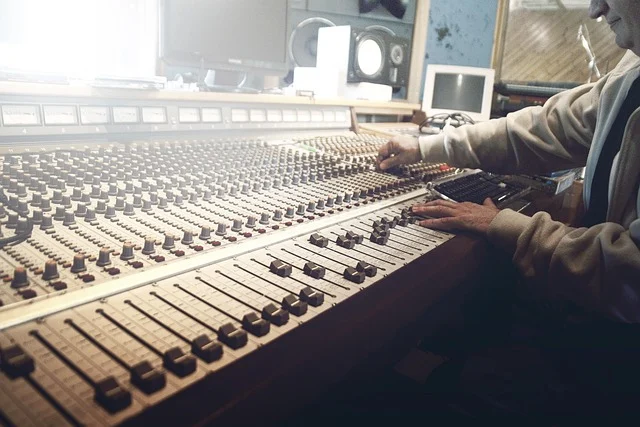
A quad equalizer is ideal for:
- Podcasters and broadcasters: Who require quick, reliable vocal frequency shaping (high-pass filter, low-mid de-mudding, high-mid presence) without complex plugin routing.
- Live sound technicians: Needing fast tactile hardware adjustments on analog mixing consoles or monitor sends during live stage events.
- Home Hi-Fi audio enthusiasts: Seeking intuitive control to tune speaker performance and room warmth without complex digital menus.
- Gamers and streamers: Wanting straightforward voice clarity or footstep enhancement across system sound outputs.
A quad equalizer is not suitable for:
- Mastering engineers: Who require surgical high-resolution linear-phase parametric control with dynamic multi-band processing.
- Acoustic room correction specialists: Needing thousands of FIR filtering correction nodes to fix standing waves across irregular spaces.
- Complex multi-track mix engineers: Dealing with 40+ track arrangements where surgical notch filtering and dynamic ducking are required on individual tracks.
Frequently asked questions
What is the main difference between a quad equalizer and a 4-band EQ?
There is no technical difference between a quad equalizer and a 4-band EQ. Both terms describe an audio equalizer that divides the frequency spectrum into four controllable frequency bands for tonal balancing.
Should I put a quad equalizer before or after my amplifier?
A quad equalizer should always be placed before your power amplifier in the signal chain. Connecting an EQ between a mixer or preamp and power amplifier processes line-level signals safely; placing an EQ after an amplifier will damage the equalizer with high speaker-level voltages.
Is a graphic quad EQ better than a parametric quad EQ?
Graphic quad EQs are better for quick adjustments and live environments because fixed sliders provide visual feedback. Parametric quad EQs are better for studio recording and precision sound correction because they allow you to sweep exact frequencies and adjust bandwidth (Q factor).
Can a quad equalizer remove background noise from audio?
A quad equalizer can reduce low-frequency HVAC rumble or high-frequency tape hiss by cutting the lowest or highest bands. However, it cannot filter out noise that shares frequencies with spoken speech without dulling or altering the main audio quality.