
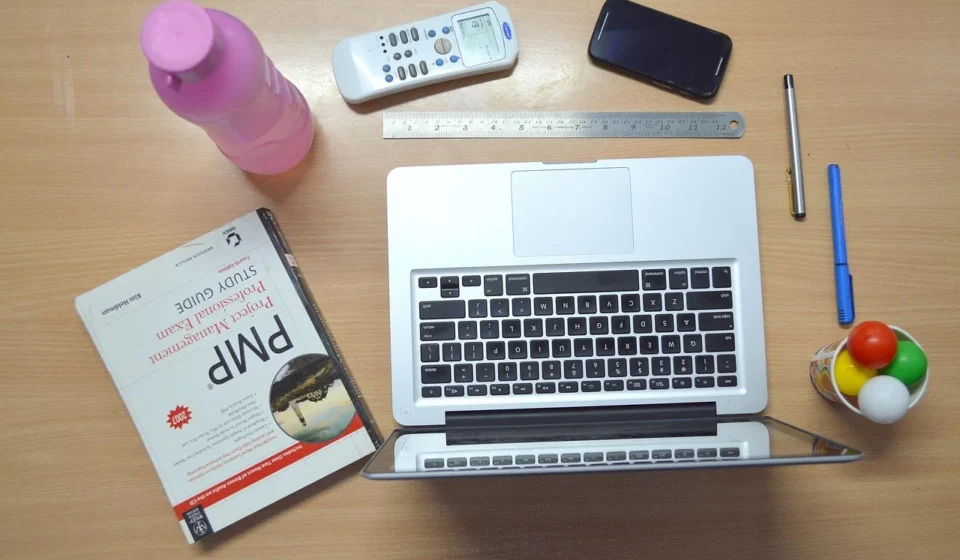
A remote work setup is an integrated home workspace combining an ergonomic chair and desk, a reliable computer, high-speed internet, dedicated peripherals, and security tools. Together, these physical and digital components allow you to work comfortably. They also help you communicate clearly and protect sensitive data without office infrastructure.
Building a high-performance remote work setup requires balancing ergonomic comfort, stable connectivity, physical lighting, and data security. Taking a systematic approach to each component ensures daily efficiency while protecting your long-term health.
How do you design an ergonomic remote work setup?
A sustainable remote work setup begins with ergonomics. Ignoring proper posture and comfort leads to physical fatigue, back pain, and repetitive strain injuries. Investing in adjustable, supportive furniture protects your long-term health and keeps you focused throughout long working days.
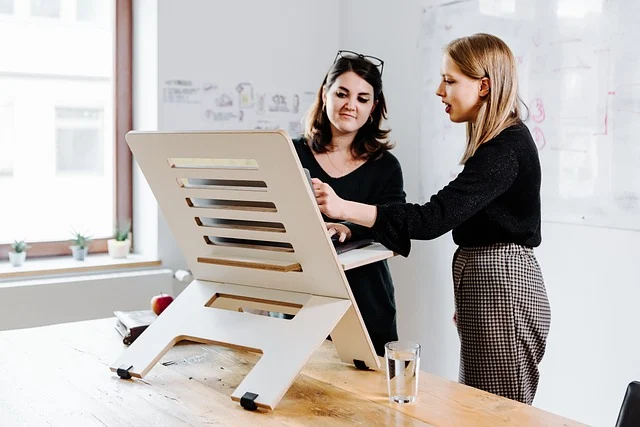
Proper posture requires setting your seat height so your feet rest flat on the floor with your knees bent at a 90-degree angle. Your hips should rest back into the seat, with full lumbar support maintaining the natural curve of your lower spine.
An ergonomic chair, like the Herman Miller Aeron or Steelcase Gesture ($1,000–$2,000), provides targeted lumbar adjustments, seat depth tuning, and multi-position armrests to relieve upper body tension. For tighter budgets, mid-range ergonomic chairs with adjustable lumbar support still offer significant posture benefits over standard dining chairs.
An adjustable standing desk (ranging from $600–$1,200 from brands like Fully or Uplift Desk) allows you to alternate between sitting and standing throughout the day. Switching positions every 45 to 60 minutes reduces sedentary strain and improves circulation.
Screen positioning is equally vital. Use adjustable monitor arms to raise the top third of your display to eye level. Position it roughly 20 to 30 inches (an arm’s length) from your eyes. This prevents neck hyperextension and stops shoulder slumping.
What core computing hardware and docking gear do you need?
Your computer serves as the central engine of your remote work setup. Select a primary device tailored to your actual workload rather than buying arbitrary specifications.
For most professionals, a modern laptop (such as the Dell XPS 15, MacBook Pro M3, or Lenovo ThinkPad X1 Carbon, priced from $1,500–$3,000) provides portability for hybrid work alongside processing power for resource-heavy applications.
Working directly off a small laptop screen limits productivity and forces poor neck posture. Adding one or two external displays expands your workspace. A dual 27-inch QHD (2560×1440) monitor configuration or a single 34-inch curved ultrawide screen allows you to keep documentation, communications, and primary tasks visible simultaneously.
To keep cabling clean and simple, use a Thunderbolt or USB-C docking station. A single cable connects your laptop to dual displays, wired networking, power delivery, and external peripherals. This turns a mobile machine into a full desktop workstation instantly.
Complete your workstation with dedicated input devices. A split ergonomic keyboard or a structured mechanical keyboard reduces wrist extension, while a contoured vertical mouse or precision mouse (such as the Logitech MX Master 3S) reduces forearm strain.
How do you build a professional audio and video studio at home?
Clear audio and sharp video are essential for remote collaboration. Relying on built-in laptop microphones and grainy webcams creates acoustic distraction and unpolished visual presentations during team meetings and client calls.

A dedicated webcam (like the Logitech Brio 4K or Elgato Facecam, $150–$300) delivers sharp focus, accurate color balance, and superior performance in uneven room lighting. Mount the camera directly on top of your main monitor at eye level. This way, you maintain direct eye contact during meetings.
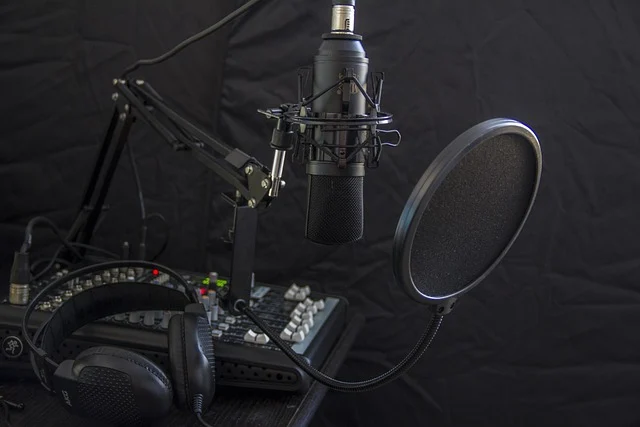
Audio quality matters even more than video. A noise-canceling headset (e.g., Jabra Evolve2 or Sony WH-1000XM5, $200–$400) filters out household background noise, environmental traffic, and echo. If your role involves extensive presenting or podcasting, consider a dedicated USB condenser microphone (such as the Elgato Wave:3 or Blue Yeti) mounted on an adjustable boom arm with an attached pop filter.
Lighting completes your video presence. Position your desk facing towards a natural light source, or place a dimmable LED key light or monitor lightbar at a 45-degree angle to eliminate harsh shadows on your face.
How do you secure unbreakable internet and emergency power backup?
Internet connectivity is the foundation of any remote work setup. Video conferencing, cloud file syncing, and remote desktop protocols depend on stable bandwidth and low network latency.
A minimum connection speed of 100 Mbps download and 20 Mbps upload supports single-user video calls and routine data transfers. Households with multiple remote workers, concurrent streaming, or large file uploads require speeds of 300/50 Mbps or higher. According to a 2026 report by Ookla (Speedtest.net), average broadband speeds continue to increase, but local network bottlenecks still disrupt home connections.
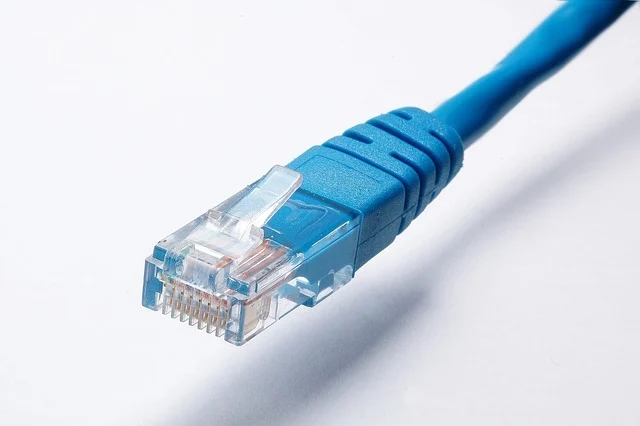
Whenever possible, connect your computer directly to your router using a Cat6 Ethernet cable. Physical wiring eliminates Wi-Fi signal interference, drops, and latency spikes. If physical cabling is impossible, upgrade to a high-speed connection on a high-performance Wi-Fi 6E router (e.g., Netgear Nighthawk, Asus ROG Rapture, $200–$500). Adjusting your Wi-Fi channel settings can also resolve signal congestion from neighboring networks (see Fine-Tuning Your Audio: The Quad Equalizer Explained for detailed router tuning steps).
Unplanned power interruptions can crash unsaved files and drop critical business meetings. An Uninterruptible Power Supply (UPS) unit (priced around $100–$300 for a 1000–1500VA model) provides 10 to 20 minutes of immediate battery power during outages. This gives you time to save your work, maintain your internet link, and safely shut down your hardware.
How do you protect your home network and corporate data?
Working remotely moves corporate data outside traditional corporate firewall boundaries. Securing your home network and handling company files responsibly is a strict requirement for remote workers.
Use a Virtual Private Network (VPN) such as NordVPN or ExpressVPN ($5–$15/month) whenever you connect to public networks or send unencrypted data over home Wi-Fi. Always prioritize corporate-provided VPNs when accessing internal networks or cloud databases.
Implement strict access controls on all devices:
- Use a credential manager (such as 1Password or Bitwarden) to generate and store complex, unique passwords for every service.
- Enable two-factor authentication (2FA) across all work tools using authenticator apps or physical security keys.
- Ensure your computer operating system and antivirus software install security patches automatically.
- Isolate work hardware on a dedicated guest network on your router, separated from smart home devices and gaming consoles.
Follow the 3-2-1 backup strategy for important data: keep three total copies of your files on two different storage media, with at least one copy stored securely offsite or in the cloud (such as Google Drive, OneDrive, or Backblaze). According to IBM’s Cost of a Data Breach Report 2026, data breach costs remain significant. Therefore, preventative home network security is critical for remote employees and contractors alike.
How do you structure your digital software workspace?
The best hardware is only as good as the software configuration running on it. Streamlining your digital workspace keeps daily workflows organized and prevents app overload.

Establish a clean application stack:
- Real-time communication: Slack or Microsoft Teams for team messaging and rapid status updates.
- Task and project tracking: Asana, Trello, or Jira for visual task assignments and project deadlines.
- Document collaboration: Google Workspace or Microsoft 365 for real-time document editing and cloud storage.
Digital distractions drain focus rapidly. Configure focus modes on your operating system to silence non-essential notifications during dedicated deep-work sessions. Set clear windows throughout the day to check messages in batches rather than responding continuously to every alert.
How do you optimize lighting, sound, and room layout?
A poorly lit or visually distracting environment causes visual eye strain and mental exhaustion. Position your desk perpendicular to windows to capture natural daylight without causing bright screen glare or harsh backlighting.
Supplement daylight with adjustable ambient and task lighting. A monitor lightbar (e.g., BenQ ScreenBar, $100–$150) mounts onto your display. It illuminates your desk surface evenly without casting glare onto your screen. A 2026 study by the National Institute of Occupational Safety and Health suggests that optimized lighting can improve cognitive performance by up to 15%.
Acoustic management reduces room echo and keeps background noise out of your microphone. In hard-surfaced rooms, add soft materials like thick area rugs, heavy window curtains, or wall-mounted acoustic panels ($50–$200 per pack). Soundproofing panels absorb high-frequency chatter and echo, creating crisp, clear room acoustics for video calls.
How do you build a remote work setup on any budget?
Creating a functional workspace depends on strategic component choices rather than maximum spending. Follow these sequential steps to assemble your setup according to your available budget:
- Audit your daily workflow needs: Identify whether your job requires heavy processing power and multi-monitor real estate (e.g., software engineering or video editing) or basic cloud connectivity and clean audio (e.g., project management or customer support).
- Allocate your budget strategically: Spend approximately 40% of your budget on ergonomic seating and desk surface, 40% on primary computing and monitor gear, and 20% on network, audio, and video accessories.
- Select your target gear tier:
- Entry-level budget ($500 tier): A refurbished ergonomic task chair, a laptop elevation stand, an external USB keyboard and mouse, a single 24-inch 1080p external monitor, and a direct Ethernet cable connection.
- Mid-range budget ($1,500 tier): A fully adjustable ergonomic chair, a manual or single-motor sit-stand desk, a 27-inch QHD monitor, a USB-C dock, a wireless noise-canceling headset, and a 1080p USB webcam.
- Power-user budget ($3,000+ tier): A premium ergonomic chair (Herman Miller Aeron or Steelcase Gesture), an electric dual-motor standing desk, dual 4K monitors on adjustable spring arms, a high-performance laptop or desktop PC, a Wi-Fi 6E router, a UPS power backup, and a boom-mounted condenser microphone.
- Configure and calibrate ergonomically: Adjust desk height, chair armrests, and screen levels to fit your body dimensions before starting your workday.
- Plan future component upgrades: Choose modular hardware, such as monitors with multi-port inputs and expandable laptop docking options, so you can upgrade individual pieces over time.
Real-world remote work setup examples
Different professions demand tailored workspace configurations. Here is how three distinct professionals structure their setups for maximum daily output:
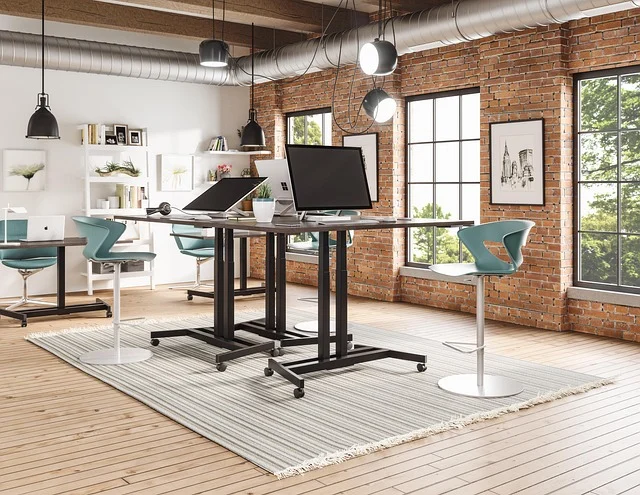
- The Developer’s Power Hub: Sarah, a senior software engineer, uses a powerful workstation PC (Intel i9 or AMD Ryzen 9, 32GB RAM, 1TB SSD, $2,000–$3,500) connected to dual 32-inch 4K displays mounted on heavy-duty monitor arms. Her desk features a tactile mechanical keyboard, a precision mouse, a noise-canceling headset, and a local Network Attached Storage (NAS) unit for local code backups complementing her remote repositories.
- The Content Creator’s Studio: Mark, a freelance video editor, relies on a high-spec MacBook Pro (M3 Max, 64GB RAM, 2TB SSD, $3,500–$5,000) paired with a color-accurate external display (Dell UltraSharp PremierColor, $1,000–$1,500). His space includes high-speed external NVMe drives for video projects. Also, he uses a desktop condenser microphone on a boom arm and dual LED light panels to ensure balanced video presentation.
- The Digital Marketer’s Efficient Nook: Emily, a digital marketing specialist, uses a streamlined laptop setup (HP Spectre, $1,200–$1,800) connected to a single 27-inch QHD monitor via a compact USB-C hub. She relies on cloud software for data tracking and content planning. This setup combines an ergonomic vertical mouse, a crisp 1080p webcam, and a desk lightbar inside a compact corner space.
Remote work setup comparison: Cloud vs. local storage
Managing files reliably requires choosing between cloud services and physical local hardware. The table below compares the core trade-offs of both options for remote environments:
| Feature | Cloud Storage (e.g., Google Drive, OneDrive) | Local Storage (e.g., External SSD/HDD, NAS) |
|---|---|---|
| Accessibility | Accessible anywhere on any device with an active internet connection | Tied to physical hardware on-site; less portable without network setup |
| Security | Managed by cloud provider; requires strong passwords and 2FA protection | User-managed physical access; immune to remote cloud-provider outages |
| Cost | Recurring monthly/annual subscription fees (e.g., $10–$30/month for 2TB) | Upfront hardware investment (e.g., $100–$500 for 2TB drive or NAS array) |
| Speed | Constrained by internet connection upload and download bandwidth | Very fast transfer speeds (especially NVMe/SSDs) over local connections |
| Backup | Automated sync and version history handled automatically in the cloud | Manual transfers or self-configured automated backup software required |
Who is a dedicated remote work setup not for?
While a fully equipped home workspace benefits stationary remote workers, it is not suitable for every remote professional model:

- Digital nomads: Professionals who move locations every few weeks cannot carry heavy standing desks, bulky monitors, or desktop UPS systems. Nomad workers require ultra-light portable monitors, folding laptop stands, and travel-friendly power banks.
- Field workers and mobile consultants: Sales representatives, field technicians, and travelling auditors spend most of their time in client offices, vehicles, or hotels, relying almost exclusively on lightweight laptops, cellular hot spots, and mobile privacy screens.
- Hybrid workers with strict hot-desking mandates: Workers required to spend three or four days a week in corporate office spaces often leave primary monitors and equipment at office desks, keeping their home setups lightweight and minimalist.
Common remote work setup mistakes and fixes
Addressing common home office oversights improves comfort, productivity, and connection reliability quickly:

- Sitting on standard dining chairs: Working on unsupportive seating causes lower back compression. Fix: Upgrade to a chair with height adjustment and dynamic lumbar support, and place a footrest under your feet if they do not rest flat.
- Working solely on a flat laptop screen: Hunching over a low screen causes severe neck and neck strain. Fix: Place the laptop on a laptop riser. Also, plug in an external keyboard and mouse, or connect an external 27-inch monitor.
- Unstable Wi-Fi connections during calls: Wireless interference leads to dropped calls and choppy video feeds. Fix: Run a direct Cat6 Ethernet cable from your router to your dock, or move your router closer to your desk.
- Harsh facial shadows and dark video feeds: Backlighting from windows turns your camera image into a silhouette. Fix: Turn your desk to face natural light, or mount an adjustable key light behind your webcam.
- Blurring physical boundaries between work and personal life: Working from a couch or bed prevents mental detachment after hours. Fix: Create a designated workspace footprint, and shut down all work software at the end of your workday.
Sources: Remote work
Frequently asked questions
What is the most important component of a remote work setup?
A reliable high-speed internet connection and an ergonomic seating surface are the two most critical components. Fast internet guarantees clear communication and productivity, while proper posture support prevents chronic back and neck injuries over long working hours.
How much should I budget for a good remote work setup?
A complete, functional home setup ranges from $500 for entry-level gear to $1,500–$3,000+ for mid-range and power-user configurations. Strategic investment in a high-quality chair and monitor delivers the best long-term return on comfort and productivity.
Can I use my personal computer for remote work?
Yes, provided your employer permits personal hardware usage and your machine meets security standards. However, using corporate-issued hardware or strictly isolating work data inside virtual machines protects personal privacy and ensures compliance with enterprise security protocols.
How do I maintain work-life balance with a home office?
Set fixed working hours, designate a specific workspace area, and shut down your computer completely at the end of the day. Separating your physical workspace from relaxation areas creates a clear mental boundary between professional tasks and home life.
What are the benefits of a standing desk for remote work?
Standing desks break up long sedentary periods, reduce spinal pressure, and improve circulation throughout the day. Alternating between sitting and standing every 45 to 60 minutes maintains energy levels and improves focus.
How can I improve my video conferencing quality?
Connect your computer via a wired Ethernet cable, place your light source directly in front of you, and use a dedicated 1080p or 4K webcam positioned at eye level. Adding a noise-canceling headset or external microphone drastically improves sound clarity. As a result, call participants will hear you better.


