
A system management server is a centralized IT platform used to configure, patch, track, and secure endpoints across an enterprise network from a single administrative interface. Popularized by Microsoft Systems Management Server (SMS), these platforms automate operating system deployments, software updates, hardware inventory audits, and remote client troubleshooting.
When you manage hundreds or thousands of desktop computers, laptop endpoints, and physical servers, updating software manually on individual machines is inefficient. System management servers solve this problem. They establish a client-server architecture where central policies dictate client configurations, security patches, and application installations automatically.
What does a system management server do?
A system management server automates endpoint maintenance across enterprise networks. Instead of visiting individual workstations, systems administrators use central management utilities to handle four primary operational duties:
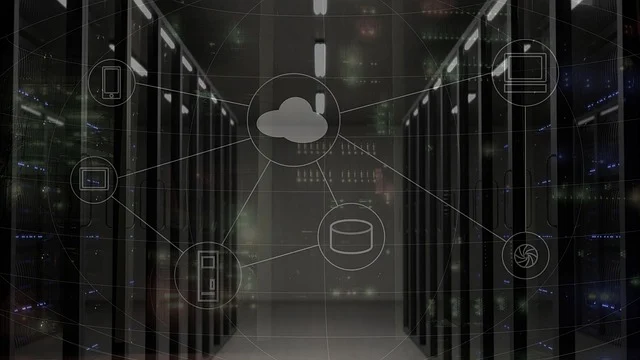
- Software distribution: Administrators package application installers and schedule silent deployments across target device collections without user intervention.
- Patch management: The management server synchronizes security bulletins. It assesses device vulnerability states and pushes operating system updates during scheduled maintenance windows.
- Operating system deployment: Administrators bare-metal provision new hardware or re-image existing workstations over the local network. They use Preboot Execution Environment (PXE) boot services.
- Hardware and software inventory: Client agents report system telemetry—including CPU models, installed RAM, storage capacity, driver versions, and licensed application builds—back to a central database.
By bringing these capabilities into one administrative console, IT teams enforce consistent configuration baselines. They also prevent configuration drift across enterprise hardware.
How Microsoft Systems Management Server evolved into Configuration Manager
Understanding modern endpoint platforms requires examining how early systems management software developed. Microsoft originally released Systems Management Server (SMS) in 1994 to help administrators manage networked MS-DOS and Windows NT workstations. Over three decades, the product underwent several rebrands and architectural redesigns. It evolved into System Center Configuration Manager (SCCM), Microsoft Endpoint Configuration Manager (MECM), and ultimately Microsoft Configuration Manager.
According to Wikipedia’s entry on System Management Server, Microsoft revised its servicing model starting in 2023 to issue two Configuration Manager releases per year: one in March (designated as xx03) and one in September (designated as xx09). This replaced the earlier three-release annual cadence of xx03, xx07, and xx11.
Supported operating system scope has also shifted over time. Older versions of Configuration Manager provided client agents for macOS, Linux, UNIX distributions, and legacy mobile platforms including Windows Phone, Symbian, iOS, and Android. Modern releases focus primarily on Windows desktop environments, Windows Server, and Windows IoT operating systems. Non-Windows mobile devices and platforms are generally managed today through cloud-native Unified Endpoint Management (UEM) tools such as Microsoft Intune.
Core components of a system management server architecture
Enterprise system management platforms rely on a tiered hierarchy of sites and roles. This distributes operational workload and conserves network bandwidth across multiple offices.
Central Administration Site
The Central Administration Site (CAS) sits at the top of a multi-site hierarchy. It manages global data replication across all child primary sites and provides centralized reporting. However, it does not directly manage individual client endpoints.
Primary Sites
A primary site manages clients directly within defined network boundaries. It possesses its own Microsoft SQL Server database to process client telemetry, policy requests, and inventory reports.
Secondary Sites
Secondary sites sit below a primary site and are deployed in remote branch offices connected by lower-bandwidth network links. Secondary sites act as local traffic proxies, caching installation files and compressing client data before forwarding it to the parent primary site.
Essential Site System Roles
Within a site hierarchy, individual servers perform specialized functions known as site system roles:
- Management Point (MP): Serves as the primary contact interface between client endpoints and the management server. It delivers policy instructions to client agents and gathers inventory data.
- Distribution Point (DP): Stores and distributes content files, such as application installation source files, operating system images, and software update binaries, to nearby endpoints.
- Software Update Point (SUP): Integrates with Windows Server Update Services (WSUS) to evaluate client patching status. It directs endpoints to download authorized security fixes.
- Fallback Status Point (FSP): Receives status messages from clients when they cannot communicate with their designated Management Point during agent installation or communication failures.
How do you set up a system management server infrastructure?
Deploying a system management server requires preparing network services, directory structures, and database engines before installing client agents across workstations.
Extend the Active Directory Schema
First, extend your Active Directory Domain Services (AD DS) schema. Extending the schema creates custom attributes that allow the management server to publish site details directly into Active Directory. This allows client computers connected to the domain to locate Management Points and Distribution Points automatically within their assigned network boundaries.
Configure SQL Server Prerequisites
System management servers demand predictable database performance. Install a dedicated instance of Microsoft SQL Server configured with the standard database collation SQL_Latin1_General_CP1_CI_AS. You must allocate minimum and maximum memory limits within SQL Server settings to prevent the database engine from starving host operating system services of RAM.
Install Site System Roles and Boundary Groups
After installing the primary site server, set up site system roles based on network topology. Create boundary groups based on Active Directory sites, IP subnets, or IP address ranges. Boundary groups ensure that client computers download large installation packages from local Distribution Points on their subnet rather than pulling data across wide-area network links.
Deploy Client Agents and Configure Throttle Settings
Finally, deploy client agent software to target computers using Active Directory Group Policy, push installations, or manual setup scripts. Configure client settings to specify how frequently endpoints poll the server for new policies, schedule inventory scans, and enforce bandwidth throttling during peak business hours.
On-premises system management server vs cloud endpoint management
Organizations evaluating system management architecture must decide between traditional on-premises management servers, pure cloud endpoint management, or a hybrid co-management model. Choosing the right management boundary is considered one of the most critical foundational choices an IT team can make.

| Criteria | On-Premises Management Server | Cloud Endpoint Management | Co-Management Hybrid |
|---|---|---|---|
| Primary Network Target | On-network corporate workstations and local servers | Remote, mobile, and off-network cloud devices | Mixed fleet of corporate LAN and remote endpoints |
| Infrastructure Overhead | Requires local servers, SQL instances, and storage | No local server hardware or SQL databases needed | Requires both local infrastructure and cloud subscriptions |
| OS Deployment Method | PXE-boot network imaging over local LAN | Cloud provisioning (e.g., Windows Autopilot) | Supports both local re-imaging and cloud provisioning |
| Bandwidth Strategy | Local Distribution Points cache content on LAN | Devices download updates directly from cloud CDN | Local DPs handle LAN clients; cloud handles remote workers |
If your organization manages legacy applications or heavy server workloads on a private physical network, an on-premises system management server provides granular control. However, if your workforce is predominantly remote and uses SaaS applications, managing devices through cloud services avoids the need to route update traffic through corporate VPN connections.
When should an organization stick with on-premises management servers?
Despite the growth of cloud services, several specific operational scenarios require maintaining on-premises system management servers:

- Air-gapped and high-security networks: Defense contractors, government agencies, financial institutions, and industrial control systems often operate isolated networks without internet access. Cloud tools cannot manage these environments, making local management servers mandatory.
- Gigabit-scale OS deployments: Imaging hundreds of new workstations simultaneously over local network links using PXE boot on a local Distribution Point is significantly faster than downloading 15 GB operating system images over internet connections.
- Granular bandwidth control: Sites located in regions with metering or restricted WAN speeds benefit from local distribution points equipped with peer-to-peer content caching.
Conversely, our advice is that small businesses with fewer than 100 endpoints should avoid deploying dedicated on-premises management servers. The maintenance overhead of maintaining Windows Server licenses, SQL Server instances, schema extensions, and site updates outweighs the benefit for smaller fleets. Simple cloud management platforms offer a far more practical path for smaller organizations.
Related guides
- Why Your Multi-Channel Retail Needs More Than Just a PIM System
- Crafting Your High-Performance Remote Work Setup
- Elearning App Development: Value & Cost Management
Frequently asked questions
What is the difference between SMS and Configuration Manager?
SMS (Systems Management Server) is the legacy name for Microsoft’s endpoint management platform. Microsoft renamed SMS to System Center Configuration Manager (SCCM) in 2007, later updating it to Microsoft Endpoint Configuration Manager and then Microsoft Configuration Manager.
What operating systems are supported by modern Configuration Manager?
Modern versions of Configuration Manager support Windows 10, Windows 11, Windows Server editions, and Windows IoT operating systems. Non-Windows systems like macOS, iOS, and Android are typically managed via cloud endpoint platforms like Microsoft Intune.
How often is Microsoft Configuration Manager updated?
Microsoft issues two main updates per year for Configuration Manager, released in March (designated as xx03) and September (designated as xx09).
Can a system management server manage remote off-network devices?
Yes. On-premises management servers can manage remote computers outside the corporate network using a Cloud Management Gateway (CMG) or through secure VPN connectivity back to the internal Management Point.