
Stardew Valley does not support cross-platform multiplayer. This means players on PC, Nintendo Switch, PlayStation, Xbox, iOS, and Android cannot join the same farm. Online co-op is limited to players on the same platform family or between different PC storefronts like Steam and GOG.
Understanding these hardware boundaries helps you plan co-op sessions before picking a platform or buying copies for your friends. While the game is available across almost every major gaming system, network functionality remains separated by ecosystem.
Is Stardew Valley cross platform between consoles and PC?
If you play Stardew Valley on a PC and your friend plays on a Nintendo Switch, PlayStation, or Xbox, you cannot play together in the same world. The game lacks cross-network capabilities to bridge distinct console hardware with computers or mobile devices.

Cross-play is also absent between competing console platforms. PlayStation players cannot join farms hosted on Xbox or Switch, and Xbox players cannot connect with Nintendo Switch users. Each manufacturer operates an isolated online network for multiplayer lobbies.
However, cross-generation play works within the same brand family. PlayStation 4 users can play online with PlayStation 5 users. Xbox One players can join worlds hosted on Xbox Series X or Xbox Series S. On PC, players using Windows, macOS, and Linux can all join the same farm regardless of operating system.
Stardew Valley multiplayer compatibility matrix
The table below summarizes multiplayer support, player limits, and cross-system capabilities across every supported gaming platform.

| Platform | Crossplay Support | Max Players | Local Split-Screen | Cross-Save Support |
|---|---|---|---|---|
| PC (Steam / GOG / Game Pass) | PC storefronts only | 8 (v1.6+) | Yes (up to 4) | Manual transfer to/from Mobile |
| Nintendo Switch | Switch only | 4 | Yes (up to 4) | None |
| PlayStation 4 / PlayStation 5 | PlayStation family only | 4 | Yes (up to 4) | None |
| Xbox One / Series X|S | Xbox family only | 4 | Yes (up to 4) | None |
| iOS / Android | None | 4 (Local / IP) | No | Manual transfer to/from PC |
Multiplayer features by gaming system
PC platforms (Steam, GOG, PC Game Pass)
PC offers the most flexible co-op options in Stardew Valley. Players on Steam, GOG, and PC Game Pass can play together in the same online farm using invite codes, Steam friend invites, or direct IP connections. Following the 1.6 game update, PC farms support up to eight concurrent players natively.

PC is also the only platform supporting community mods during co-op sessions. To join a modded server without errors, every participant must install the exact same mod files and dependencies. Mismatched mods cause synchronization failures or missing item textures during gameplay.
Nintendo Switch
Switch players can play online with other Switch owners using a Nintendo Switch Online membership. The console also supports local wireless play, letting up to four nearby Switch systems connect without an active internet connection. Four-player local split-screen co-op is available on a single docked system.
PlayStation consoles
PlayStation 4 and PlayStation 5 players can farm together through PlayStation Network. An active PlayStation Plus subscription is required for online co-op. Up to four players can also share a single TV using local split-screen mode.
Xbox consoles
Xbox One and Xbox Series X/S players share a unified multiplayer pool through Game Pass Core or Game Pass Ultimate. Split-screen co-op supports up to four players on a single console, making local farming possible without separate subscriptions.
Mobile devices (iOS and Android)
Mobile multiplayer does not feature dedicated online matchmaking or global lobbies. Players on iOS and Android can connect via local Wi-Fi networks or direct IP entry. However, stability varies based on local network hardware. You cannot connect to a farm hosted on a PC or console directly from your phone.
Can you transfer save files between systems?
Native cross-progression (cross-save) is not supported across console hardware. You cannot upload a farm started on Nintendo Switch, PlayStation, or Xbox and open it on PC or another console brand.
A manual file transfer exception exists between PC and mobile devices because both operating systems allow file system access:
- PC to Android: Connect your Android phone to a computer with a USB cable. Navigate to the internal storage folder `Android/data/com.chucklefish.stardewvalley/files/saves` and paste your PC save folder found in `%appdata%StardewValleySaves`.
- PC to iOS: Connect your iPhone or iPad to a computer, open Finder (macOS) or Apple Devices / iTunes (Windows), select File Sharing, locate Stardew Valley, and copy the farm folder to your desktop.
For a save file to load properly across devices, both versions of Stardew Valley must run on the exact same patch version. If the PC version is on a newer update than the mobile app, the transferred save file will fail to open on mobile until the app receives a matching patch.
Selecting the right platform for your group before creating a farm is essential. Saves cannot be moved between consoles later.
Why cross-platform play is not supported
The absence of true crossplay in Stardew Valley stems from underlying network code and development constraints. Creator Eric Barone (ConcernedApe) developed the core game around native platform APIs rather than a central client server network.

Implementing cross-network co-op would require building back-end account systems. It would also require maintaining custom matchmaking servers and synchronizing console patch certification cycles across Microsoft, Sony, and Nintendo.
Managing certification schedules for multiple digital storefronts requires ongoing work. This is similar to maintaining multi-service web architectures like Zavalio.com: Navigating a Multi-Topic Online Platform. Cross-system development for a single-developer title differs from a commercial platform project. ConcernedApe prioritized free game updates. These include new festivals, items, and farm layouts. He chose this over rewriting core multiplayer code, which affects whether Stardew Valley is cross platform.
How to set up multiplayer co-op
Setting up PC co-op across storefronts
- The host loads an existing farm or starts a new farm from the Co-op menu option.
- Ensure the host’s farm contains empty cabins for incoming players. Robin can construct extra cabins for 100 gold and 10 stone each.
- Open the in-game settings menu, scroll down to the Multiplayer section, and set server visibility to Friends Only or Invite Only.
- Click Show Invite Code to generate a unique alphanumeric string, then send it to your friends.
- Joining players open Stardew Valley, select Co-op, click Join via Invite Code, and enter the code.
Setting up console split-screen and online play
- For local split-screen, the host starts a farm and ensures extra cabins are present on the land.
- Open the options menu in-game, scroll down to Multiplayer, and choose Start Local Co-Op.
- Connect additional controllers to the console and press the Start button on each controller to add local players.
- For online console play, open the Co-op menu, host a file, and send invites directly through your console’s native system friend list.
Common connection problems and fixes
- Missing Cabins: Players cannot join a farm if there are no unassigned cabins available. The host must build a cabin for every incoming player before they can enter.
- Patch Mismatches: All players must run the exact same update version. Check the bottom-left corner of the main title screen to verify version numbers match across all participants.
- Firewall Blockers (PC): If direct IP connections fail, verify that Windows Defender Firewall or security software allows inbound and outbound connections for Stardew Valley.
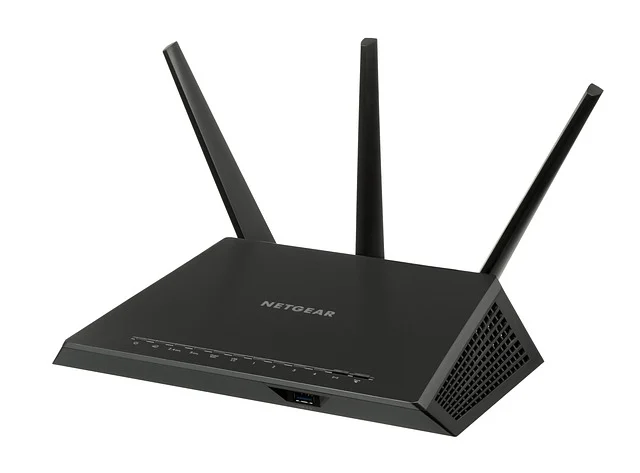
- Console NAT Restrictions: A strict NAT Type (Type 3 on PlayStation, Strict on Xbox) blocks multiplayer connections. Enable Universal Plug and Play (UPnP) in your router settings or set a static IP address for your console.
Sources: Stardew Valley
Frequently asked questions
What is the maximum number of players in Stardew Valley multiplayer?
PC farms support up to eight players natively following the 1.6 update. Console versions (Nintendo Switch, PlayStation, Xbox) and mobile versions support up to four players per farm session.
Can you play Stardew Valley cross-platform between Xbox and PlayStation?
No, Stardew Valley does not support crossplay between Xbox and PlayStation. Xbox players can only play with other Xbox users, and PlayStation players are restricted to the PlayStation Network.
Does the Stardew Valley 1.6 update add cross-platform play?
No, the 1.6 update added expanded 8-player lobbies on PC, new festivals, items, and dialogue. However, it did not introduce cross-platform multiplayer. Crossplay remains unsupported across distinct hardware platforms.
Can Steam and GOG players play Stardew Valley together?
Yes, players on Steam, GOG, and PC Game Pass can play together on PC. You can connect using invite codes or direct IP addresses regardless of which PC storefront you purchased the game from.
Can you transfer a Stardew Valley save from Nintendo Switch to PC?
No, there is no official cross-save support between console platforms and PC. You can manually copy save files between PC and mobile devices (Android/iOS). However, console saves remain locked to their respective platforms.