When choosing between an iPhone and an Android phone, the right option depends on whether you prefer Apple’s simple software and integrated ecosystem or Android’s customization and hardware variety. iPhones provide standardized software, 5 to 7 years of updates, and direct syncing with Apple devices. Android offers options at every price point, an open file system, and full control over interface layouts.
The rest of this guide covers differences in operating system usability, hardware choices, software update longevity, security permissions, ecosystem connectivity, messaging, and camera capabilities.
Which operating system fits your daily routine?
The operating system controls how you interact with menus, organize your home screen, and handle multi-tasking. Choosing between iOS and Android comes down to whether you prefer a clean, controlled environment or open flexibility.
iOS simplicity and consistency
Apple designs iOS to maintain strict consistency across every device. App icons follow uniform design rules, settings menus share identical layouts, and control relies on standardized swipe gestures. This predictability makes iPhones easy to set up and use right out of the box. iOS handles background processes automatically, keeping memory usage stable without requiring manual management.
However, this controlled structure limits user control. While you can customize lock screens and add widgets, you cannot place application icons freely anywhere on the grid without maintaining top-to-bottom filling. Changing default system applications like mail clients or web browsers is possible, but deep system integrations still favor built-in Apple services.
Android customization and openness
Android gives you detailed control over your interface. You can replace the home screen launcher with third-party software like Nova Launcher, apply custom icon themes, adjust system animation speeds, and place widgets anywhere on the screen grid. Android also supports split-screen multitasking, allowing you to run two apps side by side on one display.
System access is another major difference. Android includes an open file manager that allows you to plug your phone into a computer via USB and drag files into system folders just like a flash drive. You can also install apps from third-party sources by downloading APK files, bypassing official app distribution channels when needed. The design split between iOS and Android highlights how Apple focuses on consistent user safety while Google emphasizes custom user control.
Hardware options and price range differences
Hardware selection is one of the most visible divides between the two smartphone platforms. Apple maintains complete authority over its hardware releases, whereas dozens of phone manufacturers build devices running Android.
Budget, mid-range, and folding hardware
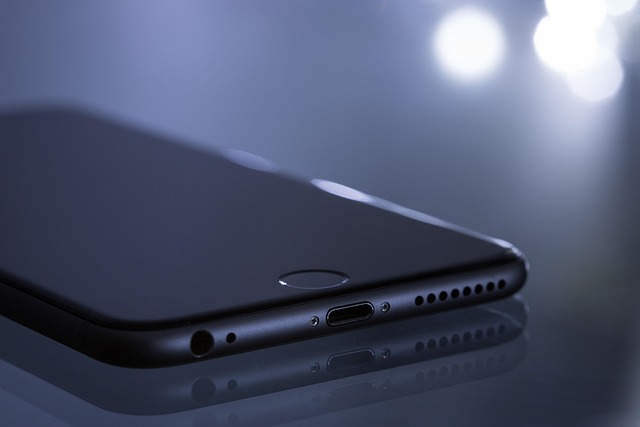
Apple releases a small collection of high-end phones each year alongside mid-tier options like the iPhone SE. Every iPhone uses premium glass and aluminum or titanium enclosures, which keeps starting prices relatively high compared to entry-level market options.
Android offers hardware at every price point. You can purchase a functional budget Android phone for under $200 for basic calling, web browsing, and messaging, or spend top-tier prices on flagship models. Android manufacturers lead innovation in alternative designs, offering folding screens like the Samsung Galaxy Z Fold and Google Pixel Fold, flip-style pocket devices, built-in stylus pens, and dedicated gaming phones with built-in cooling fans.
Accessories and charging standards
Modern iPhones use standard USB-C charging ports and feature integrated internal magnets for accessory attachment. Apple’s design ecosystem relies heavily on magnetic snap-on chargers, desk mounts, and card wallets to create a cohesive experience that is hard to replicate outside the Apple ecosystem.
Android devices also use universal USB-C connectivity, but many manufacturers implement proprietary fast-charging systems that deliver 45W to 120W power input. This allows select Android phones to charge fully from zero in under 30 minutes, significantly outperforming standard wireless charging speeds.
Software updates, security, and long-term device life
How long your phone receives software support affects both security protection and long-term operating costs.
Long-term operating system support
Apple provides major iOS updates and security patches to its phones for 5 to 7 years after release. Because Apple controls both the hardware components and the operating system, every supported iPhone receives software updates on the exact same day worldwide.
For Android phones, update frequency and longevity can differ significantly. Google Pixel and Samsung Galaxy flagship phones offer up to 7 years of full operating system and security updates. However, mid-range and budget Android devices from secondary manufacturers often receive only 2 to 3 years of updates, meaning cheaper phones lose official software support sooner.
Security permissions and app stores
Apple enforces security by reviewing every application before it enters the iOS App Store. Apps run in sandboxed environments, preventing them from accessing system files or reading data from other installed software without explicit user permission.
Google employs Google Play Protect to scan installed apps for malware on Android devices. While Android allows side-loading apps outside the Play Store, it gives you granular privacy controls that allow you to manage app permissions for location tracking, camera access, and background data connections on an app-by-app basis.
Ecosystem connectivity and cross-platform messaging
If you already own other tech hardware, ecosystem compatibility should play a significant role in your decision.
Connected hardware ecosystems
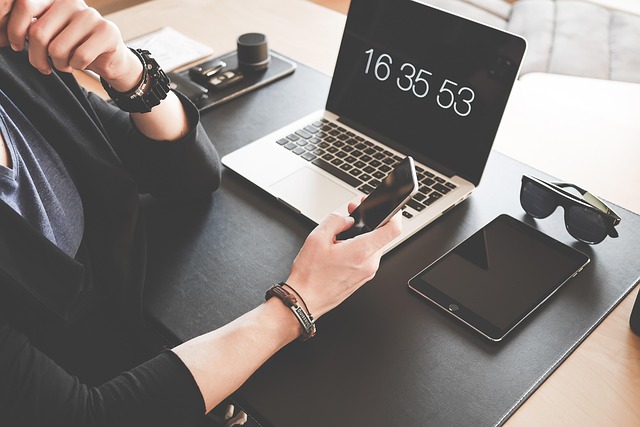
An iPhone works directly alongside other Apple devices. Features like AirDrop let you transfer full-resolution files instantly to a Mac or iPad without software setup. Universal Clipboard allows you to copy text on your iPhone and paste it immediately onto your desktop screen. Apple Watch integration remains exclusive to iOS, offering health tracking and message handling unavailable on other operating systems.
Android connects effectively across open standards. Android devices pair easily with Windows PCs using Microsoft Phone Link, sync files directly via Google Drive and Google Photos, and control smart home gear through Google Home. Wear OS smartwatches work across various Android brands, offering fitness tracking and notification sync without lock-in to a single hardware manufacturer.
iMessage, RCS, and messaging compatibility
Messaging compatibility has historically caused friction between iPhone and Android users. Apple’s iMessage service provides end-to-end encryption, typing indicators, high-resolution media sharing, and inline replies between iOS devices. Text messages sent from Android users to iPhones traditionally reverted to standard SMS text.
With the adoption of Rich Communication Services (RCS) across both Android and iOS, messaging standard gaps have closed significantly. RCS enables high-resolution image and video sharing, read receipts, and group chat management between Android and iPhone users over cellular data and Wi-Fi networks.
Camera capabilities and image processing
Both platforms feature advanced camera hardware, but their color science and image processing approaches differ.
Photography processing styles
iPhones focus on accurate color reproduction, consistent exposure, and predictable skin tone rendering across all camera lenses. Photos taken on an iPhone closely resemble real-life lighting conditions, making them easy to edit in post-processing tools.
Android camera systems prioritize computational processing. Google Pixel devices excel at high-contrast scene handling, low-light night photography, and digital shadow recovery. Samsung flagship models emphasize high-saturation colors, dynamic range, and high-magnification optical zoom lenses that capture distant detail.
Video performance
iPhones remain a widely accepted standard for mobile video capture. They deliver smooth optical stabilization, clean frame rates during movement, accurate dynamic range adjustments in shifting light, and pro-grade recording options like ProRes and Log video profiles preferred by content creators.
Top Android devices offer strong video capabilities, including 8K recording on select models, but lens transitions during video recording are generally smoother on iOS devices.
How to switch between iPhone and Android without losing data
Switching operating systems is straightforward thanks to automated migration tools provided by both Apple and Google.
Moving from Android to iPhone
- Download the Move to iOS app from the Google Play Store onto your Android device.
- Begin setting up your new iPhone and select Move Data from Android when the setup screen appears.
- Connect both smartphones to the same Wi-Fi network and input the multi-digit security code displayed on the iPhone screen into your Android device.
- Select contacts, text message history, photos, bookmarks, and account credentials to begin the wireless data transfer.
Moving from iPhone to Android
- Turn off iMessage and FaceTime under Settings on your iPhone before transferring your phone line to prevent missed messages.
- Download the Switch to Android app or log into Google Drive on your iPhone to back up contacts, calendar entries, and media files to your Google account.
- Connect your iPhone to your new Android phone using a USB-C cable during initial setup to transfer local files, messages, and free apps directly.
- Log into your primary email accounts on the new Android phone to automatically sync contacts and cloud storage.
Who each platform suits best
Choose an iPhone if:
- You already use a Mac, iPad, Apple Watch, or Apple TV.
- You prefer straightforward, consistent software that requires minimal tweaking.
- You record high volumes of video for personal use or social media.
- You want maximum trade-in resale value when upgrading your phone in 3 to 5 years.
Choose an Android if:
- You want flexibility in hardware choices, including budget options under $300, folding displays, or stylus support.
- You enjoy personalizing system launcher screens, default apps, and custom icon layouts.
- You prefer direct USB file transfer access to your internal phone storage folders.
- You rely heavily on Google Assistant, Google Workspace, or Windows PC integration.
Sources: iPhone
Frequently asked questions
Can Android apps run on an iPhone?
No, iOS and Android use different app architectures and code formats. You must download the iOS version of an app from the Apple App Store, though most major applications offer versions for both platforms that sync your data via account logins.
Which phone holds its trade-in value longer?
iPhones generally retain a higher percentage of their retail value over three to five years compared to Android devices. This higher resale value often makes upgrading to new iPhone models cheaper when trading in older hardware.
Is it hard to switch from iPhone to Android or vice versa?
No, both Apple and Google provide free migration applications that transfer contacts, photos, calendar events, and text history automatically over Wi-Fi or USB connection. Mainstream cloud services sync across both systems without manual file conversion.
Do Android phones get malware more easily than iPhones?
Android allows app downloads from unverified web sources, which introduces higher security risks if you install file downloads outside official stores. However, keeping Google Play Protect active and downloading software exclusively from the Google Play Store maintains security comparable to iOS.