The best free photo editing software offers desktop and web-based tools that handle everything from quick social media edits to complex RAW processing and layer-based manipulation. Programs like GIMP and Darktable provide full desktop control, while browser editors such as Photopea and Pixlr deliver instant retouching without installation or subscription fees.
Most creators assume that truly professional-grade photo editing always comes with a hefty subscription fee. The surprising truth in July 2026 is that the gap between paid and free tools has narrowed dramatically, offering powerful capabilities without financial commitment.
Whether you are a budding photographer, a social media manager, or a small business owner, there is a free photo editing software solution perfectly suited for your needs. These tools provide everything from basic touch-ups to complex image manipulation, all accessible at no cost.
Why powerful photo editing tools are free
The evolution of digital tools, open-source projects, and freemium business models has transformed how image creation and editing applications reach users. In July 2026, developers and open-source communities continuously enhance free editors, adding features that once required expensive commercial licenses.
This push for accessibility means that strong functionalities like layer-based editing, non-destructive RAW image processing, vector path drawing, and automated background removal are now available without a price tag. Open-source communities build feature-complete applications to give users full control over their media, while web-based freemium tools offer basic editing for free to introduce users to broader creative platforms or premium software.
According to recent trends observed in the open-source software community, the adoption and contribution rates to open-source graphics software like GIMP have steadily increased year over year. This drives consistent innovation, bug fixes, and stability across platforms. Users receive continuous performance updates without worrying about sudden license fee hikes or unexpected software phase-outs.
Should you choose a desktop program or a browser editor?
When selecting free photo editing software, your first decision revolves around whether to install a desktop application or rely on an online browser-based tool. Each option provides distinct advantages and trade-offs depending on your computer hardware, internet stability, and editing requirements.
Desktop software installs directly onto your computer, taking full advantage of your hardware graphics card, system RAM, and multi-core processor. This setup allows desktop editors to process massive multi-gigabyte files, deep RAW camera data, and hundreds of layers without browser memory caps. Desktop applications operate completely offline, ensuring uninterrupted editing during travel or network outages. They also integrate deeply with local file storage, drawing tablets, color management calibration profiles, and external plug-ins. However, they require initial installation, consume local drive space, and rely heavily on your computer’s performance capabilities.
Online photo editors run directly inside modern web browsers using HTML5, WebGL, and WebAssembly technologies. They offer instant access from any computer, Chromebook, or tablet without administrative installation rights. Online tools streamline file management by offering direct cloud storage integration, easy team collaboration, and quick asset exporting for web publishing. Their primary limitations include reliance on a stable internet connection, potential performance lags when working with ultra-high-resolution images, and memory ceilings imposed by web browser tabs.
Top free desktop photo editors for maximum control
For users seeking complete manual control, offline reliability, and deep editing capabilities, open-source and free desktop applications remain the strongest option. These applications provide complete feature sets designed for technical precision and complex visual projects.
GIMP (GNU Image Manipulation Program)
GIMP is the most established open-source alternative to Adobe Photoshop. Available natively for Windows, macOS, and Linux, GIMP provides a comprehensive toolkit for image retouching, photo composition, graphic creation, and digital restoration.
Core capabilities include:
- Full support for layer masks, layer groups, channels, and customizable blending modes.
- Advanced selection utilities including Bezier curves, fuzzy select, color-based selection, and foreground isolation tools.
- Extensible architecture supporting Python and Scheme scripts, custom brush engines, and third-party plug-ins like Resynthesizer for content-aware fill.
- Customizable workspace layouts with dockable dialog boxes and keybinding shortcuts.
While GIMP offers vast technical control, it carries a steeper learning curve than simple consumer tools. Its user interface conventions differ from commercial standards, and non-destructive adjustment layers are more limited than in paid suites. GIMP is best suited for serious hobbyists, graphic designers, and photographers who need advanced pixel manipulation without recurring subscription costs.
Darktable
Darktable functions as a specialized open-source RAW photo processor and virtual lighttable, operating similarly to Adobe Lightroom. Designed specifically for digital photographers, Darktable manages and edits camera RAW files non-destructively, ensuring your original source photos remain completely unaltered.
Core capabilities include:
- Non-destructive color grading, exposure correction, white balance adjustments, and highlight recovery.
- Advanced module pipeline including tone equalizer, filmic RGB, color calibration, and local contrast controls.
- Built-in catalog management with EXIF metadata editing, tagging, rating, and filtering across thousands of images.
- Direct camera tethering support to capture images straight into the editing workspace.
Darktable is dedicated to photographic workflows and camera sensor data. It lacks raster graphic design functions such as freehand painting, text typography tools, or composite image construction. Photographers handling high-volume RAW photo shoots will find Darktable an invaluable free asset for processing and color management.
Krita
While recognized primarily as a digital illustration and painting program, Krita includes powerful raster photo editing tools. Operating across Windows, macOS, and Linux, Krita excels when creative projects require combining photo retouching with digital drawing, custom texturing, or painterly effects.
Core capabilities include:
- High-performance brush engine supporting graphics tablet pressure, tilt, and custom brush patterns.
- Support for non-destructive filter layers, adjustment masks, vector shapes, and text formatting.
- Native color management supporting CMYK, RGB, and high-dynamic-range (HDR) color spaces.
- Built-in canvas symmetry, wrap-around texture modes, and frame-by-frame animation timelines.
Krita’s brush-centric user interface can feel complex for users who only require simple photo cropping or basic exposure tweaks. However, for artists and matte painters who manipulate photos as part of a creative digital painting workflow, Krita offers outstanding control.
Paint.NET
Paint.NET is an accessible, lightweight image and photo editor developed exclusively for Windows operating systems. Originally created as an upgraded alternative to Microsoft Paint, it has evolved into a practical editor that balances ease of use with functional depth.
Core capabilities include:
- Clean, tabbed interface allowing smooth switching between multiple open documents.
- Full layer support with adjustable opacity, blending options, and multi-step history tracking.
- Essential retouching tools including clone stamp, sharpening, gaussian blur, and contrast curves.
- Active plugin community adding file format support and custom filter effects.
Paint.NET lacks built-in RAW camera processing and full cross-platform availability. It is ideal for Windows users who want a quick, responsive editor for daily photo retouching without navigating steep learning curves.
Best free online photo editors for speed and convenience
Browser-based photo editors provide immediate access to retouching tools without software downloads or system installation. Modern browser engines allow these applications to execute detailed edits, layout assembly, and file exports inside a browser tab.
Photopea
Photopea is an advanced web-based raster editor designed to closely match the layout, workflow, and keyboard shortcuts of commercial desktop suites. It runs client-side inside your browser memory using HTML5 technology, keeping your source images on your local machine during editing.
Core capabilities include:
- Direct compatibility with PSD, AI, XD, Sketch, PDF, XCF, and standard camera RAW formats.
- Full support for layer masks, clipping masks, smart objects, adjustment layers, and text styles.
- Vector path tools, pen tool controls, automated selection tools, and patch tools.
- Smooth file importing and exporting without converting file structures.
Photopea displays banner ads in its free tier to support hosting, which can be removed with a paid account. High-resolution files with complex smart objects can strain browser memory on computers with low RAM, but for fast PSD editing in a browser, Photopea is an exceptional web tool.
Pixlr (Pixlr E and Pixlr X)
Pixlr offers two web applications tailored to different editing preferences: Pixlr E (Editor) for manual layer-based editing, and Pixlr X (Express) for rapid, single-click adjustments.
Core capabilities include:
- Pixlr E provides layer masks, adjustment curves, color replacement, and custom clone stamp tools.
- Pixlr X delivers intuitive controls for quick cropping, aspect ratio formatting, color presets, and text overlays.
- AI-assisted tools for automated background removal, auto-fix exposure, and object isolation.
- Cloud project storage to save editing sessions across different browser devices.
The free tier of Pixlr limits daily high-resolution file saves and displays periodic ads. Pixlr is well-suited for social media managers, bloggers, and casual users who need fast visual updates without managing complex desktop software.
Fotor
Fotor combines standard photo editing tools with pre-built design templates and quick portrait retouching features inside an approachable web browser interface.
Core capabilities include:
- One-click automated enhancement tools for exposure balance, sharpness, and color tone.
- Dedicated portrait touch-up tools including blemish remover, skin smoothing, and red-eye correction.
- Collage maker and social media template library with customizable text and graphic elements.
- AI object eraser and background remover utilities.
Fotor reserves some advanced AI features and high-resolution templates for its paid subscription. However, for casual photo cleanups, marketing graphics, and quick collages, Fotor’s free options cover everyday editing needs efficiently.
Adobe Express (Free Tier)
Adobe Express offers an accessible web-based platform tailored for creating social graphics, web assets, and marketing collateral with integrated photo editing functions.
Core capabilities include:
- Quick-action tools for image cropping, background removal, format conversion, and image resizing.
- Direct integration with free Adobe Stock assets, royalty-free visual elements, and font collections.
- Basic tone adjustments including contrast, shadow recovery, highlights, and saturation sliders.
- Multi-platform social media graphic sizing presets for instant publishing layouts.
Adobe Express focuses on rapid visual layout and asset generation rather than deep photographic retouching or manual pixel masking. It is ideal for converting finished photos into branded marketing posts and promotional assets.
How AI features work in free photo editors
Artificial intelligence tools have reshaped routine image editing tasks in free software. Both web editors and desktop applications incorporate machine learning models to eliminate repetitive manual steps that previously required complex channel masks or pen tool selections.
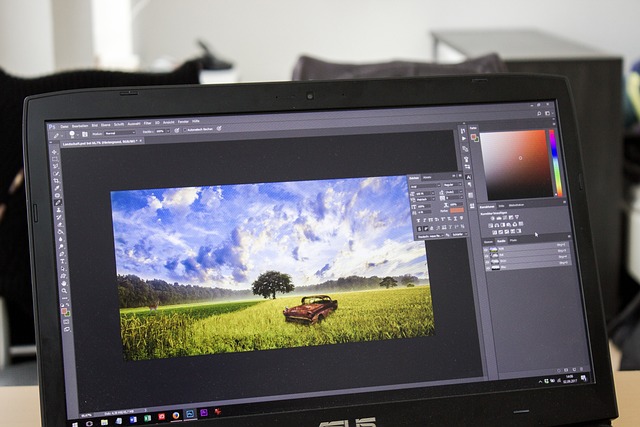
AI tools in free editors focus on four primary capabilities:
- Subject and Background Separation: Edge-detection models analyze high-contrast borders to isolate people, products, or cars from complex backgrounds in seconds.
- Content-Aware Object Removal: Machine learning algorithms sample surrounding visual textures to fill in gaps left when erasing unwanted objects or power lines.
- Automated Tone Optimization: Tone-mapping algorithms evaluate pixel exposure histograms to correct shadow detail and blown-out highlights automatically.
- Noise Reduction and Sharpening: Denoising algorithms filter out sensor grain from low-light photos while attempting to retain soft facial and edge details.
While automated AI features save considerable editing time, free web tiers often enforce daily processing limits or cap generative export resolutions. Combining automated AI selections with manual brush touches yields the cleanest overall visual result.
Specialized free design and layout tools
When your primary project extends beyond individual photo correction into document design, visual promotion, or brand layouts, specialized template-driven software offers structured workflows.
Canva (Free Tier)
Canva is a popular visual design engine that integrates foundational photo editing tools into a drag-and-drop graphic canvas.
Core capabilities include:
- Extensive library of free design templates, vector elements, social media frame presets, and fonts.
- Essential photo controls for brightness, contrast, saturation, blur, and color tinting.
- Drag-and-drop photo frames for quick multi-image collages and structured page layouts.
- Alignment guides, grid snapping, and multi-page export formats (PDF, PNG, JPG).
Canva is built for visual arrangement rather than intricate photo retouching. It lacks manual brush tools, RAW image development, and deep pixel manipulation. However, for business owners, educators, and content creators needing to place edited photos into marketing materials, Canva simplifies document layout.
Comparing the best free photo editing software options
To identify the ideal software for your technical requirements, compare platform availability, key features, and primary use cases across these leading free tools:
| Software | Platform | Learning Curve | RAW Support | AI Features | Best For |
|---|---|---|---|---|---|
| GIMP | Windows, macOS, Linux | Steep | Yes (via plugin) | Limited built-in | Advanced image manipulation, Photoshop alternative |
| Photopea | Online (Browser) | Moderate | Yes | Basic (e.g., smart selection) | PSD editing, quick professional browser work |
| Darktable | Windows, macOS, Linux | Moderate | Excellent | Limited built-in | RAW photo processing, non-destructive editing |
| Pixlr E/X | Online (Browser) | Easy to Moderate | Limited | Good (background removal, effects) | Quick edits, social media, beginners |
| Fotor | Online (Browser), Desktop | Easy | Limited | Excellent (generative AI, effects) | Social media graphics, collages, AI enhancements |
| Canva (Free) | Online (Browser), Desktop | Very Easy | No | Basic | Graphic design, social media content |
How to choose the right free photo editor for your workflow
Selecting the best software requires matching your computer hardware, technical skill level, and primary image output goals. Following a strategic evaluation approach prevents time lost using tools unsuited to your specific project needs.
Consider these practical steps to build an efficient editing workflow:
- Match Your Primary File Types: If you shoot uncompressed camera RAW files, choose Darktable for exposure development. If you need to edit multi-layer PSD files provided by clients, use Photopea. For quick web JPEG or PNG touch-ups, Pixlr or Paint.NET are sufficient.
- Evaluate System Capabilities: Computers with limited RAM or modest processors perform best with lightweight browser tools like Pixlr or desktop apps like Paint.NET. Powerful desktop builds running multi-monitor setups can take full advantage of GIMP and Darktable.
- Combine Complementary Software: Professional workflows frequently combine specialized tools rather than relying on a single editor. For example, process camera RAW files in Darktable, perform pixel retouching and blemish repair in GIMP, and place final images into Canva for social media branding.
Common mistakes to avoid when using free photo editors
Even capable free software can produce disappointing image quality if key technical practices are overlooked. Avoid these common operational errors:
- Overwriting Original Source Files: Always work on duplicate file copies or save edited images under new filenames. Destructive photo editors permanently overwrite original pixel data upon saving.
- Mismatching Color Profiles: Editing images in uncalibrated color spaces or exporting web photos using Adobe RGB instead of standard sRGB leads to dull, muted colors when viewed on mobile screens and web browsers.
- Applying Excessive JPEG Compression: Exporting JPEGs at quality settings below 80% introduces compression artifacts, blocky visual noise, and loss of fine detail along sharp edges.
- Using Layout Software for Deep Pixel Retouching: Attempting complex skin smoothing, multi-layer blending, or detail extraction inside basic design tools like Canva results in flat, unnatural visuals. Use pixel-based editors like GIMP or Photopea for detailed image repair.
Frequently asked questions
Are free photo editing software options safe to download and use?
Yes, reputable free photo editing software from official sources, especially open-source projects like GIMP or Darktable, are safe and free from adware. Always download desktop applications directly from official developer websites to avoid third-party installers that bundle unnecessary software. Secure online editors operating over HTTPS are safe for standard browser editing.
Can free photo editors handle RAW image files?
Yes, specialized free applications like Darktable and RawTherapee are built specifically for non-destructive RAW processing from major camera manufacturers. Browser tools like Photopea also open RAW files for fast adjustments and conversion to web formats.
Which free photo editor is best for beginners in 2026?
For absolute beginners, browser-based tools like Pixlr X and Fotor offer intuitive visual controls and simple preset adjustments without complex menu structures. Windows users seeking desktop editing without a steep learning curve will find Paint.NET accessible and responsive.
Do free photo editing software tools usually include watermarks?
Most open-source desktop editors like GIMP, Darktable, and Krita never put watermarks on exported files. Major browser-based editors like Photopea, Pixlr, and Canva also export clean, watermark-free images on their standard free plans, reserving watermarks only for premium stock assets or specialized export features.
Can I use free photo editing software for commercial projects?
Yes, open-source software distributed under licenses like the GNU General Public License (GPL) permits commercial use, including client projects, product photography, and marketing materials. Always verify the specific license terms for third-party fonts, templates, or stock graphics used within freemium web editors.
What are the limitations of using free photo editing software compared to paid alternatives?
Free tools may lack automated cloud sync across multiple mobile devices, dedicated customer support hotlines, or access to vast commercial stock libraries. Advanced generative AI features in free tools may also have daily usage caps compared to unlimited paid subscriptions.