
The ONEXSUGAR Sugar 1 is a transformable dual-screen Android gaming handheld powered by Qualcomm’s Snapdragon G3x Gen 3 processor and Android 14. Designed by ONEXPLAYER, it switches between single-screen play and side-by-side dual OLED displays for retro emulation, Android titles, cloud game streaming, and mobile multitasking.
Most gamers spend hours on single-display handhelds wishing for extra screen space for maps, walkthroughs, or chat apps. The Sugar 1 addresses this by incorporating a hinged dual-panel mechanism directly into a portable gaming device, making it one of the most flexible mobile hardware options available.
- The ONEXSUGAR Sugar 1 features a transformable dual-screen design, offering unique multitasking and gameplay opportunities across multiple display orientations.
- Powered by the Snapdragon G3 Gen 3 processor, it delivers strong performance for Android games, PC cloud streaming, and extensive retro emulation.
- Its Android 14 operating system provides access to the full Google Play ecosystem, setting it apart from Windows and Linux handhelds.
- Pricing typically centers around $699 for standard configurations, though early bird discounts reduced entry pricing to $599 during launch windows.
- Maximizing its potential requires adjusting control mappings and configuring multi-display emulator layouts.
How the transformable dual-screen mechanism operates
The defining aspect of the ONEXSUGAR Sugar 1 is its transformable dual-screen architecture. Rather than relying on a fixed clamshell like traditional dual-screen systems, the Sugar 1 uses a multi-axis friction hinge mechanism that allows the secondary panel to pivot, fold, and lock into distinct display configurations.
You can operate the device in three primary structural modes depending on what you are playing or working on:
- Compact Single-Screen Mode: The secondary display folds flush behind the chassis, turning the Sugar 1 into a standard single-screen handheld. This orientation reduces overall width and conserves battery when a second display is unnecessary.
- Vertical Dual-Screen Mode: Stacking the displays vertically recreates the form factor of classic Nintendo DS and 3DS hardware. The top panel handles primary rendering while the lower panel displays touch menus, inventories, or second-screen game mechanics.
- Horizontal Side-by-Side Mode: Rotating the hinge 90 degrees positions the displays side by side. This provides a wide layout ideal for running two full-screen Android applications concurrently, such as a game on one screen and a browser or chat application on the other.
Engineering a dual-screen hinge for handheld gaming requires balancing ribbon cable longevity with joint resistance. The Sugar 1’s mechanical joint uses reinforced steel torque hinges designed to hold set angles without drifting during intense thumbstick movements. Internal ribbon cables pass through a central hollow pivot housing protected by rubberized gaskets to shield them from repetitive friction and dust intrusion.
Hardware specifications and performance capabilities
At the core of the ONEXSUGAR Sugar 1 is the Qualcomm Snapdragon G3x Gen 3 Gaming Platform built on a 4nm manufacturing process. This chipset features an octa-core Kryo CPU setup with a dedicated high-clock prime core, paired with an Adreno GPU designed specifically for sustained graphical loads. Active cooling via an internal fan and copper heat pipe prevents thermal throttling during prolonged gaming sessions.
Both displays utilize 6-inch OLED panels running at 1080p resolution with high touch-sampling rates and rich color reproduction. Brightness levels permit comfortable visibility under outdoor lighting conditions, while individual pixel dimming on the OLED panels keeps black levels deep during dark scene rendering.
The standard model includes 16GB of LPDDR5X memory and 512GB or 1TB of UFS 4.0 onboard storage. A MicroSD card expansion slot supports cards up to 2TB, giving retro gamers room for extensive ROM libraries. Wireless connectivity relies on Wi-Fi 7 and Bluetooth 5.3, ensuring high-speed local streaming and stable wireless controller pairing. Choosing optimal wireless frequency channels helps ensure a faster connection during competitive online sessions or low-latency game streaming.
According to Qualcomm’s 2025 developer documentation, the G3x Gen 3 offers substantial GPU generation-over-generation rendering efficiency improvements. This hardware ceiling allows the device to play demanding Android titles like Genshin Impact and Honkai: Star Rail at high graphics settings while running native frame rates.
Setting up dual-screen retro emulation
Retro emulation is where the ONEXSUGAR Sugar 1 exhibits its clearest advantages over traditional single-screen handhelds. Games originally designed for multi-display hardware benefit from natural screen distribution without requiring ugly side-by-side splits on a single tiny panel.
To configure dual-screen emulation for Nintendo DS and 3DS games using emulators like DraStic, MelonDS, or Citra, follow these operational steps:
- Launch your preferred emulator on Android 14 and open the global settings menu.
- Navigate to the Video or Display Layout options.
- Select Secondary Display Mode or enable multi-monitor support so the system recognizes the hardware as two separate displays rather than one stretched canvas.
- Assign the main game view (top screen) to Display 1, and set the touch panel view (bottom screen) to Display 2.
- Configure touch inputs so touch events on Display 2 map directly to the secondary screen coordinates without offsetting cursor positions.
- Set graphics backend settings to Vulkan to use the Adreno GPU’s hardware pipeline.
For single-screen consoles like PlayStation 2 (NetherSX2), PSP (PPSSPP), or GameCube (Dolphin), the second display can serve as an auxiliary interface. You can display emulator cheat menus, save-state managers, memory card tools, or retro achievement lists on screen 2 without pausing or obscuring your main gameplay viewport.
Configuring Android games and physical button mapping
Because many mobile games from the Google Play Store are created for capacitive touchscreen inputs, playing them on dedicated hardware requires input translation. The Sugar 1 includes an integrated mapping suite within its software launcher, allowing you to link physical buttons, triggers, and analog sticks to touch actions.

To map physical controls for mobile titles that lack native gamepad support:
- Launch the desired game on Display 1.
- Swipe inward from the edge of the screen to open the ONEX keymapper overlay panel.
- Select Add Button Control and drag virtual button icons over the on-screen touch controls (e.g., placing the virtual left stick over the game’s movement wheel).
- Map physical triggers and face buttons to action icons like jump, attack, or reload.
- Adjust stick sensitivity curves and deadzones to match the game’s camera response.
- Save the overlay layout to your active profile so it loads automatically whenever the game opens.
Many popular titles share custom control profiles stored in online user databases. Loading layout maps built by other players provides quick configuration for based community controller setups on portable platforms without requiring manual mapping from scratch.
Multitasking, app pairing, and everyday productivity
Beyond gaming, running Android 14 on dual screens creates efficient multitasking setups. Android’s native split-screen handling is enhanced on the Sugar 1 through system-level app pairing, which lets you launch two applications simultaneously onto designated screens with a single home-screen shortcut.

Practical multi-app combinations include:
- Gaming and Strategy Guides: Play an RPG on screen 1 while following a strategy guide or watching a game walkthrough video on YouTube on screen 2.
- Localization and Translation: Run non-translated imported games on screen 1 while using screen 2 with Google Translate’s real-time camera translation tool to decipher inventory items and menu dialog.
- Social Gaming: Host a multiplayer match on screen 1 while keeping Discord, Teamspeak, or social messaging feeds open on screen 2 to coordinate with teammates.
- Mobile Workstation: Pair a web browser on top with a note-taking or email app on the bottom while using a compact Bluetooth keyboard for light travel productivity.
How the ONEXSUGAR Sugar 1 compares to rival handhelds
Choosing between the Sugar 1 and alternative gaming handhelds requires understanding the architectural differences between Android gaming devices and x86-based handheld PCs running Windows or SteamOS.
Standard handheld PCs like the Steam Deck or ASUS ROG Ally prioritize local x86 PC game execution through Proton or Windows 11. However, they are bulkier, consume more power, generate higher thermal loads, and offer only single-screen layouts. The Sugar 1 focuses on high power efficiency, native Android application compatibility, dual-screen flexibility, and retro emulation optimization.
| Feature | ONEXSUGAR Sugar 1 | Steam Deck (LCD Model) | ROG Ally (Z1 Extreme) |
|---|---|---|---|
| Primary OS | Android 14 | SteamOS (Linux-based) | Windows 11 |
| Screen Setup | Dual OLED, Transformable | Single LCD/OLED | Single LCD |
| Processor | Snapdragon G3x Gen 3 | AMD Van Gogh | AMD Z1 Extreme |
| Typical Use Case | Android/Retro Gaming, Multitasking | PC Gaming, Emulation | PC Gaming, Emulation |
| Starting Price (approx. mid-2026) | $699 | $399-$549 | $699 |
Base models of the Sugar 1 carry a retail price around $699 to $799 depending on storage tiers, though early bird discounts frequently offer lower promotional entry points near $599.
Pros and cons of the transformable dual-screen design
Advantages
- Integrated hardware transformation provides true dual-display flexibility without requiring external clip-on accessories.
- Snapdragon G3x Gen 3 platform handles high-end Android titles and demanding emulation layers smoothly.
- Native vertical screen alignment creates an authentic environment for Nintendo DS and 3DS emulation.
- OLED displays deliver vibrant color accuracy, true blacks, and sharp image contrast.
- Android 14 software environment offers wide app store availability and deep custom launcher options.
Drawbacks and trade-offs
- Dual-screen hinge construction increases total weight and chassis thickness relative to single-screen handhelds.
- Running two bright OLED panels simultaneously under max load accelerates battery discharge rates.
- Does not run native x86 Windows PC games locally without relying on game streaming or translation layers.
- Some third-party Android games require initial touch-mapping configuration to work properly with physical controls.
- Specialized Android hardware releases sometimes experience slower OS version updates compared to flagship smartphones.
Troubleshooting common software and hardware issues
Operating a multi-display Android device occasionally presents configuration hurdles. Below are solutions for common setup issues and hardware management.
Rapid battery depletion under dual-screen loads
If battery power drains faster than expected, check whether both OLED displays are active when playing single-screen titles. Turn off Screen 2 via the quick-settings pull-down menu when it is not in use. Additionally, cap display refresh rates at 60Hz inside the system display menu for games that do not support 120 FPS rendering, and set fan profiles to Balanced mode rather than Turbo mode.
Incorrect screen orientation or aspect ratio stretching
Certain Android games force horizontal or vertical orientation unexpectedly when switching transformation modes. To fix auto-rotation errors, pull down the system shade, toggle off Auto-Rotate, and assign a forced landscape or portrait profile to the problem application within the ONEX Sugar Space settings panel.
Touch screen input offset during dual-screen mapping
When using custom touch-mapping software across both screens, alignment offsets can occur if display scaling options are modified. Go to Settings > Display > Display Size and Text and restore system scaling to Default. Recalibrate the touch overlay within the keymapper tool after changing resolution settings.
Thermal throttling during heavy emulation sessions
When running demanding emulators at 4x internal resolution scaling, elevated temperatures may trigger thermal throttling. Ensure intake vents on the back casing remain unobstructed by holding grips. Set fan management to Dynamic or Performance mode, and drop internal emulation rendering resolution from 4x down to 2x or 3x, which preserves sharp image output while lowering thermal load.
Essential accessories and optimization steps
To protect the physical hinge and maximize everyday utility, consider building out a dedicated accessory setup.
Useful accessories include:
- Hardshell Travel Case: Custom custom-molded storage cases protect the dual screen hinge and thumbsticks from crush pressure inside bags.
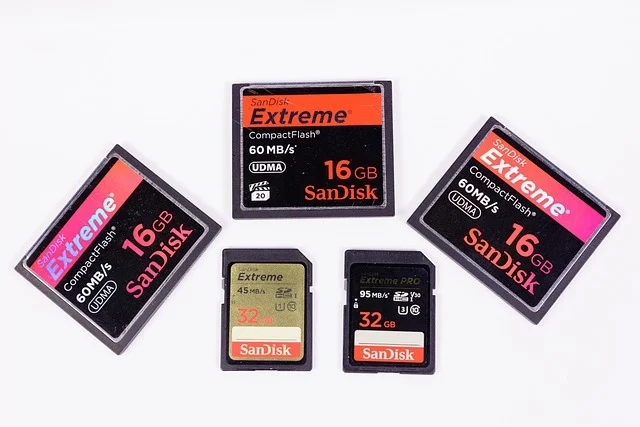
- High-Speed MicroSD Card: UHS-I A2-rated cards provide quick loading times for large game files and ROM sets.
- 65W+ USB-C Power Delivery Bank: External battery packs capable of 65W PD output can charge the device at full speed while playing under heavy hardware utilization.
- USB-C Docking Station: Video-capable USB-C hubs allow connecting the handheld to an external TV or monitor while routing mouse, keyboard, and power pass-through simultaneously.
For PC gamers, installing cloud streaming clients like Xbox Game Pass Ultimate, NVIDIA GeForce NOW, or local streaming tools like Moonlight and Sunshine allows playing PC titles smoothly. Streaming a PC game to Screen 1 leaves Screen 2 free for browser access or Discord voice chat controls without straining local processor resources.
Who should buy the ONEXSUGAR Sugar 1 and who should skip it
Ideal buyers
- Retro gaming enthusiasts focused heavily on Nintendo DS and 3DS emulation who want physical dual screens.
- Android power users who want physical hardware controls and side-by-side multitasking.
- Mobile gamers seeking dedicated hardware with active cooling for high-end titles.
- Gamers who utilize PC cloud streaming services and want auxiliary screen space for secondary apps.
Who should look elsewhere
- Gamers who want to run heavy Windows PC games natively without cloud streaming or PC remote play.
- Budget-focused buyers looking for a simple retro handheld under $300.
- Users who demand lightweight ultra-compact hardware for one-handed pocket carry.
Frequently asked questions
What is the battery life of the ONEXSUGAR Sugar 1?
Battery life depends heavily on display setup and processing load. When running two active OLED displays during intense 3D gaming or emulation, expect roughly 4 to 6 hours of continuous play. Operating in single-screen mode with lighter retro titles or media playback extends usage up to 8 to 10 hours.
Can the ONEXSUGAR Sugar 1 play PC games?
The Sugar 1 runs Android 14, meaning it does not execute x86 Windows PC games natively. However, it streams PC games effectively using services like Xbox Game Pass, NVIDIA GeForce NOW, Steam Link, or Moonlight/Sunshine local network streaming.
Is the dual-screen transformable design durable?
The hardware uses high-torque steel friction hinges and protected ribbon casing designed for repeated daily transformations. While structurally stable for regular opening, rotating, and folding, avoiding extreme force or pressing objects between folded screens is essential for long-term panel health.
What is the price of the ONEXSUGAR Sugar 1 in 2026?
Standard retail pricing for base configurations sits around $699 to $799 depending on storage options and regional retailers. Introductory promotions and early bird pricing reduced starting points to $599 during initial distribution windows.
Does the ONEXSUGAR Sugar 1 support external controllers?
Yes, Android 14 provides native support for wireless Bluetooth controllers, including Xbox, PlayStation DualSense, and third-party gamepads. Wired USB-C controllers and dock setups are also supported.
How does the ONEXSUGAR Sugar 1 compare to the Nintendo Switch?
The Sugar 1 offers higher processing power, sharper OLED screens, open Android software customization, and true dual-display hardware compared to the Switch. The Nintendo Switch relies on its exclusive native library and single-screen console interface, making them distinct options for different gaming styles.