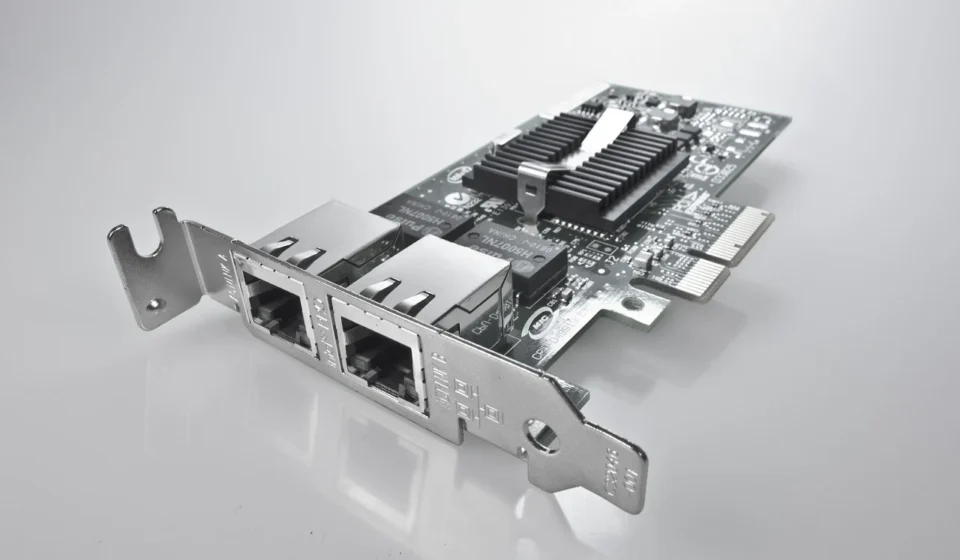
Hardware acceleration delivers significantly faster execution, lower processing latency, and improved power efficiency by offloading intensive computational tasks from a general-purpose central processing unit (CPU) to specialized hardware components. This practice dedicates purpose-built chips to specific, repetitive operations like 3D graphics rendering, video encoding, or complex AI calculations, allowing systems to complete these tasks more efficiently.
This article explains how functional offloading operates and compares the primary types of accelerators, including Graphics Processing Units (GPUs), Neural Processing Units (NPUs), Field-Programmable Gate Arrays (FPGAs), and Application-Specific Integrated Circuits (ASICs). It also examines their core operational benefits and real-world use cases across modern computing environments.
Hardware Acceleration: Boosting Performance and Efficiency for Modern Workloads
Hardware acceleration offloads intensive computational tasks—such as 3D graphics rendering, video encoding, and complex AI calculations—from a general-purpose central processing unit (CPU) to specialized hardware components. This practice delivers significantly faster execution, lower processing latency, and improved power efficiency by dedicating purpose-built chips to specific, repetitive operations.
This article explains how functional offloading operates and compares the primary types of accelerators: Graphics Processing Units (GPUs), Neural Processing Units (NPUs), Field-Programmable Gate Arrays (FPGAs), and Application-Specific Integrated Circuits (ASICs). It also examines their core operational benefits, real-world use cases across modern computing environments, and provides practical steps for managing and troubleshooting hardware acceleration in common applications.
What is Hardware Acceleration and How Does It Work?
Hardware acceleration is the practice of offloading specific computational tasks from a general-purpose central processing unit (CPU) to specialized hardware components engineered for those exact operations. By transferring workloads like 3D graphics, video encoding, or matrix math to dedicated chips, systems achieve significantly faster execution, lower processing latency, and improved power efficiency.
A general-purpose CPU is designed to handle a vast sequence of varied operations, executing instructions sequentially with high clock speeds on a relatively small number of cores. However, modern software applications frequently require mathematical calculations that are repetitive and easily parallelized. Rather than forcing the CPU to process millions of identical operations sequentially, hardware acceleration delegates those tasks to co-processors built with specialized silicon architectures optimized specifically for high-throughput, parallel computation.
The Functional Offloading Mechanism
The core mechanism of hardware acceleration relies on functional offloading. When an application encounters an intensive computing operation—such as rendering a frame of 3D graphics, calculating physics, or executing an artificial intelligence algorithm—it makes a software API call to pass that workload across the system bus (typically PCI Express) to dedicated hardware.
According to Wikipedia, any data transformation calculable by software can also be handled by an appropriate hardware accelerator or a combination of both. The accelerator receives the raw data into its local high-bandwidth memory (such as VRAM or embedded SRAM), processes the calculations across hundreds or thousands of execution units simultaneously, and returns the finished result to the host system RAM via Direct Memory Access (DMA).

This offloading loop delivers two immediate structural benefits:
- CPU cycles are freed: The main processor can maintain system responsiveness, handle user input, execute background operating system services, and manage application logic without bottlenecking on heavy mathematical operations.
- Architectural matching: The specialized accelerator executes the offloaded algorithm using hardwired logic circuits, specialized instruction sets, or massive parallel core arrays that execute the task in a fraction of the time and power required by a general CPU.
In complex software development projects, choosing how and where to implement offloading hardware interfaces is a fundamental system design choice, as discussed in Overcoming Software Development Hurdles in Modern Tech regarding performance bottlenecks in custom code platforms.
What are the Main Types of Hardware Accelerators?
Selecting the right hardware accelerator requires matching the mathematical requirements of your software workload to the silicon design of the chip. Modern computing relies on four primary types of hardware accelerators, each presenting distinct architectural trade-offs between flexibility, throughput, and development cost.

Graphics Processing Units (GPUs)
Originally engineered to accelerate 2D and 3D graphics rendering pipelines, modern GPUs feature thousands of small, highly efficient processing cores operating in parallel. This SIMD (Single Instruction, Multiple Data) architecture makes GPUs exceptionally efficient at vector and matrix calculations.
Through programming frameworks like NVIDIA CUDA and AMD ROCm, general-purpose GPU computing (GPGPU) powers high-performance computing (HPC), video processing, scientific modeling, and machine learning training. GPUs offer high flexibility through software programmability, though their higher Thermal Design Power (TDP) requires robust cooling and substantial power delivery systems.
Neural Processing Units (NPUs)
NPUs, also referred to as AI accelerators or Tensor Processing Units (TPUs), are purpose-built processors optimized specifically for artificial intelligence and machine learning operations, particularly neural network inference. Unlike GPUs, which are designed for broad computational flexibility, NPUs focus heavily on low-precision integer matrix arithmetic (such as INT8 and FP16 operations).
By executing deep learning inference with minimal memory bus transfers, NPUs deliver exceptional performance per watt. Manufacturers increasingly integrate them into mobile system-on-chips (SoCs) and laptop processors (such as Intel Core Ultra, AMD Ryzen AI, and Apple Silicon) to handle on-device AI tasks like real-time audio noise suppression, visual background blurring, and local language modeling without draining battery power.
Field-Programmable Gate Arrays (FPGAs)
An FPGA is an integrated circuit containing arrayed logic blocks connected through reconfigurable interconnects. Unlike fixed-silicon processors, you can reprogram an FPGA at the hardware gate level after manufacturing using Hardware Description Languages (HDLs) such as VHDL or Verilog.
This reconfigurability allows developers to design bespoke hardware circuits for proprietary algorithms without incurring the massive expense of chip fabrication. Organizations widely deploy FPGAs in telecommunications infrastructure, high-frequency financial trading systems, defense systems, and cloud data center network acceleration where low deterministic latency and algorithm adaptability are required.
Application-Specific Integrated Circuits (ASICs)
An ASIC is a custom chip designed for one specific computational task, with logic gates directly printed into the silicon during manufacturing. Because an ASIC contains no unused general logic circuits or reconfigurable routing paths, it achieves the absolute maximum theoretical performance and energy efficiency possible for its target application.
However, ASICs offer zero functional flexibility: if the target algorithm changes, the hardware cannot adapt. Designing and manufacturing an ASIC involves millions of dollars in Non-Recurring Engineering (NRE) costs, making them practical only for extremely high-volume applications like cryptocurrency mining, dedicated network packet switching, or specialized hardware video codecs.
| Accelerator Type | Primary Use Case | Flexibility | Performance for Niche Workloads | Development Cost and Complexity |
|---|---|---|---|---|
| GPU | 3D Graphics, AI Training, Video Rendering, HPC | High (Software programmable via CUDA/OpenCL) | Very High | Moderate to High |
| NPU | AI Model Inference, Edge AI, Computer Vision | Low to Moderate (Targeted AI framework APIs) | High (Optimized for energy efficiency) | Moderate |
| FPGA | Telecom, Custom Logic, Low-Latency Trading, Prototyping | Medium (Reconfigurable hardware gates) | High | High (Requires HDL hardware engineering) |
| ASIC | Dedicated Fixed Function, Video Codecs, Crypto Mining | Very Low (Hardwired logic, non-programmable) | Extremely High | Very High (Multi-million dollar fabrication) |
What Operational Benefits Does Hardware Acceleration Provide?
Integrating dedicated hardware acceleration into enterprise systems and desktop software provides measurable operational and infrastructure benefits beyond raw speed gains.
Increased Throughput and Reduced Processing Latency
Dedicated accelerators handle thousands of concurrent operations per clock cycle, dramatically cutting execution times for complex workloads. In real-time data processing, telemetry analysis, and autonomous robotics, latency reduction is critical. A dedicated accelerator might complete an operation that takes a general CPU 150 milliseconds to calculate across software threads in under 3 milliseconds.
Superior Power Efficiency and Reduced Energy Costs
Although high-end GPUs consume significant wattage at peak operation, their processing speed means they complete compute tasks in a tiny fraction of the time a CPU would require. The total energy consumed per completed transaction (kilowatt-hours per operation) is significantly lower on accelerated hardware.

For data centers running continuous cloud workloads, shifting heavy tasks to specialized chips substantially lowers overall power draw, reduces cooling demands, and lowers electricity expense. Energy-efficient hardware design is also crucial when configuring mobile hardware deployments, as highlighted in analysis on performance optimization for remote IT systems.
Improved System Responsiveness
Offloading heavy compute-bound loops prevents CPU thread starvation. When intensive tasks like background file encryption, video decoding, or audio processing run on dedicated hardware engines, desktop user interfaces remain smooth, operating system input loops respond instantly, and system jitter is virtually eliminated.
Where is Hardware Acceleration Used in Modern Computing?
Hardware acceleration operates at every level of modern technology, from consumer applications to cloud data centers.

Artificial Intelligence and Deep Learning
Modern machine learning models depend entirely on hardware acceleration. Training large AI models involves billions of parameter updates requiring massive matrix multiplications. GPUs handle model training across clustered data centers, while dedicated NPUs run inference at the device edge—enabling real-time voice recognition, object detection, and generative text responses on smartphones and laptops.
Managing high-volume AI compute clusters requires balancing power and infrastructure stability, a challenge seen during high-profile cloud incidents detailed in Large Screen Tablet: Powering Your Portable Workstation covering large cloud provider service disruptions.
Video Encoding, Decoding, and Transcoding
Compressing raw video into formats like H.264, H.265 (HEVC), or AV1 requires complex mathematical transformations (like discrete cosine transforms and motion estimation). Modern CPUs struggle to encode 4K high-frame-rate video in real time without high system utilization.
Graphics processors feature integrated, dedicated silicon blocks specifically designed for media streaming, such as NVIDIA NVENC, Intel QuickSync, and AMD VCE. These fixed-function blocks compress and decompress high-definition video instantly, consuming almost zero main CPU power and enabling smooth video conferencing, game streaming, and live editing.
Web Browsers and Graphical Interfaces (Chrome, Firefox, Edge, Safari, Opera)
Modern web browsers like Google Chrome, Microsoft Edge, Mozilla Firefox, Apple Safari, and Opera GX rely on hardware acceleration to render complex web applications. The browser delegates HTML5 canvas rendering, CSS 3D transforms, WebGL content, and video playback directly to the local GPU. This delivers smooth 60 or 120 FPS page scrolling and fast interactive visual graphics while preventing browser tabs from hanging system performance.
This offloading is crucial for multimedia-rich websites, online games, and video conferencing tools, ensuring a responsive and fluid user experience without taxing your main processor.
Data Analytics and Enterprise Databases
Enterprise analytics engines offload large-scale database queries, column indexing, and data filtering to GPU and FPGA clusters. By executing memory-bound database filtering across thousands of parallel processor cores, enterprise platforms run complex SQL joins and real-time statistical queries against terabytes of live data in sub-second timeframes.
Virtualization, Networking, and Infrastructure Control
Cloud environments use specialized accelerators, often called SmartNICs or Data Processing Units (DPUs), to handle virtual networking, storage virtualization, packet inspection, and hardware encryption/decryption (TLS and IPsec).
Gaming and Entertainment
Modern video games are perhaps the most common example of hardware acceleration in action. GPUs are specifically designed to handle the massive parallel computations required for real-time 3D rendering, physics simulations, and complex visual effects. Without hardware acceleration, high-fidelity gaming at smooth frame rates would be impossible on consumer hardware.
How Do You Enable or Manage Hardware Acceleration in Software?
Modern operating systems and applications typically enable hardware acceleration by default. However, configuring, verifying, or toggling these settings is often necessary to resolve software bugs or optimize performance.
Managing Acceleration in Web Browsers (Chrome, Edge, Firefox, Opera, Safari)
If web pages scroll sluggishly or embedded videos lag, checking your browser’s hardware acceleration toggle is a primary diagnostic step. The process is similar across most Chromium-based browsers (Chrome, Edge, Opera, Opera GX) and Firefox, while Safari handles it automatically.

- Google Chrome & Microsoft Edge:
- Navigate to Settings > System (or System and Performance).
- Toggle the switch labeled Use graphics acceleration when available (or Use hardware acceleration when available) to “On” or “Off”.
- Relaunch the browser to apply the change.
- Diagnostic verification: In Chrome or Edge, type
chrome://gpuin the address bar to view a detailed status report of every hardware acceleration layer (2D Canvas, Direct3D, WebGL, Video Decode).
- Mozilla Firefox:
- Navigate to Settings > General > scroll down to Performance.
- Uncheck Use recommended performance settings to reveal the checkbox for Use hardware acceleration when available. Check or uncheck it as needed.
- Restart Firefox for changes to take effect.
- Opera GX & Standard Opera:
- Open Settings (or Easy Setup) and search for “hardware acceleration”.
- You will find a toggle labeled Use hardware acceleration when available. Turn it “On” or “Off”.
- Relaunch the browser.
- Apple Safari:
- Safari generally manages hardware acceleration automatically and does not provide a direct user-facing toggle. It uses Metal for graphics rendering on macOS, which is inherently hardware-accelerated. If you experience issues, ensure your macOS is up to date and your graphics drivers are current.
Configuring Windows Hardware-Accelerated GPU Scheduling (HAGS)
Windows 10 and 11 feature a core graphics subsystem feature that allows the GPU to manage its own video memory allocation directly, bypassing the Windows Display Driver Model (WDDM) scheduling overhead. This can reduce latency and improve performance in demanding applications.
- Open Settings > System > Display > Graphics settings.
- Toggle Hardware-accelerated GPU scheduling to On.
- Restart your PC to activate lower latency memory scheduling in intensive games and rendering tools.
Enabling Acceleration in Creative Workflows (Adobe Premiere Pro, DaVinci Resolve)
In digital content creation, software performance relies on matching rendering engines to local GPU acceleration layers.
- Adobe Premiere Pro: Go to File > Project Settings > General. Under Video Rendering and Playback, set the renderer to Mercury Playback Engine GPU Acceleration (CUDA / Metal / OpenCL) rather than Software Only.
- DaVinci Resolve: Go to Preferences > System > Memory and GPU. Ensure GPU Processing Mode is set to Auto or explicitly configured to match your driver framework (CUDA for NVIDIA, OpenCL/ROCm for AMD, Metal for Apple).
Managing Hardware Acceleration in Discord
Discord uses hardware acceleration to improve performance and reduce CPU usage, especially for features like video calls, screen sharing, and streaming. However, it can sometimes cause issues.
- Open Discord.
- Click on the User Settings icon (gear icon) next to your username.
- In the left sidebar, scroll down and select Advanced under “App Settings”.
- Find the option Hardware Acceleration and toggle it “On” or “Off”.
- Discord will prompt you to restart the application to apply the change.
If you experience lag, freezing, or high CPU usage with Discord, try turning hardware acceleration off. If your system is powerful and stable, keeping it on is usually beneficial.
What Issues Occur with Hardware Acceleration and How Do You Fix Them?
While hardware acceleration yields substantial performance increases, misconfigurations, outdated display drivers, or architectural bottlenecks can introduce stability and rendering issues. Knowing when to disable hardware acceleration is key for troubleshooting.
Common Hardware Acceleration Problems
- Visual Artifacts and Glitches: Misrendered fonts, tearing visuals, flickering black boxes, or distorted video frames inside web browsers and UI frameworks. These often appear as lines, corrupted textures, or unexpected color shifts.
- Black Screens and Application Crashes: Applications turning completely black or crashing instantly upon opening media streams due to driver handshaking failures. This can also manifest as the entire system freezing or blue-screening.
- Thermal Throttling: Heavy GPU or accelerator heat output causing temperature limits to trigger, resulting in sudden, severe frame drops and systemic slowdowns. This is more common in laptops or systems with inadequate cooling.
- Small-Workload Overhead Penalty: Extremely small computational tasks running slower on an accelerator than on a CPU because the time spent copying memory across the PCIe bus exceeds the time saved during execution. This is a trade-off inherent to the offloading process.
- Increased Power Consumption (when idle or misconfigured): While accelerators are more efficient per operation, if they are constantly active due to background processes or misconfiguration, they can draw more continuous power than intended.
Step-by-Step Troubleshooting Guide
When experiencing stability issues linked to hardware acceleration, follow this systematic diagnostic sequence:
- Perform a Clean Display Driver Reinstallation: Display drivers frequently corrupt during operating system updates or software installations. Download the latest WHQL driver package directly from your GPU vendor (NVIDIA, AMD, or Intel). Use Display Driver Uninstaller (DDU) in Windows Safe Mode to fully wipe existing drivers before performing a clean installation. This is often the most effective fix for visual glitches.
- Isolate Software Compatibility: Toggle hardware acceleration off inside the specific application exhibiting errors (e.g., your browser, video editor, or Discord). If visual glitches stop immediately, you isolate the issue to driver execution or application compatibility with that specific graphics API. If disabling it fixes the problem, you may need to keep it off for that application or wait for a software/driver update.
- Check Bus Bandwidth and PCI Express Speeds: Ensure your expansion card is seated in a full-speed PCIe slot (typically the top PCIe x16 slot directly linked to CPU lanes). Running high-bandwidth GPUs in physically degraded or low-lane slots causes severe memory transfer bottlenecks, leading to stuttering or underperformance. Verify the card is fully seated and the slot is clean.
- Monitor Thermal and Power Limits: Use hardware monitoring tools (such as HWiNFO or MSI Afterburner) to monitor accelerator core temperatures and power draw. If core temperatures exceed thermal thresholds (typically 85°C–90°C), thermal throttling will severely drop clock speeds. Clean hardware dust filters, check fan profiles, or verify case airflow to improve cooling.
- Disable Conflicting Overlays: Software overlays (such as Discord, Steam, NVIDIA GeForce Experience, or screen recording tools) inject secondary graphics hooks into accelerated render pipelines, frequently causing black screens or application crashes. Temporarily disable all overlays to see if the issue resolves.
- Update Operating System: Ensure your operating system (Windows, macOS, Linux) is fully updated. OS updates often include critical bug fixes and performance improvements for graphics subsystems.
When is a General-Purpose CPU Better Than a Hardware Accelerator?
Hardware acceleration is not a universal solution for every software task. Offloading is counterproductive in several key computing scenarios, highlighting why disabling it can sometimes be beneficial.
- Sequential and Complex Branching Logic: Tasks filled with conditional logic statements (like if-then-else trees), dynamic pointer evaluations, and unpredictable code pathways run significantly faster on a general CPU optimized for speculative execution and branch prediction. Accelerators thrive on predictable, parallel operations.
- Low-Volume, Single-Threaded Operations: If a mathematical task executes in microsecond durations, the fixed memory transfer latency required to copy data to an accelerator card across the PCIe bus creates an overall net performance loss. The overhead of offloading can outweigh the benefits for very small or infrequent tasks.
- Environments with Limited RAM and Power Constraints: Dedicated hardware co-processors require dedicated board footprint, additional system power headroom, and specialized memory controllers that may not fit tight physical budgets in low-cost embedded systems or devices with extremely limited battery life where efficiency is paramount for all tasks, not just specific ones.
- Rapidly Changing Custom Software Codebases: Software projects facing frequent architectural changes or legacy code maintenance may struggle with accelerated hardware dependencies, where maintaining customized low-level API hooks creates long-term developer burden, as explored in Claude Code Desktop: Powering Your AI Development Workflow analyzing challenges across the software development industry. The development cost for custom acceleration might not justify the effort if the algorithm is still in flux.

Sources: DirectX Video Acceleration
Frequently Asked Questions
What does hardware acceleration do on a computer?
Hardware acceleration passes demanding computational tasks from your main CPU to specialized chips, like a GPU or NPU, designed to execute those specific tasks much faster. This results in smoother video playback, faster image and video rendering, responsive user interfaces, and overall better system efficiency.
Should I keep hardware acceleration turned on or off?
You should leave hardware acceleration turned on by default for optimal system performance, browser responsiveness, and application speed in most cases. You should only turn it off temporarily as a troubleshooting step if you experience visual glitches, flickering screens, or software crashes in a specific application, and re-enable it once the issue is resolved or drivers are updated.
Does hardware acceleration use more electricity?
While a hardware accelerator draws high wattage during active execution, it completes complex mathematical tasks so much faster than a CPU that total energy consumed per operation is usually much lower, leading to better overall energy efficiency. However, improper configuration or background processes keeping an accelerator active when idle can increase continuous power draw.
Why do web browsers cause visual glitches when hardware acceleration is on?
Browser rendering glitches usually occur due to corrupted or outdated display drivers, unexpected updates in browser rendering pipelines, or conflicts between your operating system’s graphics scheduling and the GPU. Updating your graphics card drivers to the latest stable release typically resolves these rendering conflicts, and restarting the browser after a driver update is often necessary.
Is a GPU required for hardware acceleration?
No, a GPU is the most common hardware accelerator, but it is not the only one. Neural Processing Units (NPUs), Field-Programmable Gate Arrays (FPGAs), fixed Application-Specific Integrated Circuits (ASICs), or specialized audio and video DSPs built directly into modern computer processors can also execute hardware acceleration.
What is the difference between hardware acceleration and software rendering?
Hardware acceleration utilizes dedicated physical components (like a GPU) to perform tasks, using their specialized architecture for speed and efficiency. Software rendering, in contrast, relies solely on the CPU to perform all calculations using general-purpose instructions, which is typically slower and less power-efficient for complex graphical or parallel workloads.